How Do I Import DICOM Files?
To import DICOM Files or DICOM Folders into the RamSoft software select the Import function. The Import functions can be accessed from the File > Import menu. DICOM information is extracted from the imported files and new patients and studies are created accordingly.

To import a DICOM File select the Import DICOM File option. To import a DICOM Folder select the Import DICOM CD/Folder option.
The Import DICOM File will open a general browse window. Select the file from the desired location and click Open.
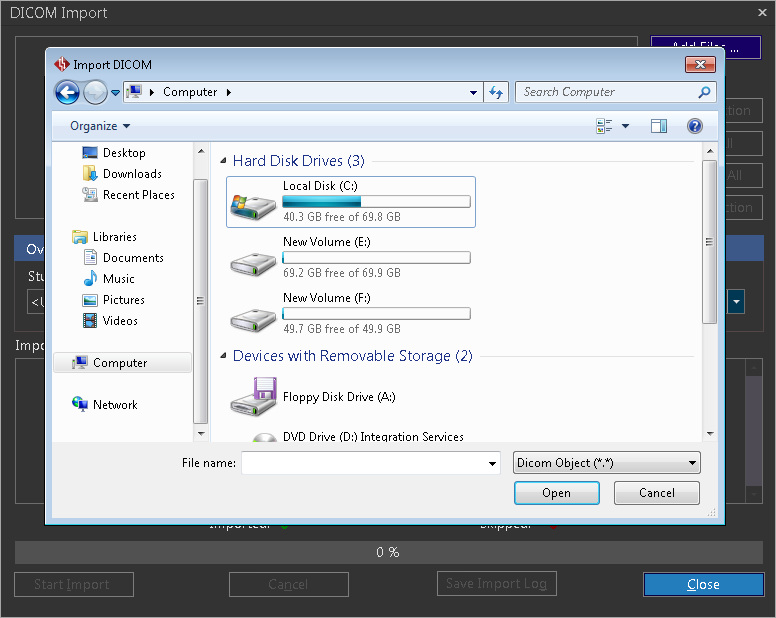
The Import DICOM Folder will open a Browse for Folder window.
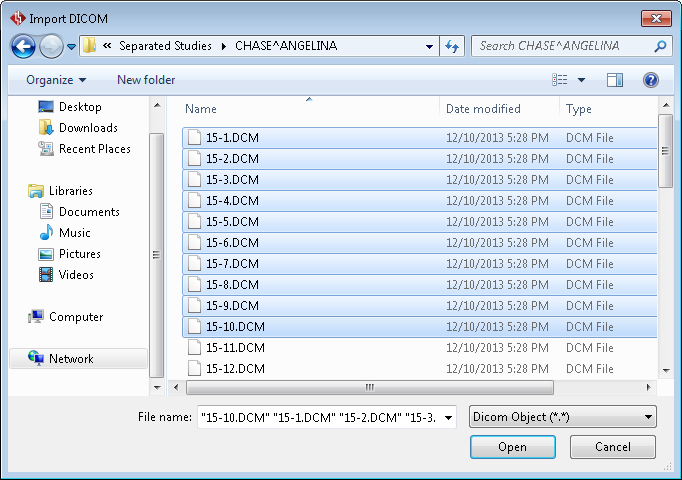
Select the desired folder and click Open. The selected DICOM objects get listed in the DICOM Import dialog.
Click Start Import.
At the end of the import, the Import Activity Log section in the DICOM Import dialog shows the summary.

If any of the objects being imported are already in the database or they are not valid DICOM objects, they will be skipped. Once the data has been imported, the patient and study information are automatically added to the database and can be accessed from the worklist.