How Do I Acquire/Update a License?
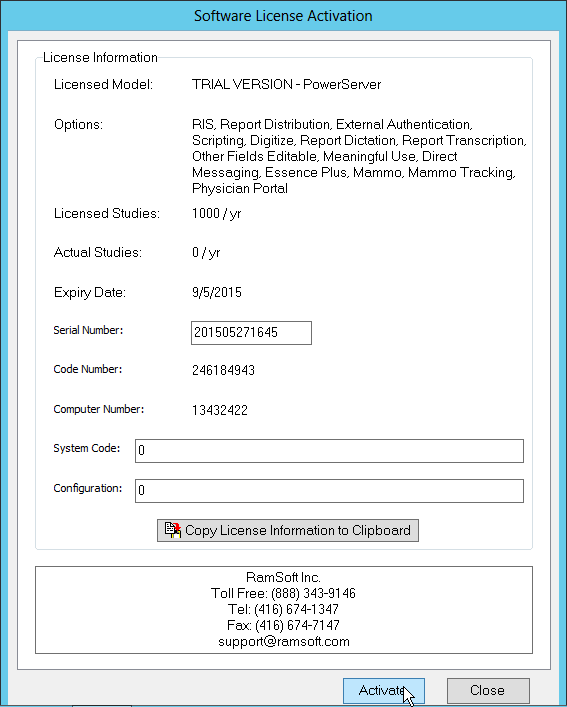
To Acquire or Update a license, provide RamSoft support with the Code Number and the Computer Number that are visible in the Software License Activation dialog.
- This can be done by calling RamSoft support if the license needs to be acquired immediately, or by email. If the numbers are being emailed, the Copy License Information to Clipboard button can be used to copy the numbers to the Windows clipboard. These numbers can now be easily pasted into the email application.
-
Based on the provided numbers RamSoft support will generate the Serial Number, System Code, and Configuration numbers needed to license the software.
-
Input the numbers provided into the correct fields.
-
Click Activate.
-
At this point the Licensed Model, Licensed Studies, and Expiry Date fields will change to reflect the license information that has been accepted.
-
Verify that this information is correct.
-
Click Close to exit the screen.
-
Save the numbers provided by RamSoft in case the system needs to be reinstalled.