How Do I Merge Two Studies Under One Patient?
Sometimes when a patient comes in for multiple visits, the different examinations that the patient underwent are not grouped together under one patient in the system. This is caused by discrepancies in information associated with the two studies. The two studies are considered different and are not joined together.
In order to join two studies together, the user has to do the following:
-
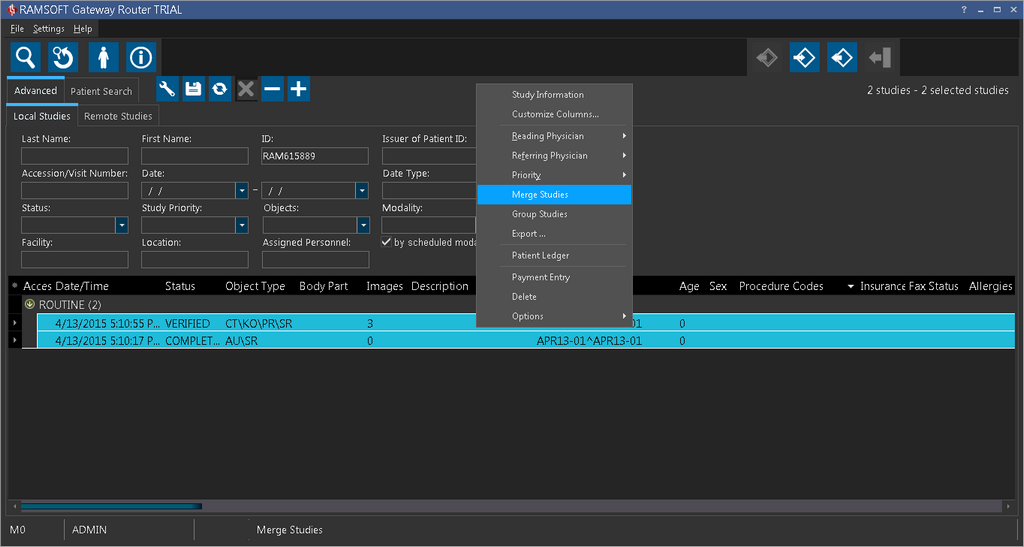
On the study search list, highlight both studies, by holding down Ctrl and clicking on each study.
-
Right-click one of the highlighted studies and choose Merge Studies.
- On the Merge Confirm screen, you will see the information for both studies. Choose which set of information is correct and should be kept. The information from the other study will be overwritten and discarded.
