How Do I Set Up A License?
RamSoft Maintenance has a built-in licensing interface that protects it from unauthorized or illegal use.
To access the Licensing dialog:
- Select the License option.

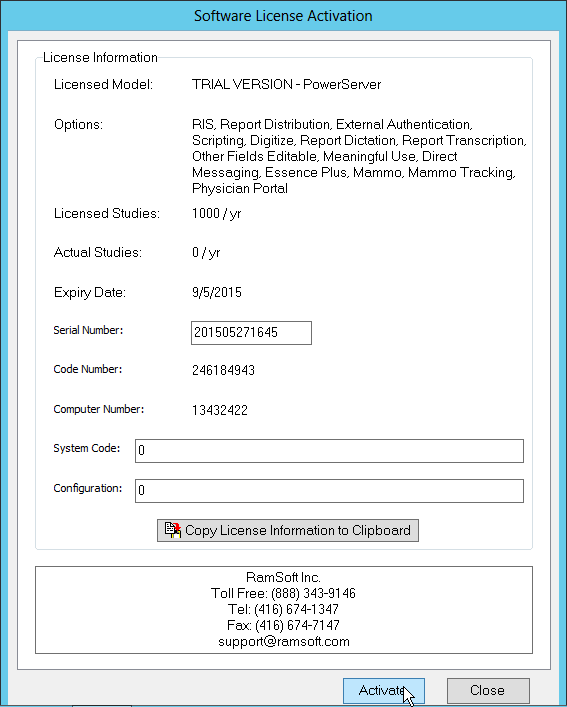
- This opens up the Software License Activation dialog. This dialog is used to Enter or Update License information for the current machine.
-
The Licensed Model shows what type of software has been currently licensed. This can be PowerServer, Satellite Gateway or Diagnostic Gateway. If the current application is not licensed, this field will be set to N/A.
-
The Options field only applies to a Satellite or Diagnostic Gateway and it lists all the options that have been unlocked on the system.
-
The Licensed Studies and Actual Studies fields only apply to PowerServer. Licensed Studies shows how many studies annually the server has been licensed for, while Actual Studies displays the number of studies the server has actually processed over the last year. If the current machine is a Satellite Gateway, or if its a PowerServer that has not yet been licensed, this field will be set to N/A.
-
The Expiry Date field displays the date when the current maintenance contract will expire.