How Do I View a Patient level Audit Trail?
-
Open the Patient Search list. Instructions on navigating to it can be found in the Using the Search List section of the manual.
-
Locate the desired patient in the search list and right click the entry.
-
Choose the Audit Log option.
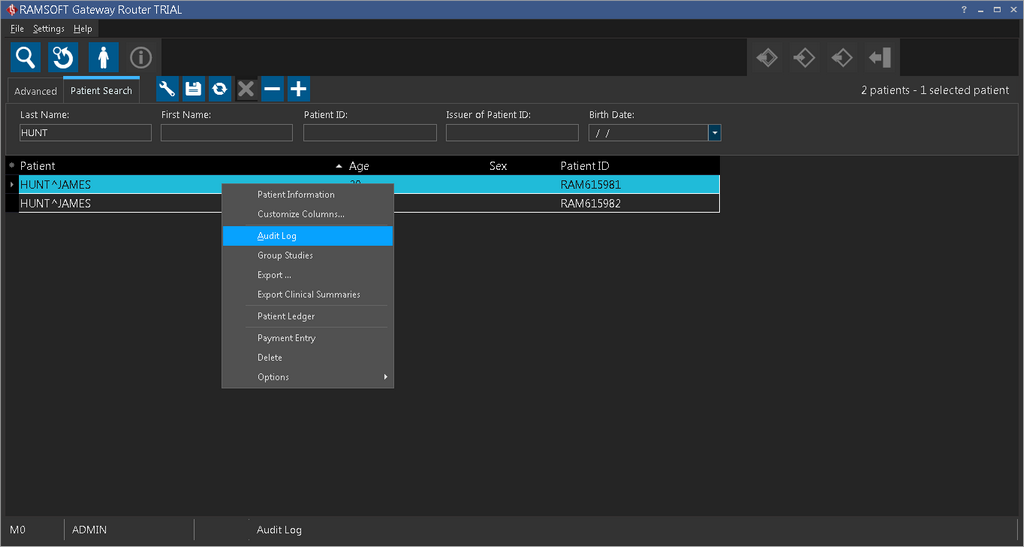
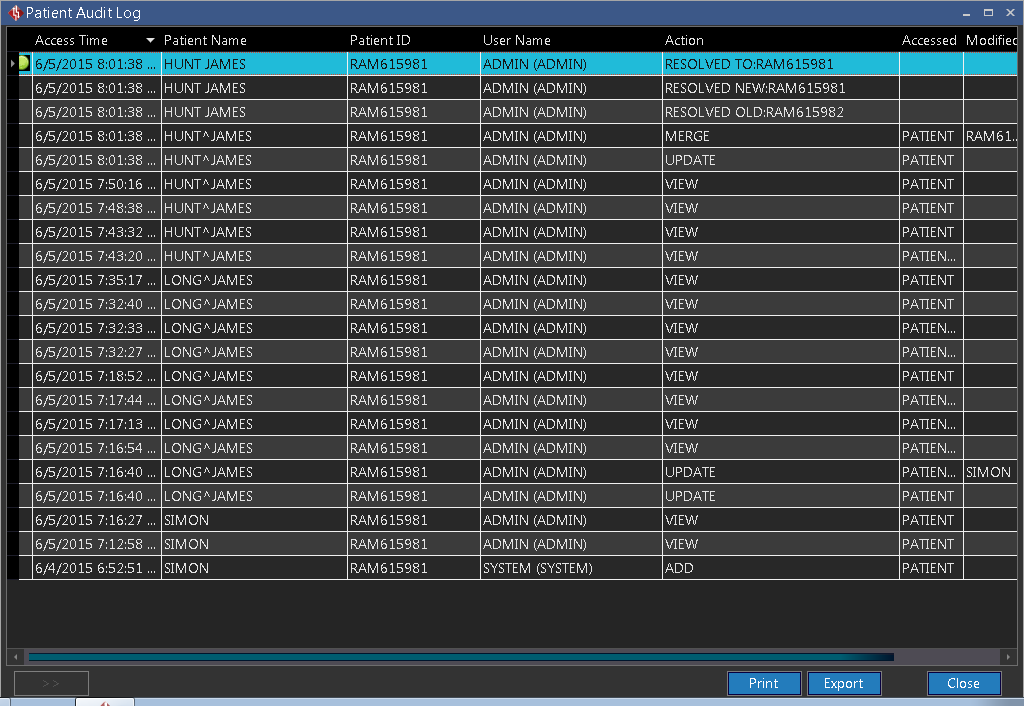
This will open the Patient Audit Log dialog.
-
Choose Export to export the log as a Excel file to the selected destination. Print will display the Print Preview screen. Choosing Export to PDF from the Print Preview screen will export the report to a PDF file format.
-
Click OK. The report is generated and sent to the desired destination.
-
The navigation controls at the top of the Print Preview screen can be used to scroll through the pages of the report as well as print it, or save it to file.