How Do I Manage DICOM Configuration?
The DICOM Configuration dialog is used to configure the basic aspects of the DICOM communication.
To access the DICOM Configuration menu:
- Select Communication > Dicom > Dicom Configuration.

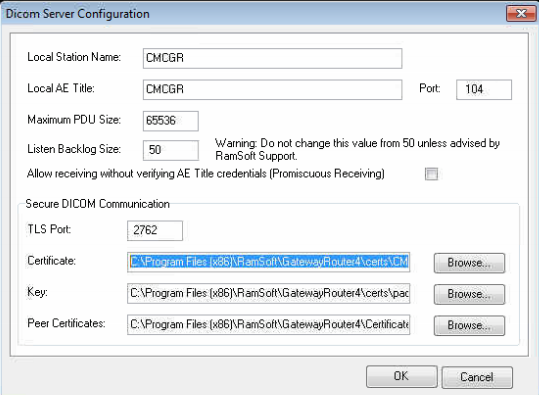
- This will open a DICOM Server Configuration window.
-
The first field is the Local Station Name. It is suggested that an easily recognizable name should be entered in this field.
-
The next field is the Local AE Title. This is a DICOM field and is what DICOM uses to identify a machine. It has to be provided to all the other machines that will be communicating with this station through DICOM.
-
The Port is the port number that the DICOM service will use to receive and send DICOM data. This will also have to be provided to all the remote DICOM stations. The default value is 104.
-
Maximum PDU Size refers to the maximum size of the data packets used during DICOM communication. The default for this field is 65536 which is the maximum packet size supported. Although a lower number is allowed in this field, doing so can result in slowing down of communication. A lower number should only be entered if the large packets are causing communication problems between two stations.
-
The Listen Backlog Size refers to the maximum number of TCP/IP requests from other DICOM stations which can be handled by the DICOM service at a time. This number denotes the maximum number of requests which are allowed by the DICOM service queue and the default value is 50.
The 'Listen Backlog Size' value should not be changed unless advised by RamSoft Support.
-
The Allow receiving without verifying AE Title credentials (Promiscuous Receiving) should be checked off to receive studies from unknown stations.
-
The Secure DICOM Communication section needs to be filled out if TLS encryption will be used for DICOM communication. The only communication channels that require TLS are ones that are going across the internet. In such a case the data needs to be encrypted to satisfy HIPAA regulations. It will only be used for stations that have the option enabled in the station list.
-
The TLS Port is the port that will be used for the encrypted communication. All stations using TLS will use this port while the stations using non encrypted DICOM communication will continue transmitting over the regular DICOM port.
-
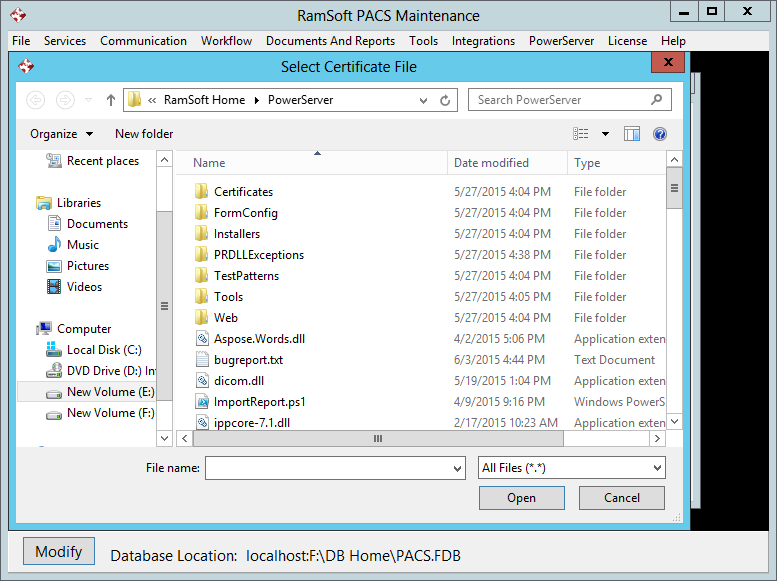
The Peer Certificate field should point to the public certificate being used by the machine.
-
The Key field should point to the private key that the current machine is using.
-
The Peer Certificates location refers to the folder where the public certificates of all the other DICOM machines are stored.