How Do I Configure the Installation Options for Various Roles?
Ramsoft software has the ability to install various modules or options which are associated with a role. The system allows the user to install the Dictation Module, Disc Viewer Module and the MPR and Fusion Module for a particular role. Installing these various modules is very easy as the user only needs to click on a role and then select the Installation Options listed.
To Install these module for a role, select PowerServer > Install Options > Role Install Options.

The Role Install Options form appears.
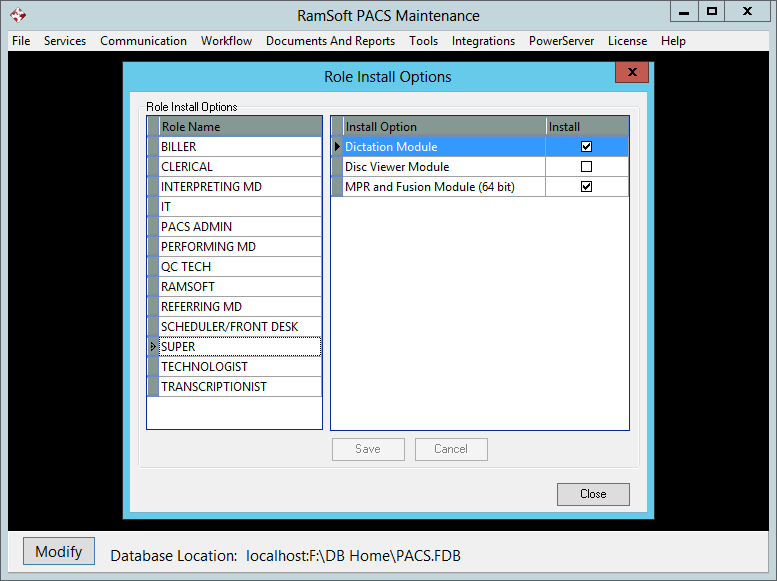
There are two sections of the form. The Role Install Options section has every role in the system. The Install Option table has the three modules associated with each role. The user must choose a module in the form to allow free access to those modules. For example the Dictation module allows the dictation module to be displayed for the selected user etc.
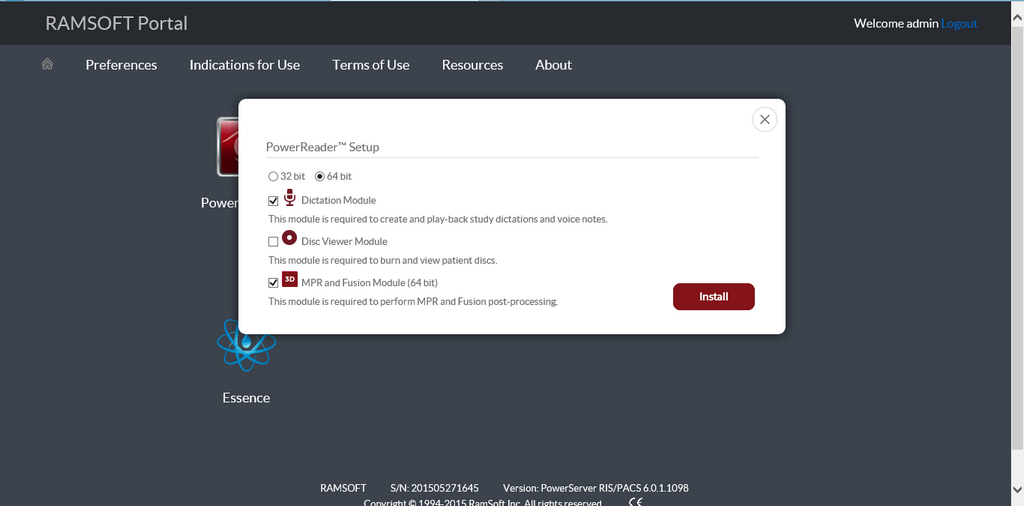
If you choose a combination of installation options in Maintenance and then install PowerReader for the first time, you can see that the modules that have been selected in Maintenance are by selected by default in the PowerReader Setup form.