How Do I Integrate HealthVault Software With the System?
Microsoft HealthVault has been integrated with PowerServer 6.0. The integration settings are accessed through HealthVault Integration > Settings.
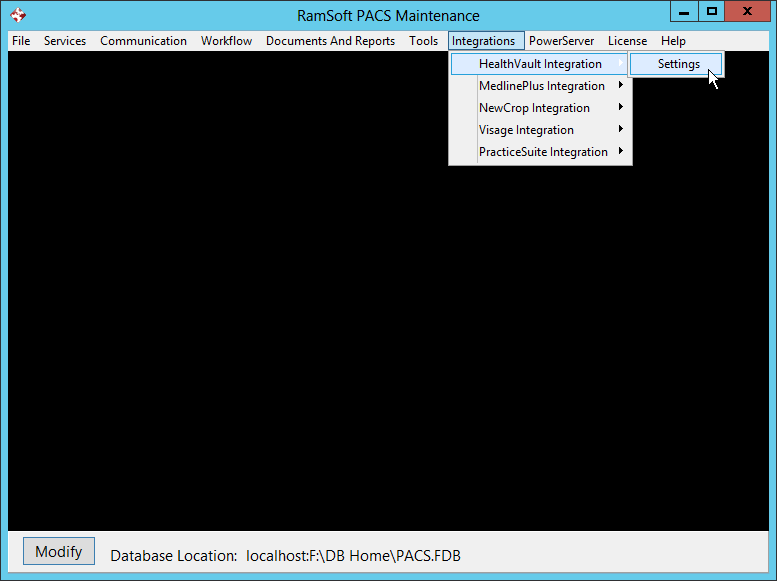
There are three tabs in the HealthVault Integration form i.e HealthVault Application Settings, HealthVault Facility Logo and PatientConnect Scheduler.
HealthVault Application Settings
The HealthVault Application Settings tab is the first tab.
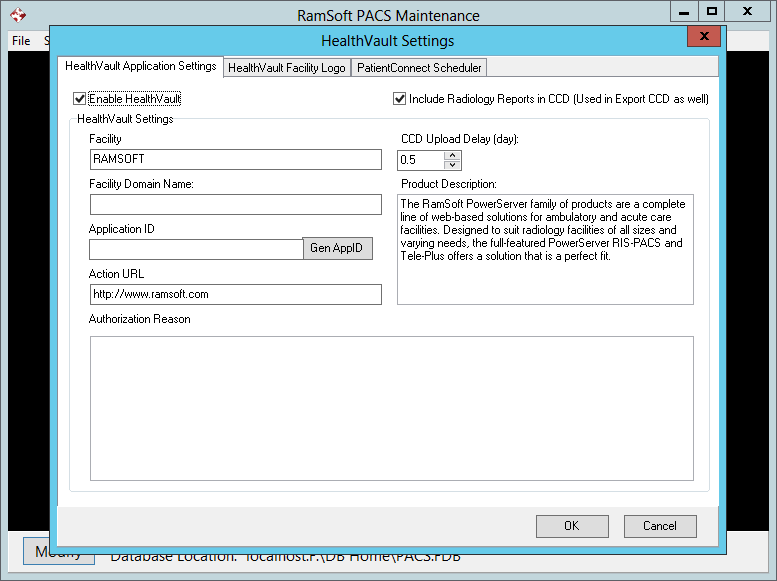
The Enable HealthVault option is used to enable/ disable HealthVault. The Include Radiology Report in CCD option will include diagnostic reports in the CCD in addition to the other information. The HealthVault Settings subsection contains the Name of the Provider/ Facility, and the Facility Domain Name. This is used for the location of the Facility specifically. The two options are needed to generate a unique Application ID for the provider. The Gen AppID button is pressed to generate the Application ID which is unique to the facility and is used by HealthVault to identify the particular Provider which is attempting to upload the CCD. The Action URL is the URL displayed when the user logs into their HealthVault Account.
The CCD Upload Delay (day): is the number of days that PowerServer will wait before sending the CCD to the patient's HealthVault account. The default value is 0.5 days.
The Product Description is a read-only field.
The Authorization Reason is the reason which will be displayed to the patient in the email sent to the patient. The email provides a description of HealthVault and the reason for sending the information to the site.
The HealthVault Facility Logo tab
The HealthVault Facility Logo tab is used to upload the logo of the provider facility to HealthVault. This logo will be displayed when the users log into their HealthVault account.
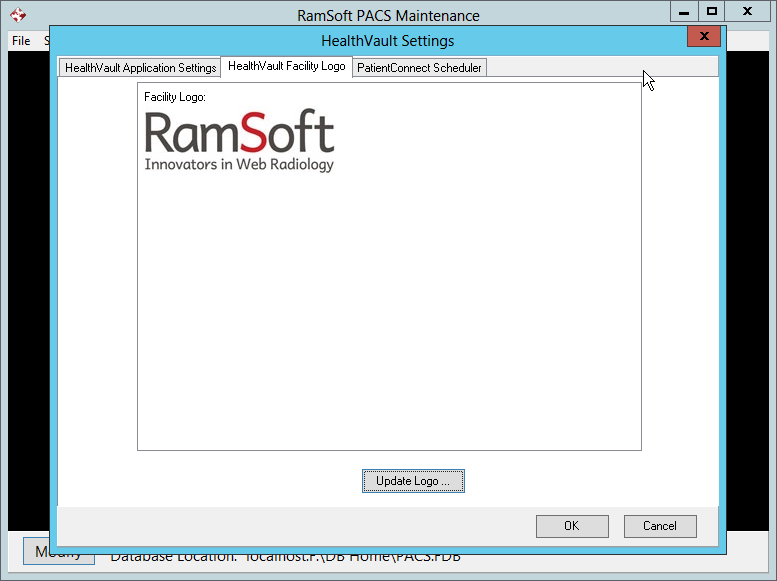
Note that when uploading the logo of HealthVault Facility in maintenance, It should be limited to 120x60 pixels or smaller, and limited to 160kb in size.
The PatientConnect Scheduler
The last tab is the PatientConnect Scheduler tab in the HealthVault Settings form. The Frequency of Synchronization is the frequency with PowerServer checks the database to upload the CCD to HealthVault. The system will continue to review the database for any new CCDs but wait for the amount of time specified in the CCD Upload Delay (day): field before it uploads these CCDs. The default value for Frequency of Synchronization field is 1 minute. However the user can select either 2, 3, 4 minutes or Every day etc from the drop down menu.

The Patient Approval Wait Period field is the amount of time the system will wait for a response from the patient after an email has been sent requesting approval for HealthVault. The default value is 5 days.