How Do I Integrate PracticeSuite Software With the System?
Before logging in to PracticeSuite, you need to set up PracticeSuite integration.
This option can be accessed from Integrations > PracticeSuite Integration > Settings.
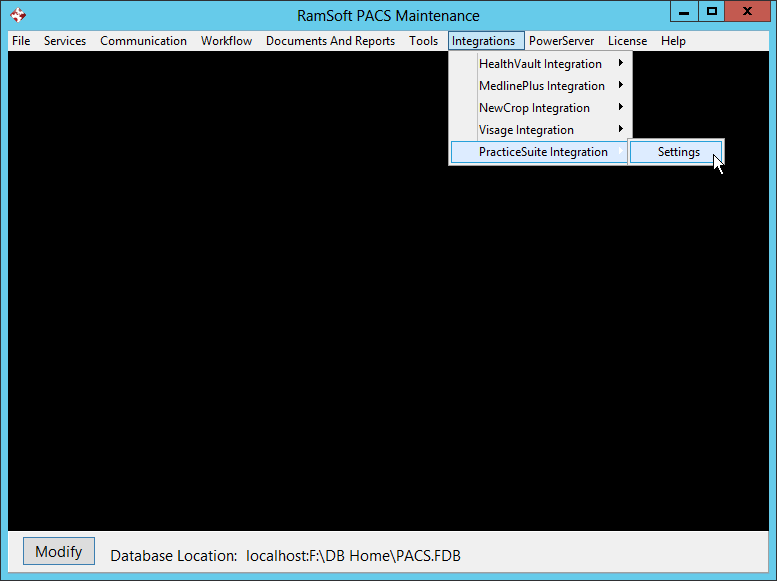
This would open the PracticeSuite Setup form.
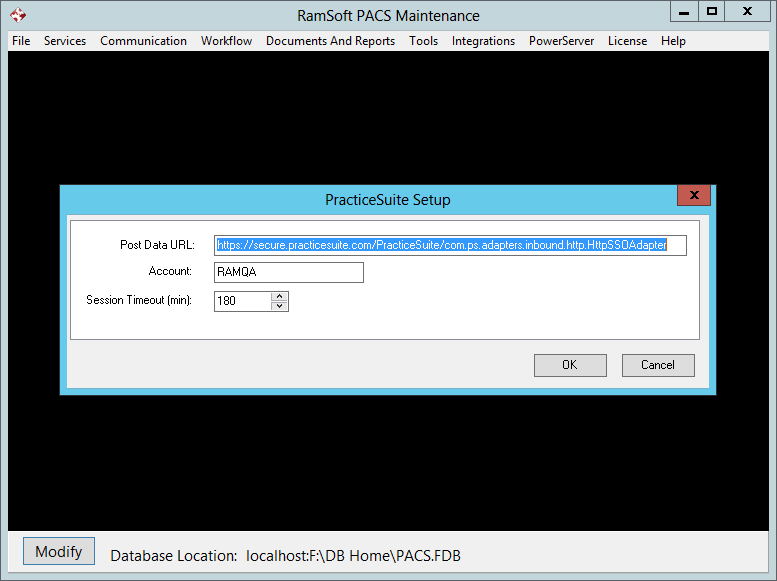
- The Post Data URL: field displays the default URL used to post information to PracticeSuite.
- The Account: field displays the PracticeSuite Account information. This information is provided by PracticeSuite.
- The Session Timeout (min): field displays the time after which PracticeSuite session can get logged out if it stays inactive.
note
You can setup PracticeSuite Integration from PowerReader too. If you set it up in PowerReader, it would show the setup details in Maintenance module and vice versa.