System Log
The System Log has been created for troubleshooting the system. If you seen any error messages, it will be recorded here. This log has been designed as a tool for IT and service personnel and in addition to error messages, all system tasks such as database sweeps are recorded here. Periodic monitoring of this log is to ensure the system and data integrity is very important step in system maintenance. The implementation of this step assures earlier detection and prevention of issues before they become a threat to the system.
The system log is accessible by clicking Settings > Log > System Log. System Log screen appears as shown below.
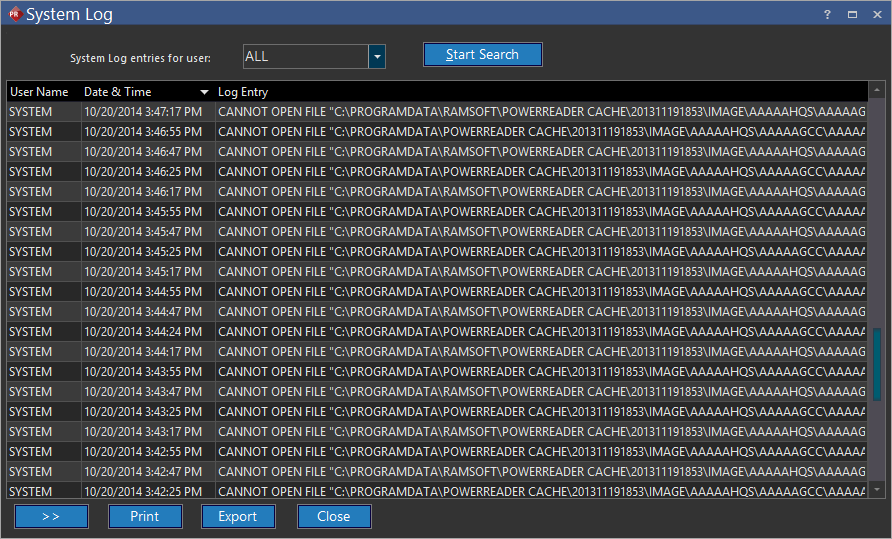
To view results related to a particular user, select the drop-down menu System Log entries for user and select a particular user. Selecting the Start Search button will display results.
The log contains the username of the individual who was logged in when the associated task or error occurred. If a user reports an unusual error, a search can be made for all the messages displayed to that user. This is an important step in the identification of the issue.
Note: It must be kept in mind that not all messages are displayed in this log as certain error messages can be missing from this table. This can happen if a system crashes or if there was an issue with the system state.
Each log entry also has a Date & Time associated with it. Any errors that occurred in the background or without the interaction of a user will be logged under the System user. The service tasks are also reported under the System user.
If unexplained problems are reported with the system, this log should be consulted.