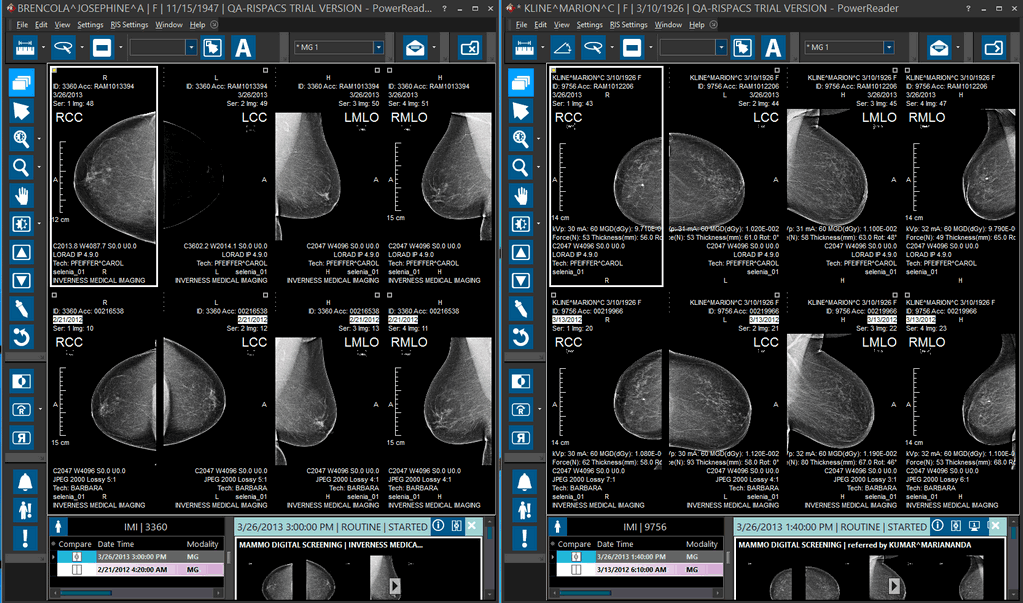
Viewing Multiple Studies Simultaneously
RamSoft PowerReader allows multiple study desktops to be opened simultaneously. This allows direct comparisons between different patients while keeping the users preferences intact. To open multiple study desktops in the system, the max number of study desktops needs to be determined before hand.
Click Settings > Local Setup > Advanced. Advanced tab appears as shown below.

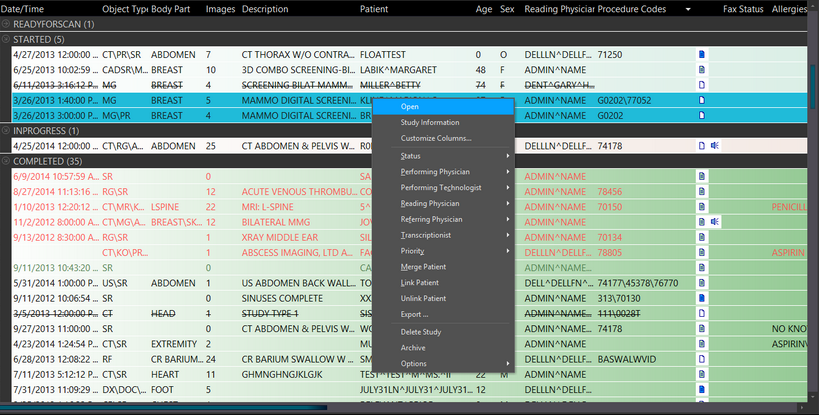
In the Max Number of Study Desktops field, enter the maximum number of study desktops desired and click OK. The above saved changes will be applied the next time the user logs into the system. Log out of the PowerReader and Log in to the system again. To view multiple studies, press the Ctrl button and click the mouse button over the desired studies. This will highlight the desired studies. Once the studies have been chosen, right-click the study and choose Open.
The chosen studies will be displayed simultaneously. Depending on the number of monitors available, the studies can be displayed side by side or on different monitors. The title bar of the main study will have an Asterisk (¬) in the beginning.