Reconciling Clinical Information
Clinical Information Reconciliation
Clinical Information Reconciliation refers to the process of identifying the most accurate list of medications that the patient is taking by comparing the current medical records to an external list of medications obtained from a patient, provider or imported from a CCDA document.
RamSoft PowerServer enables you to create a single reconciled list of medications, allergies or problems. You can review and validate the accuracy of a final set of date and confirm the final selection to create a reconciled list.
Reconciling Medications and Allergies
In Ramsoft PowerServer, you can perform medications and allergies reconciliation whenever you receive a CCDA document in your Inbox.
To reconcile medications and allergies, perform the following:
-
Select the patient for whom you want to reconcile this data and click the Patient Info
 icon.
The Patient Info screen appears.
icon.
The Patient Info screen appears. -
Click the Health Information tab.
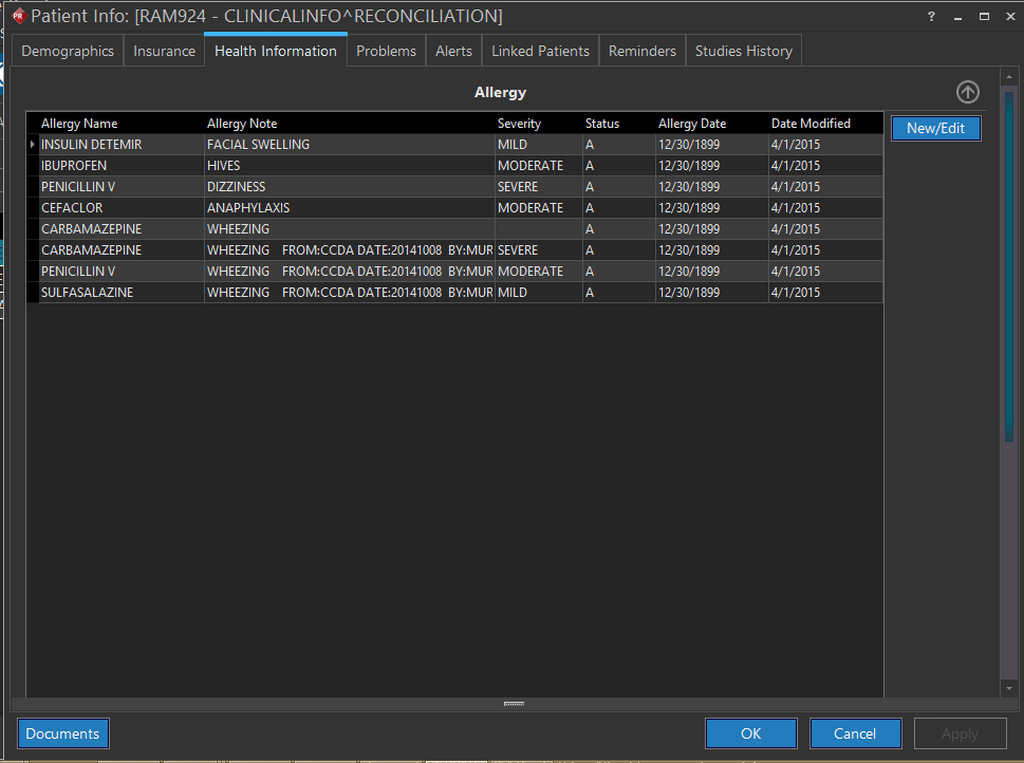
You can see that Allergy section is displayed showing the list of Allergies if any.
-
Click the New/Edit button. The Allergies and Medications screen is displayed. By default, the Med Entry tab is open.
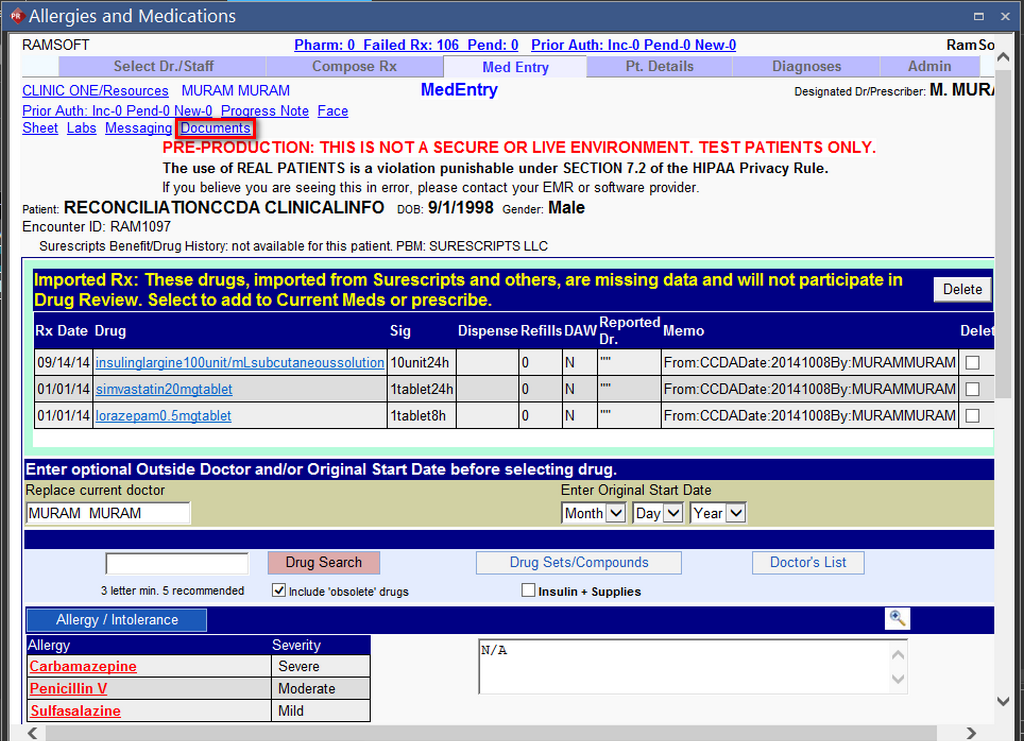
Note that there are existing medications and allergies for the patient. You can import medications and allergies and reconcile them with the existing medications and allergies.
-
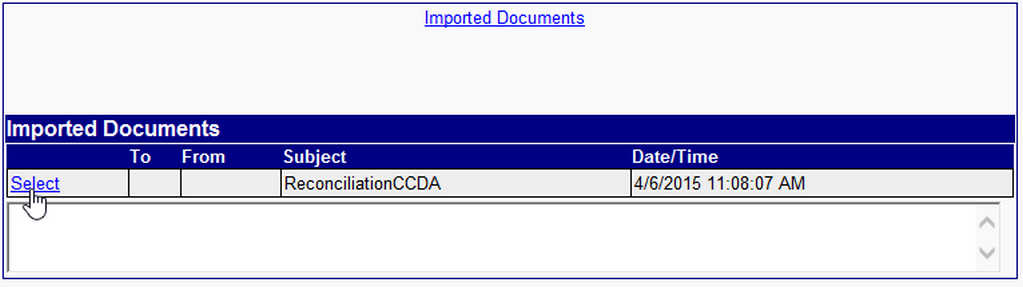
Click the Documents link on the MedEntry page. The Imported Documents section under the Admin tab appears.
-
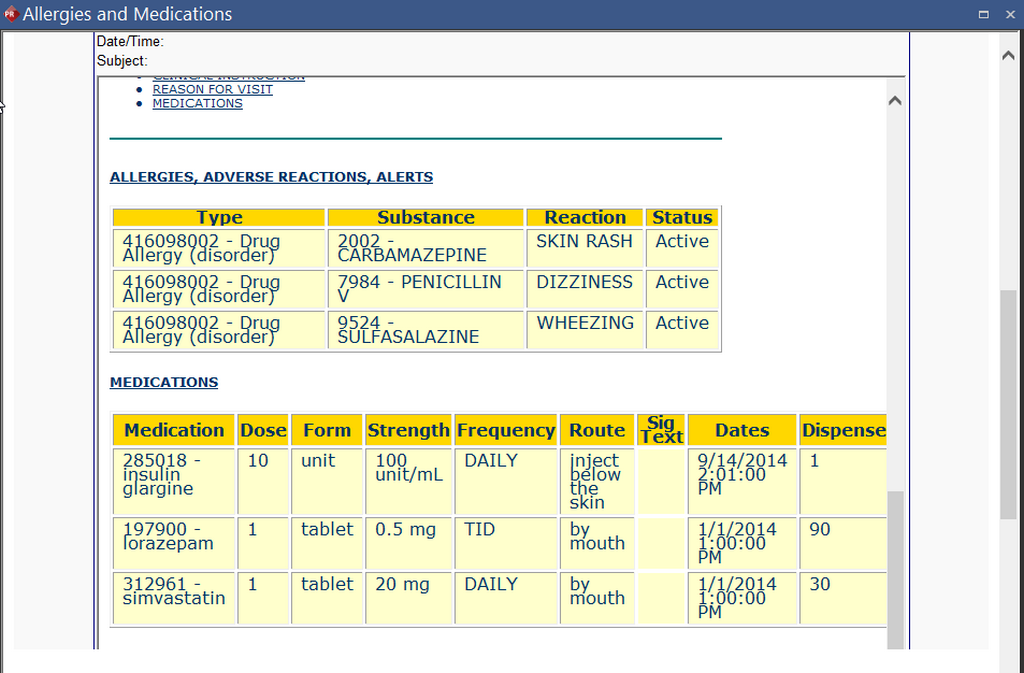
Click the Select link to open the CCDA document to be imported. The CCDA document opens up listing the medications and allergies to be imported.
-
Click the Import Meds, Allergies and Problem List button.
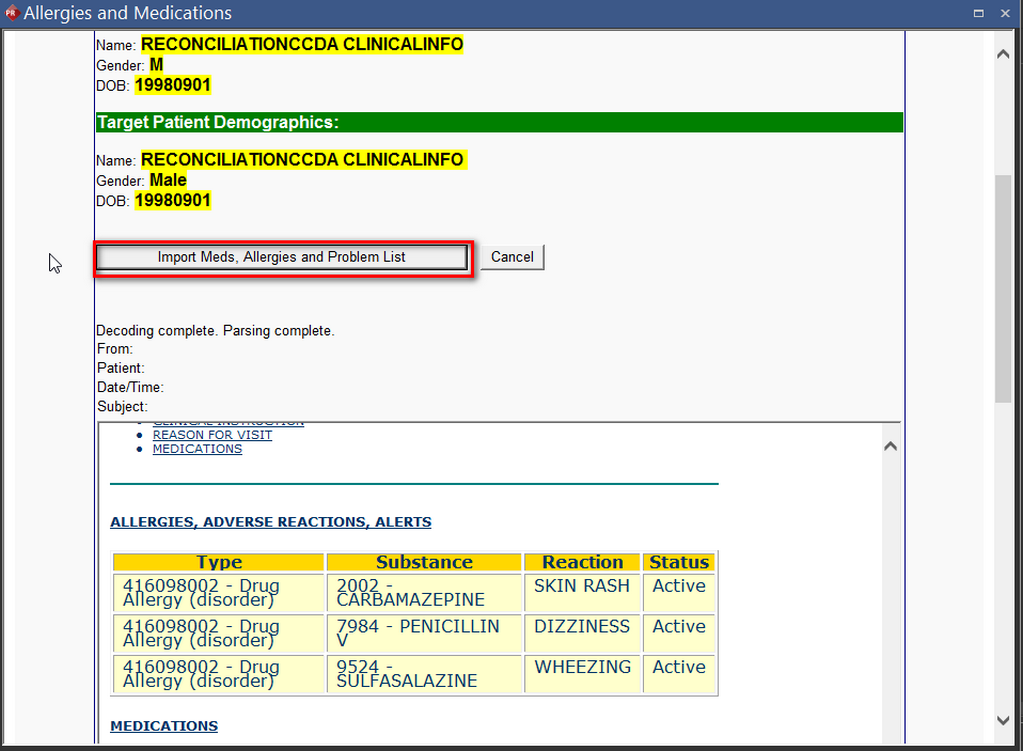
The Med Reconciliation page under the Admin tab appears. You can see that the current medications and current allergies along with the imported medications and allergies are listed on the left hand side.
-
Select the list of medications and allergies and create a final Reconciled list by clicking the
 button.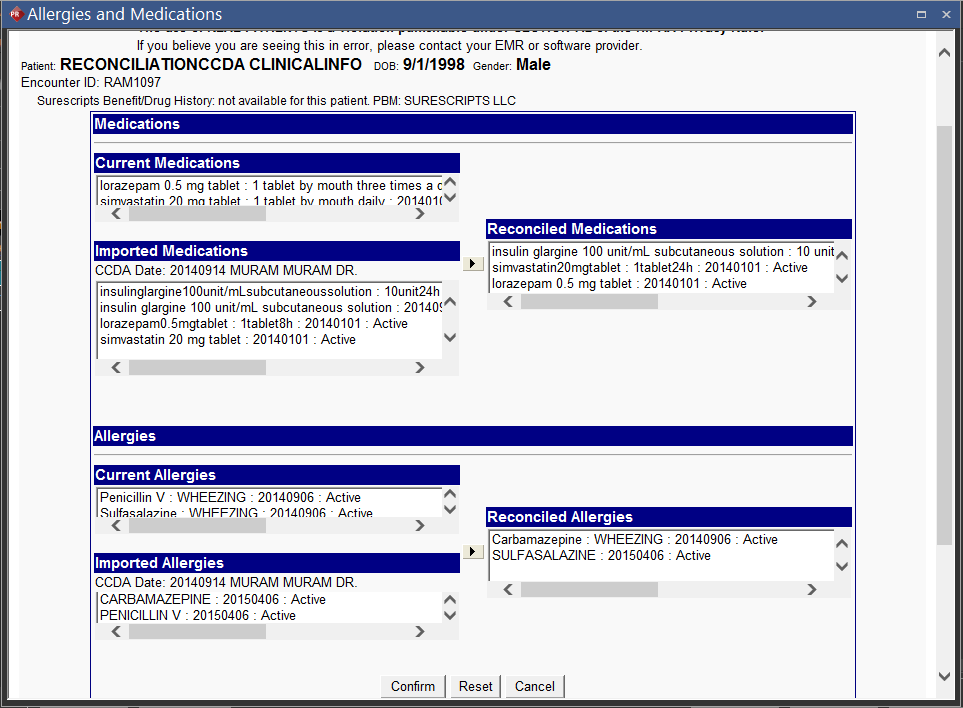
-
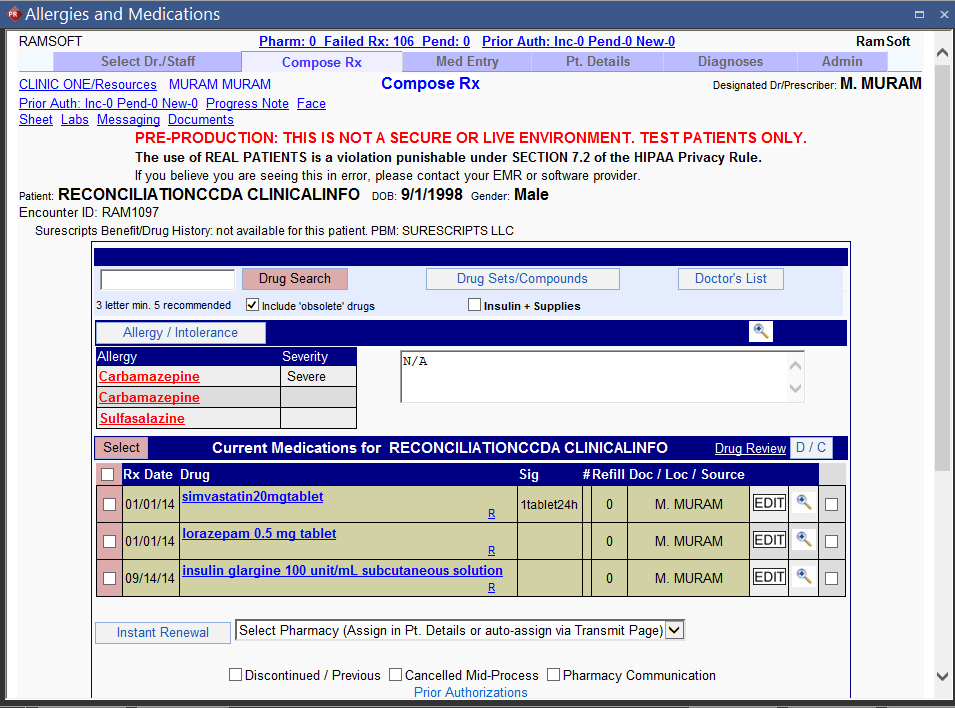
Click the Confirm button. The Compose Rx tab appears displaying the Reconciled list of medications and allergies.
Reconciling Problems
In Ramsoft PowerServer, you can perform Problems reconciliation whenever you receive a CCDA document in your Inbox.
To reconcile Problems, perform the following:
-
Select the patient for whom you want to reconcile this data and click the Patient Info
icon. -
The Patient Info screen appears.
-
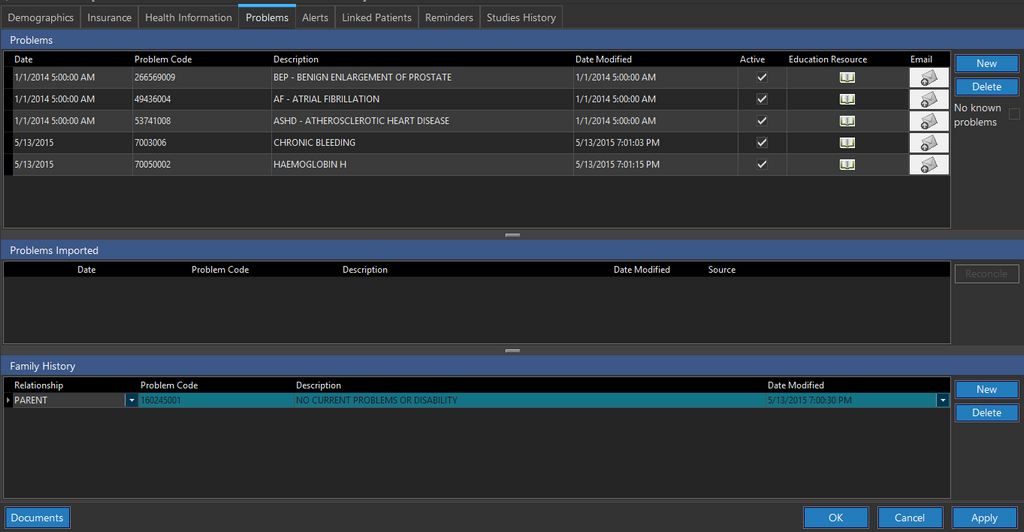
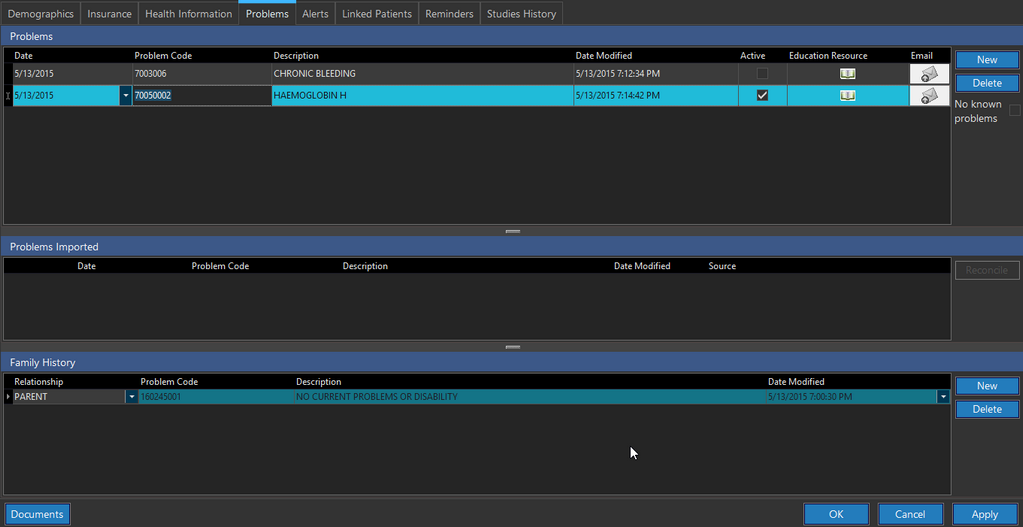
Click the Problems tab. You can see that there are two existing problems for the patient.
-
Click OK.
-
Select the patient and click the Referral Inbox icon
 .
The Messaging screen appears.
.
The Messaging screen appears.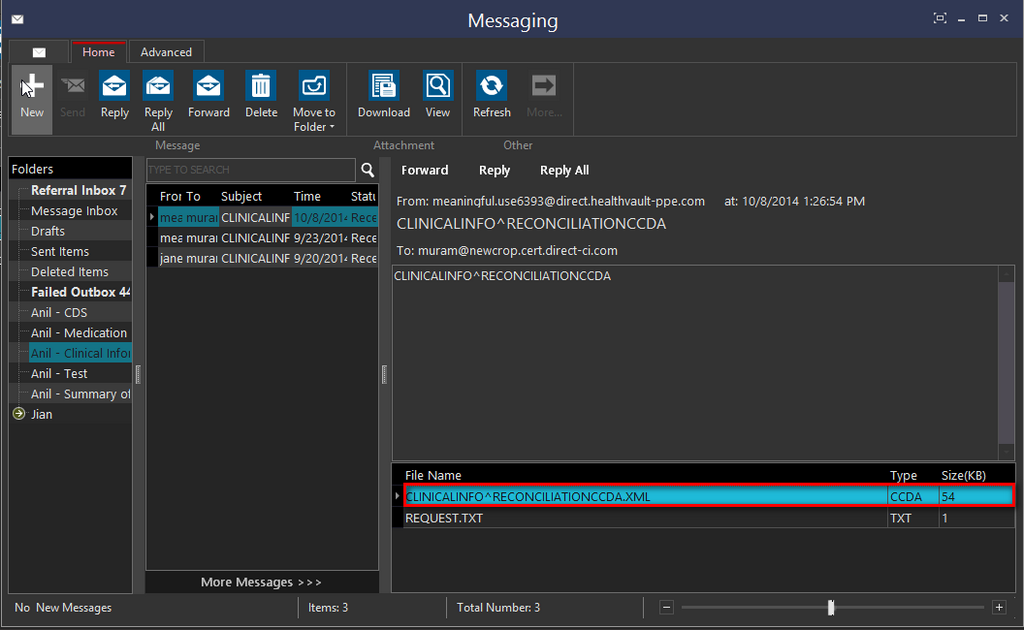
-
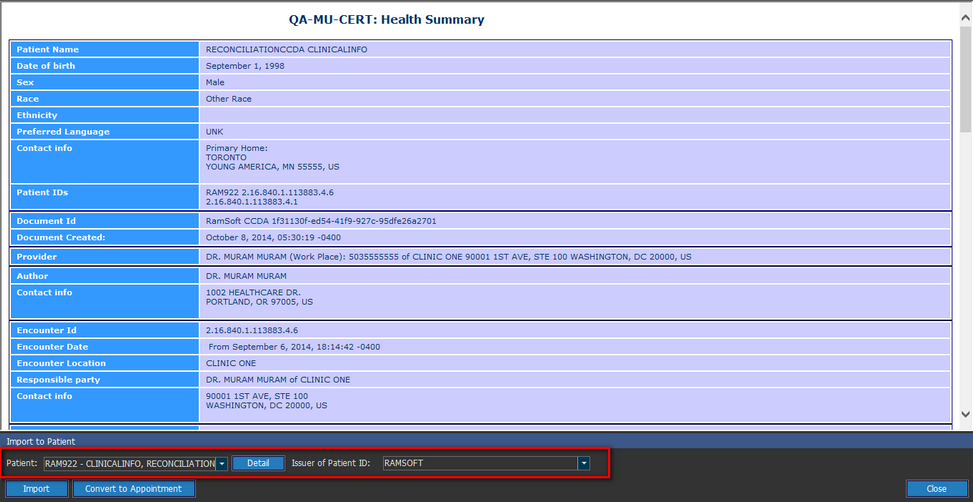
Open the CCDA document that you have received. The CCDA document form appears.
-
In the Import to Patient section, enter the Issuer of Patient ID information for the patient's profile you want to import the CCDA document to. The Patient field gets populated with the Patient ID and name.
-
Click the Import button. The Import Successful confirmation message appears.

-
Click OK and close the screen.
-
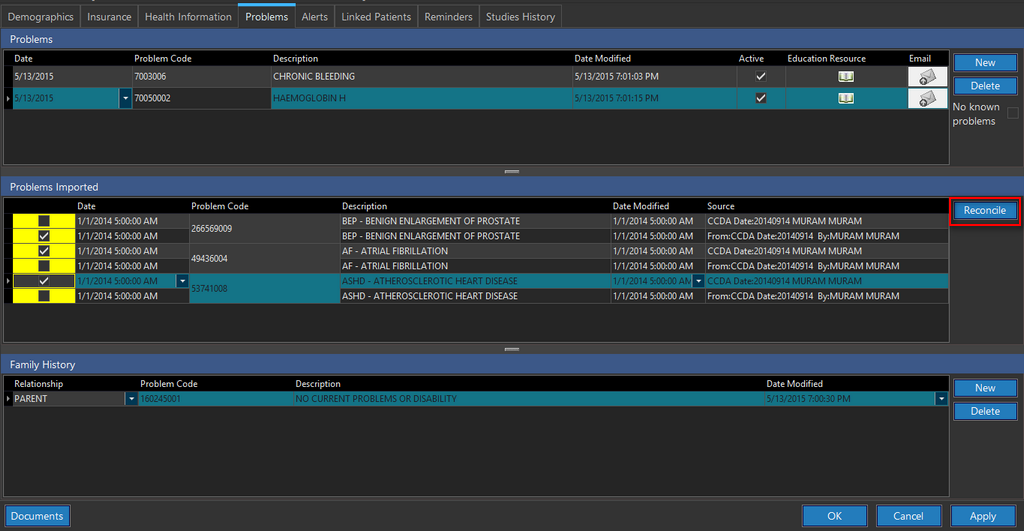
Now when you open the Patient Info screen and click the Problems tab, you can see that the imported Problems are listed under the Problems Imported section.
-
Select the relevant Problems to be imported to your current Problems list and click the Reconcile button. The following confirmation message is displayed.

-
Click Yes if your selection is final. You can see that the reconciled Problems are listed under the Problems section.