How Do I Backup a Database?
To Backup a database:
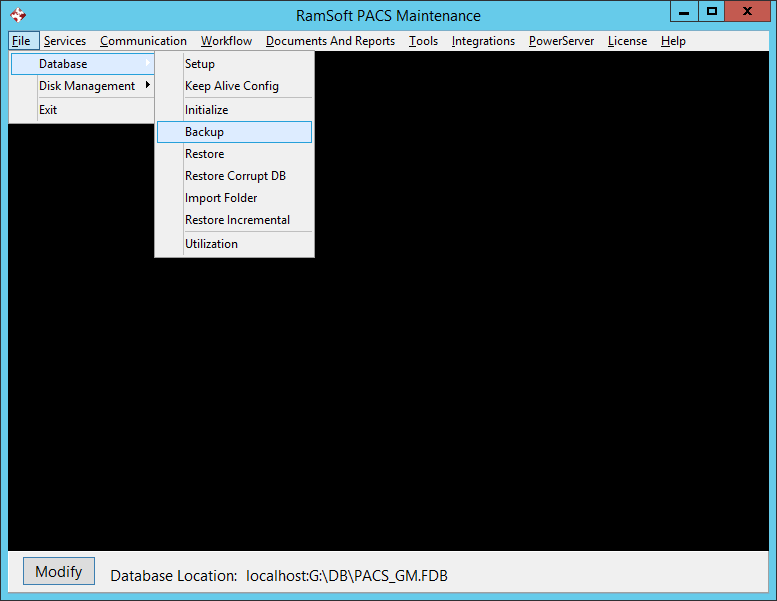
- Select the Backup option from the File > Database > Backup menu.
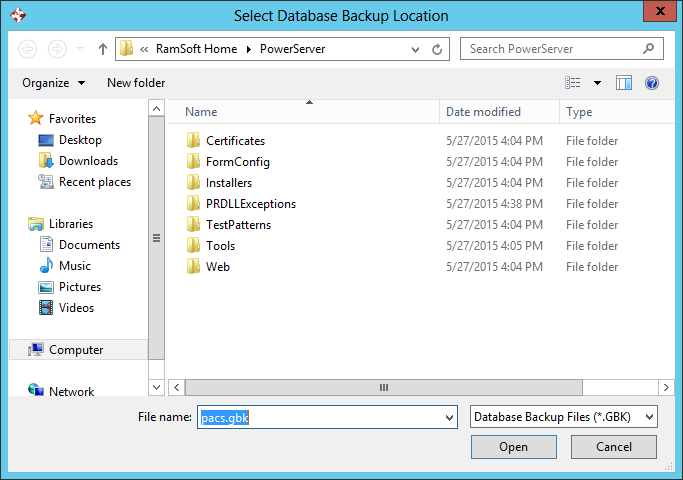
- This will open the Select Database Backup Location dialog. Select the folder and the name of the file that the database should be backed up to.
-
Click Open.
-
The Backup process will commence. This process creates a .gbk file. The .gbk file can be used to restore the database to the point it was at when the backup was made.
-
During the Backup process, a backup log will open showing the progress of the operation.

- When the Backup process is completed, a message will appear in the backup log indicating that the file is being closed.