How Do I Restore From the Incremental Backup?
If the database has been corrupted for some reason, the following steps can be performed to restore the database file from the Incremental backup. To restore from the Incremental backup, perform the following steps:
-
Open the maintenance module.
-
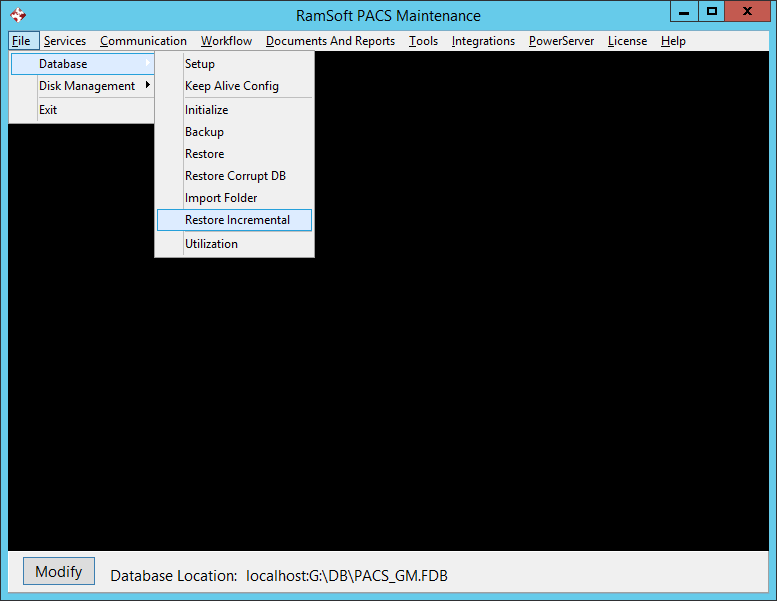
Go to File > Database > Restore Incremental.
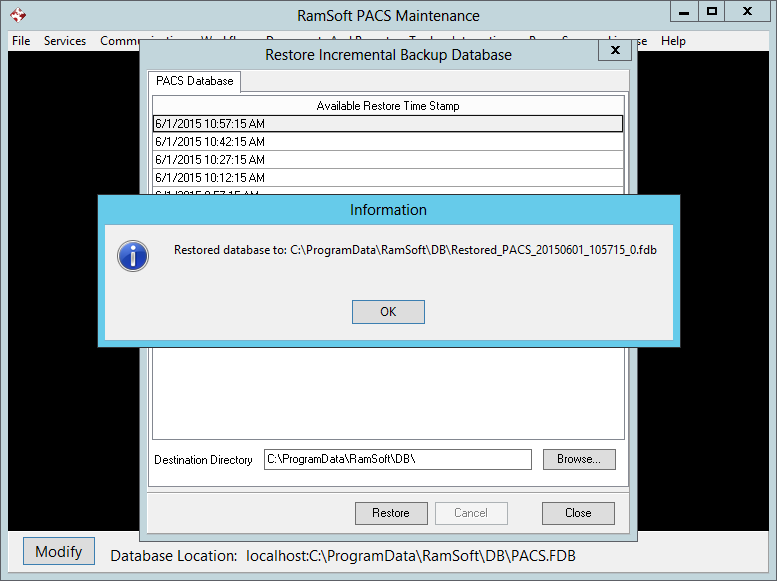
- In the Restore Incremental Backup Database form, select the appropriate backup file from the list of files available.
-
Click the Restore button.
-
A message is displayed describing the name of the restored file. The file is named as Restored_PACS%date%%Time%%BackupLevel%.fdb.
-
Click OK.
-
Stop all RamSoft Services
-
In the Database folder, rename the existing database to something else e.g. PACS.FDB.OLD.
-
Rename the restored database file to the designated database file e.g. PACS.FDB.
-
Start all the RamSoft services.
-
If the Report database has to be restored, select the Report Database tab.
-
Repeat steps 3-10.