How Do I Initialize a Database?
Database initialization is the first step in the restoration of a database. The initialization step resets the value of the generator in the database (The generator assigns a value to various fields in the database and the values are incremented with each new study). The process of initialization has been separated from the entire restoration process. This allows users more control over the database as they can reset the generator values if needed, in a single step instead of restoring the entire database.
To initialize the Database, select the Initialize option from the File > Database > Initialize menu.
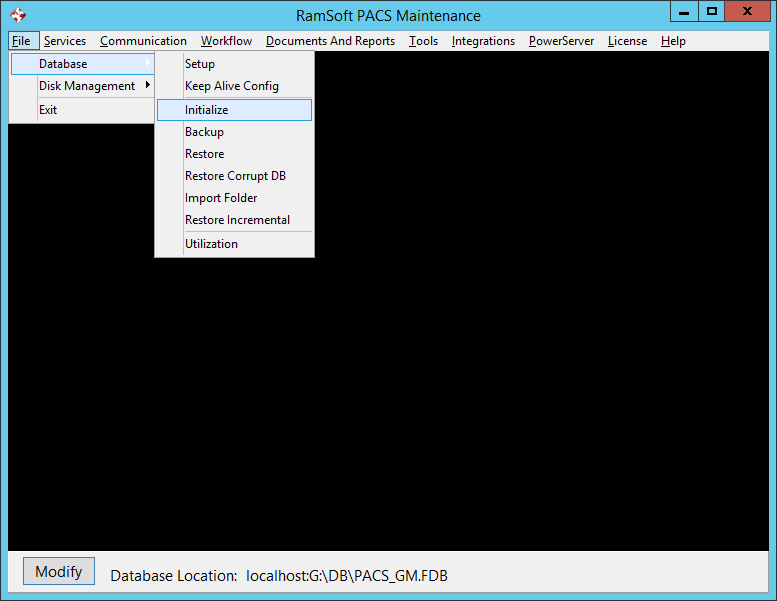
Once the database has been initialized, a message will appear.
