ACR RADPEER Integration
In PowerReader, the Peer Review feature is designed as a tool that can be used during the routine interpretation of current images. If prior images and reports are available at the time a new study is being interpreted, the prior studies and the accuracy of the diagnostic report can be evaluated and scored by the current interpreter on a standardized 3-point rating scale.
For more information on peer-review scoring, please refer to the topic Performing Peer Review.
Power Reader's integration simplifies the process of submission to ACR RADPEER by automating the process and eliminating the need to manually submit data.
Enabling PowerReader Integration with ACR RADPEER
Note: The following steps must be performed for both the Reviewing Radiologist and the Radiologist under Review to enable PowerReader integration with ACR RADPEER:
- In PowerReader, login as a System Administrator
- Go to Settings > Users and Facilities > Providers. The Users and Facilities screen appears.
- Select the name of the user for whom you wish to specify login credentials.
- Click the Integration button on the Account Details panel.
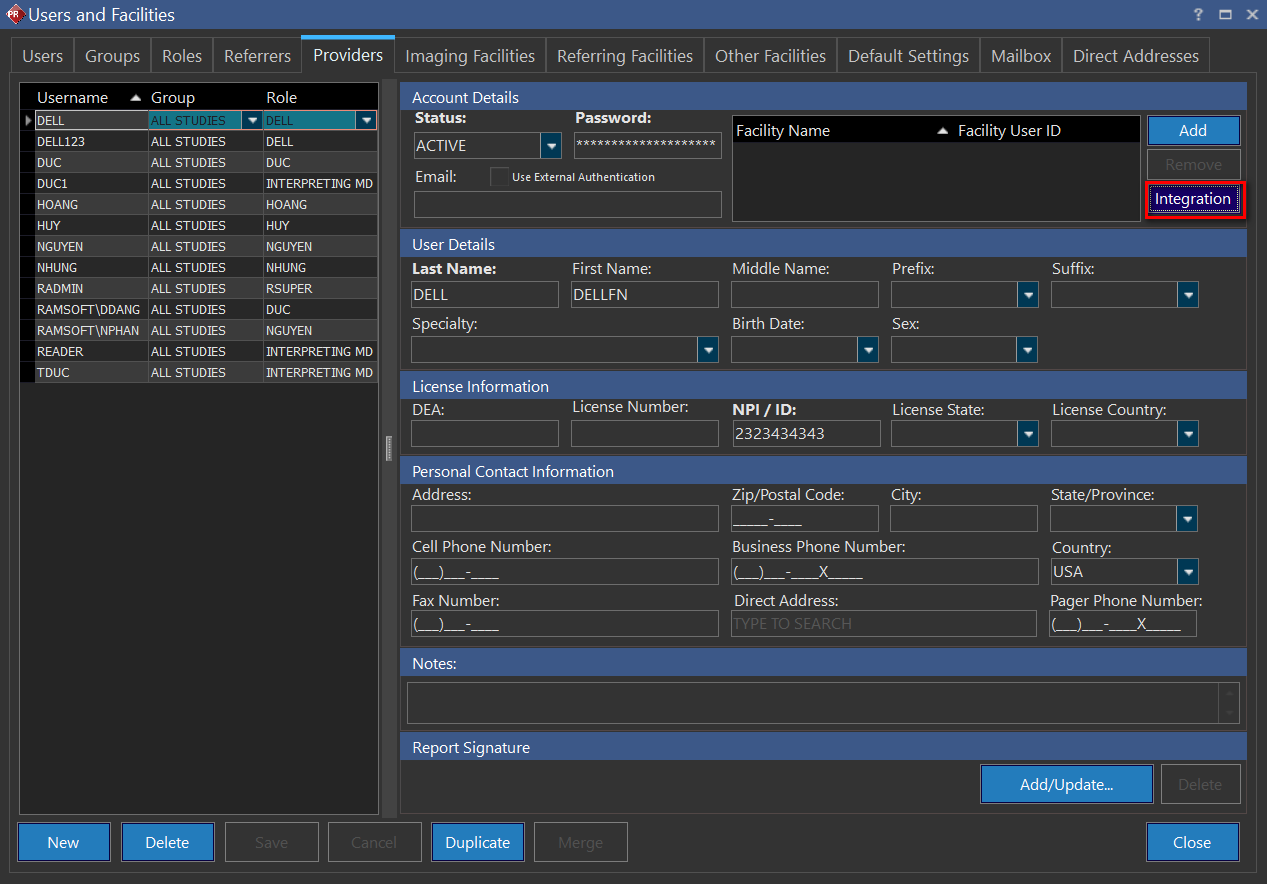
- On the Integration dialog box, click Add and select the Integration name as "eRadPeer". The username of the current user will be populated under username column.
- Verify that the username matches the username created on the ACR website.

- Click Save.
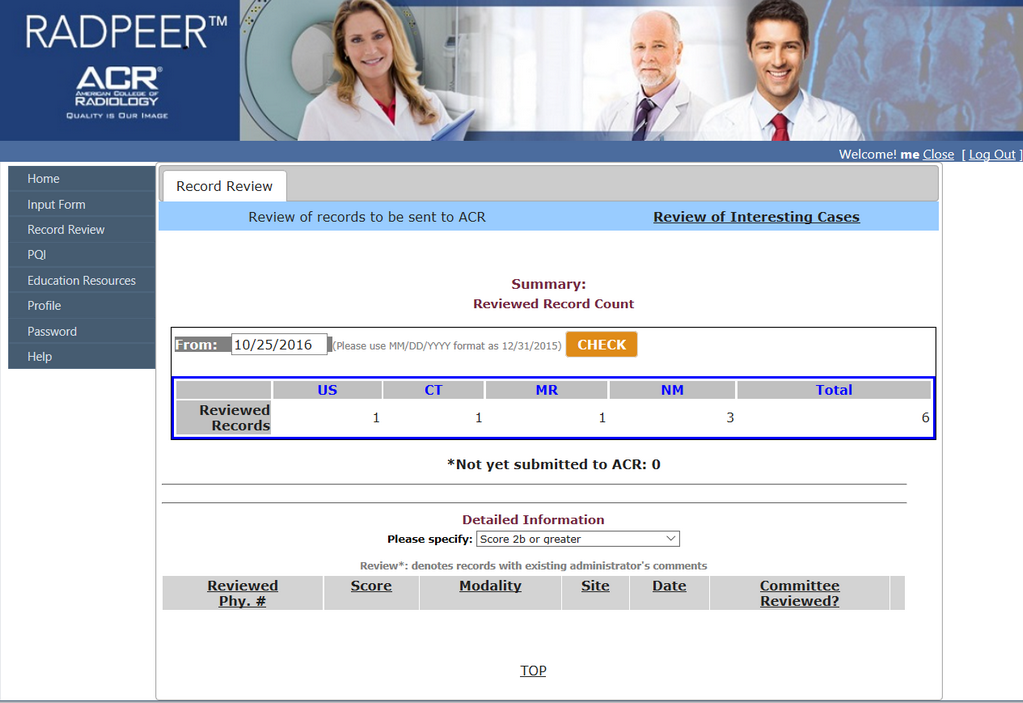
If you want to confirm the Peer review submission, log in to ACR RADPEER with the User ID and Password of the reviewer and click the Record Review option in the left panel. Enter the date to check the record and click the CHECK button.
The Reviewed Record Count shows the count of the reviewed records.
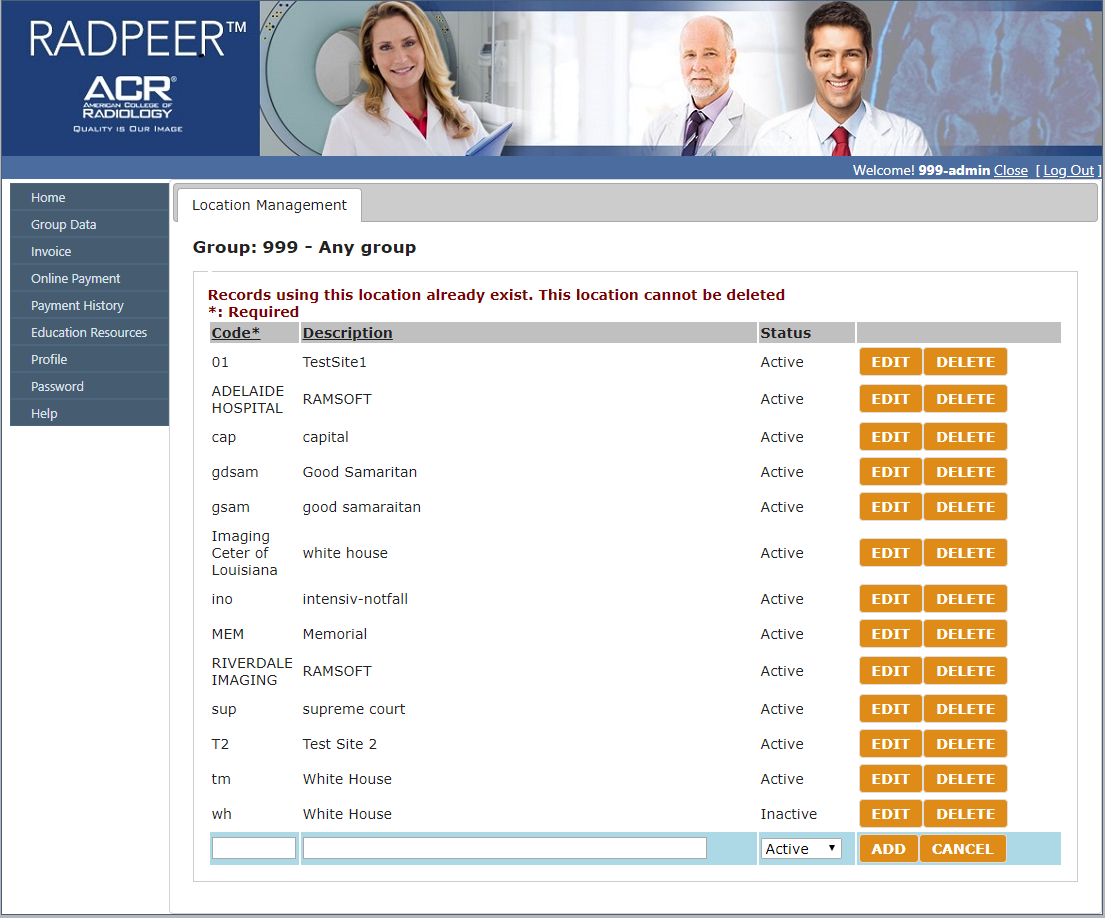
The Location Management page must be set up for successful submissions. The "Code" must be mapped to the facility for the studies that will be submitted to ACR, or the submission will fail with the message "code xyz is not valid!". For example, if the issuer is RAMSOFT and the facility name is JOE'S MEDICAL FACILITY, the Code is JOE'S MEDICAL FACILITY and the Description is RAMSOFT.
Additional configuration in RamSoft Mirth HL7 is needed for PowerReader to submit the Peer Review score to ACR RADPEER. For more information, refer to the topic, ACR RADPEER Integration in the RamSoft Service Manual.