Enabling a Facility With Stana
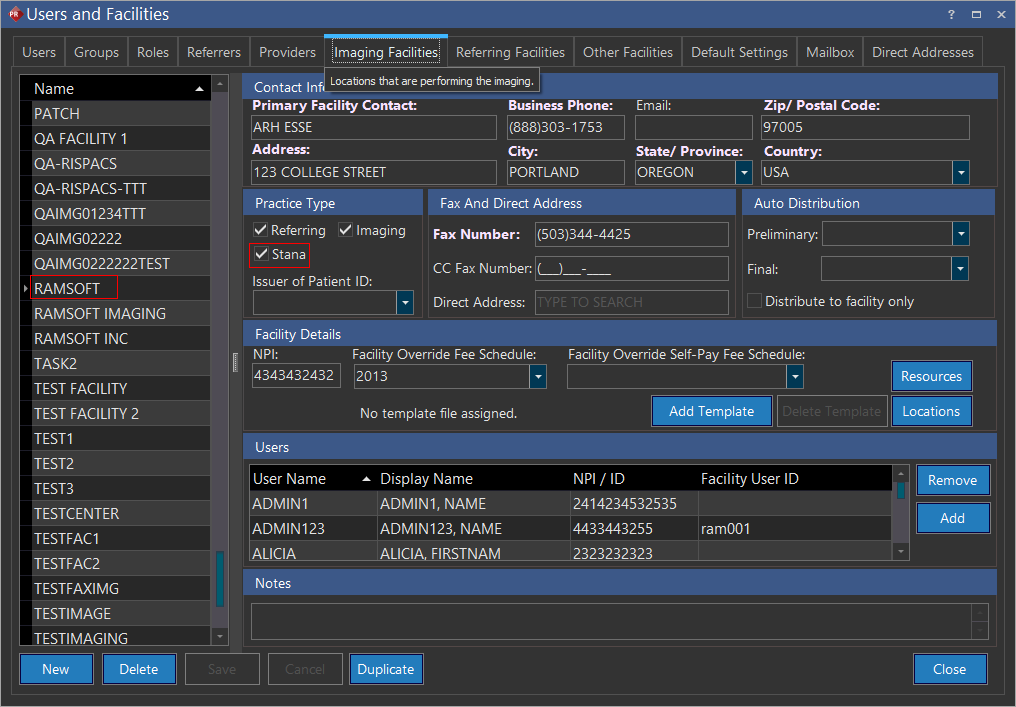
Enable a facility with Stana in order to access Breast Imaging Studies within the Stana module. Note that the Stana option is available in any facility, but typically the Imaging Facilities tab is used for enabling this option. The Stana option is available if you have the Stana license enabled. To enable Stana for a Facility, perform the following steps:
-
Login to PowerReader and go to Settings > Users and Facilities > Imaging Facilities. Note that the Stana option in the Practice Type section is not checked off by default.
-
Select the Stana option and click Save.
Stana reporting can only be performed through a Stana facility.
RELATED TOPICS: