Report Distribution Using Direct Address
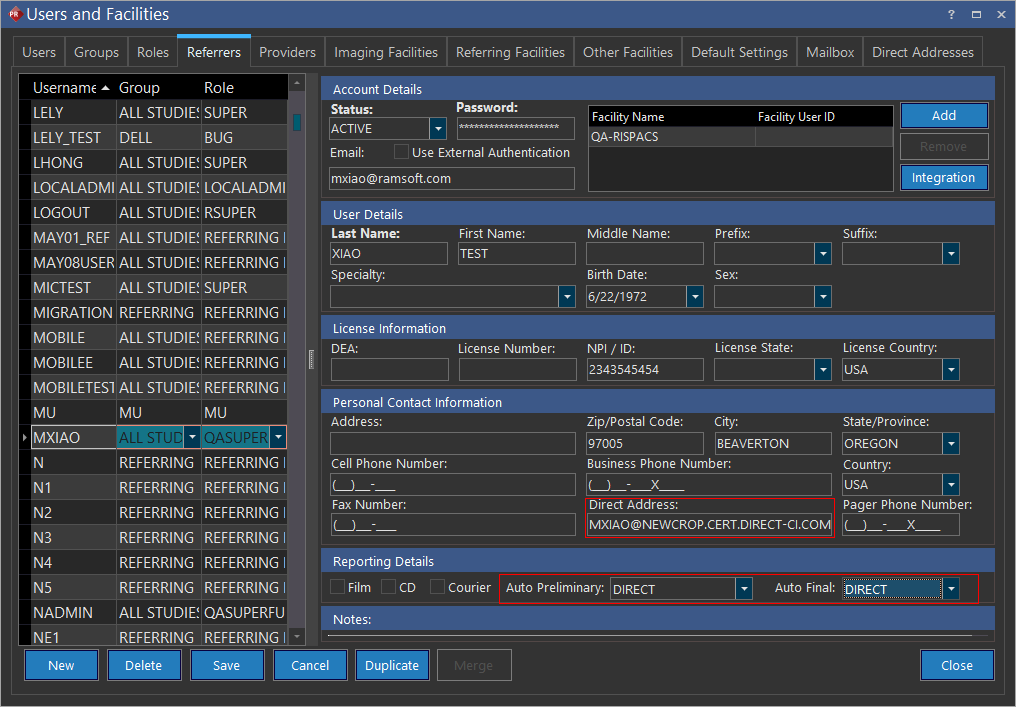
A direct address can be selected for auto distribution of reports. Auto distribution of reports using a direct address can be facilitated for a facility and/or a physician.
Pre-requisites:
- At least one direct address registered for auto distribution to work
- Ensure that there is a default valid registered direct address set up for report distribution
- Studies that are imported with a status value equal to the system configuration entry "Auto detect prior study status" will not be subject to automatic distribution
Auto distribution through direct address uses the following logic for choosing the From address when distributing reports to facilities or physicians:
- The Reading Facility direct address would be checked for retrieving the From address. If this is not available, then
- The direct address of the Imaging facility associated with the study would be used as the From address. If this is not available, then
- The Reading Physician's direct address is used and if this too is not set up, finally
- The default direct address of the Facility (under Default Settings in Users and Facility) is used as the From address.
Note:
-
There can be instances when you have multiple referring physicians in a facility using the same direct address. In this case, the same direct address can be used for registering multiple referring physicians direct addresses.
-
All direct addresses including the third party addresses are candidates for report auto distribution.
-
When a facility has multiple registered direct addresses, the first registered direct address is used as the default From address for auto report distribution. If this address is deactivated, then the next registered direct address is used for report distribution.