Publish a Viewing Protocol
When you have created a My Protocol, that you believe other users will find useful, you can publish it. Once you have published a protocol, other users can use it as their own. To publish a protocol you need to open the Viewing Protocol Setup dialog. This can be done by clicking View > Viewing Protocols.
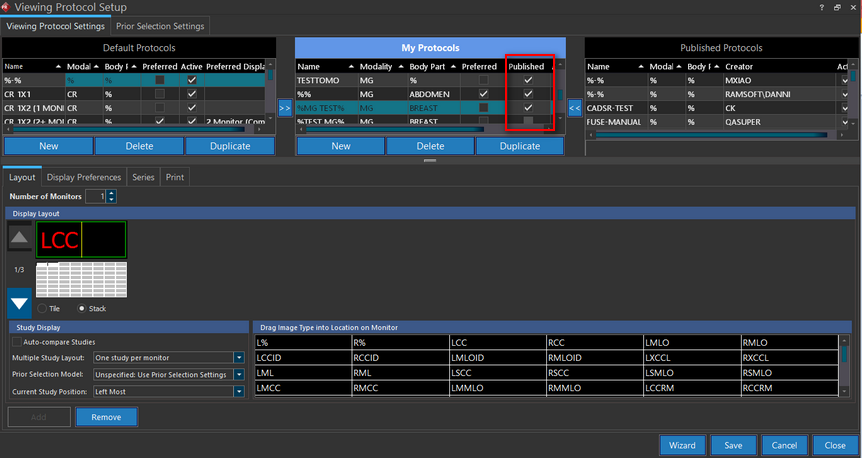
Under My Protocols, locate the protocol that you will like to publish. Next, simply check the Published check box. The protocol will now appear in the Published Protocols section for other users. However, it will not appear in your Published Protocols section.
note
A published protocol cannot be edited but its details can be viewed.