How Do I View & Modify the Path for my Client?
Open the Local Setup dialog to view the Connection Path for your client. This dialog can be launched through the Settings menu. Once the dialog has been opened, choose the PowerReader tab.
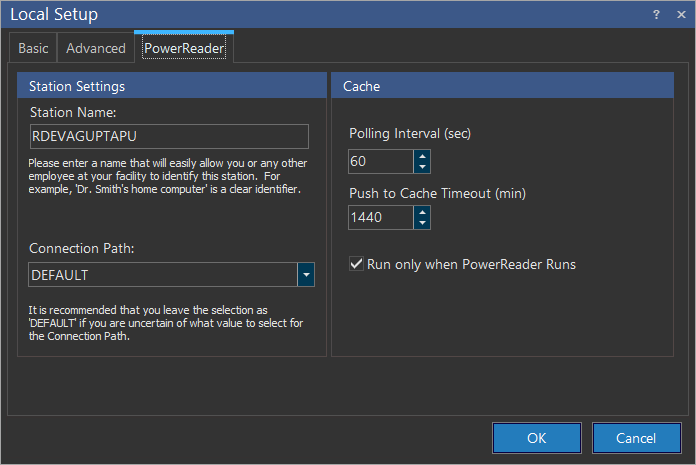
The Connection Path drop-down menu will display the name of the Connection Path your client is currently using. However, to view and modify the details of the stations that are involved in this connection path, it has to be viewed through the Central Management Screen.
More details about the path your cache is taking to the server can be viewed by looking in the Cache Status Dialog. To access this, right click the cache icon  in the system tray and choose Status
  .
.
Once inside the Cache Status Dialog choose the Configuration tab.
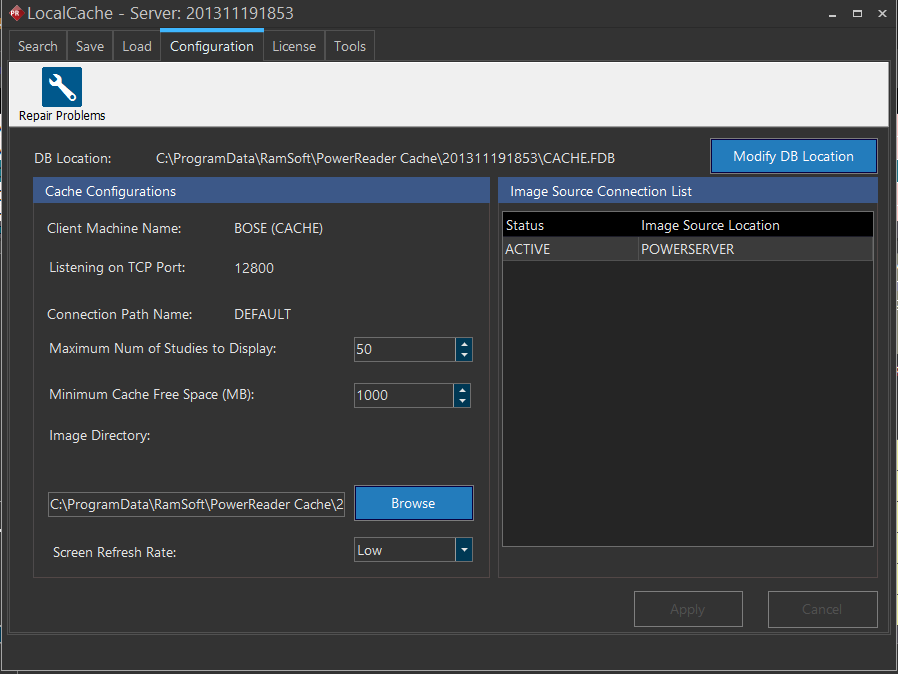
In the Cache Status Dialog, the Connection Path Name and the Image Source Location are displayed. The Image Source Connection List determines the the order with which image sources are accessed.