How Do I Delete a Presentation State?
To delete a Presentation State you will need to access the Presentation State menu accessible from the Image Right Click Menu.
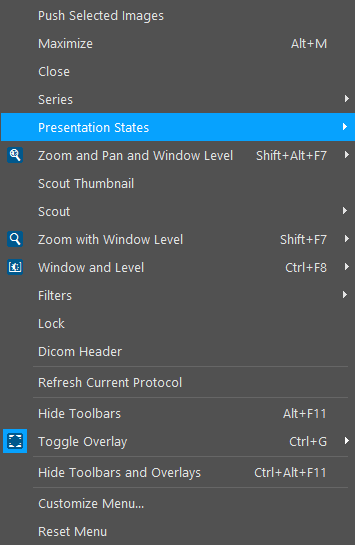
Choosing this option will open the list of all Presentation States associated with the image.

To delete a single Presentation State, highlight it in the list and open its corresponding menu.

The Delete Selected option will remove the Presentation State. The most recently created Presentation State will now be applied to the image. If you would like to delete all of the presentation states associated with the image, choose the Delete All option.
Note that if there are a large number of presentation states, selecting Delete All option would delete only the presentation states that are listed. The presentation states of the series which are not loaded will be loaded when the study is reopened.