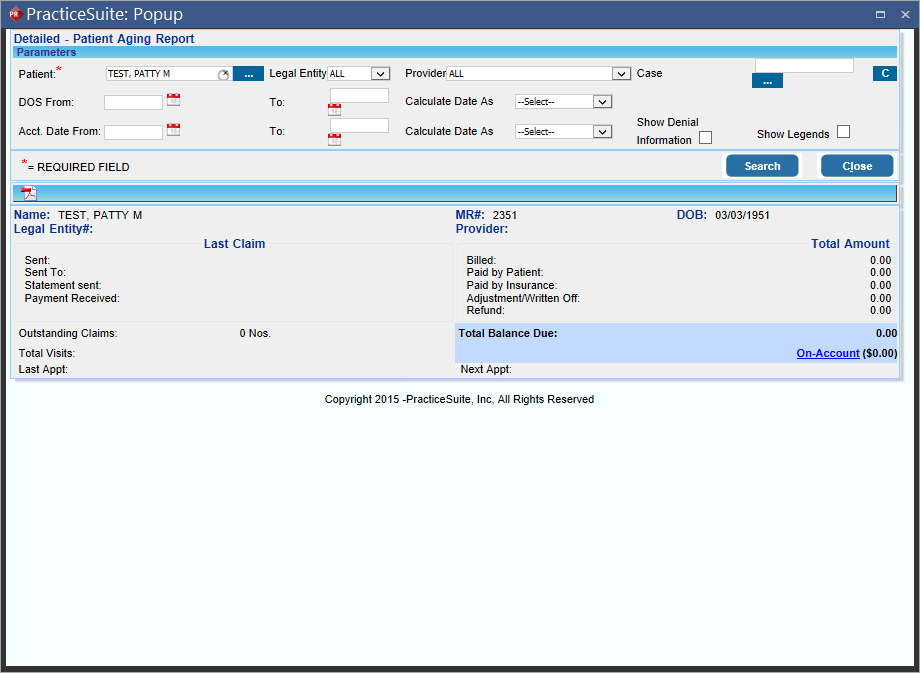
Viewing Patient Ledger
The aged balance for insurance and a Patient's financial summary and patient ledger can be viewed in PracticeSuite from PowerReader. To view Patient Ledger, perform the following:
- On the relevant patient record in Worklist, right-click and select Payment Ledger. The Patient Financial Summary screen is displayed.
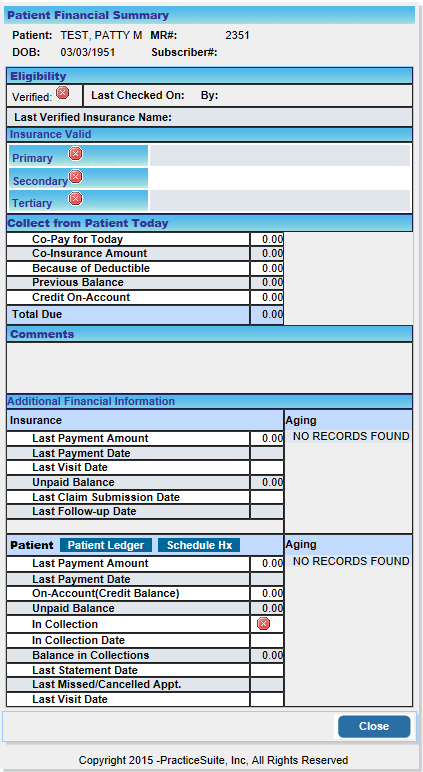
- In the Additional Financial Information section, click the Patient Ledger button. The Detailed - Patient Aging Report screen is displayed.