How Do I Merge Two Studies?
It is often desired to merge two studies of the same patient. This might be due to the fact that a study is identical to another study in the system and hence the both must be merged together. In this situation, it is possible to merge the two studies via the Worklist right-click menu.
To merge the studies, two studies must be highlighted in the Worklist/Search List.
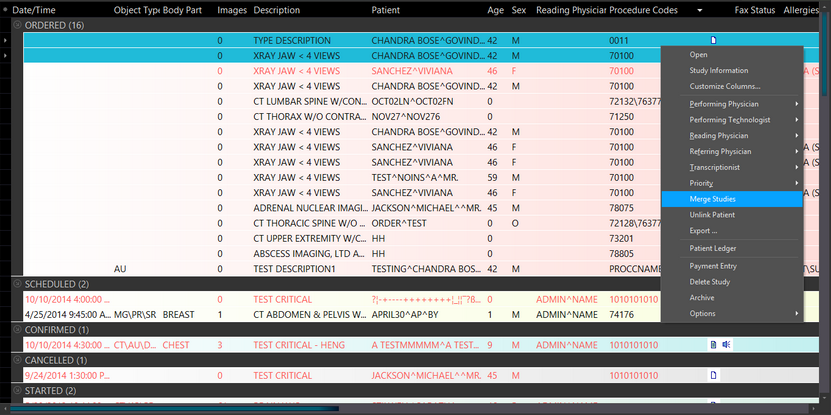
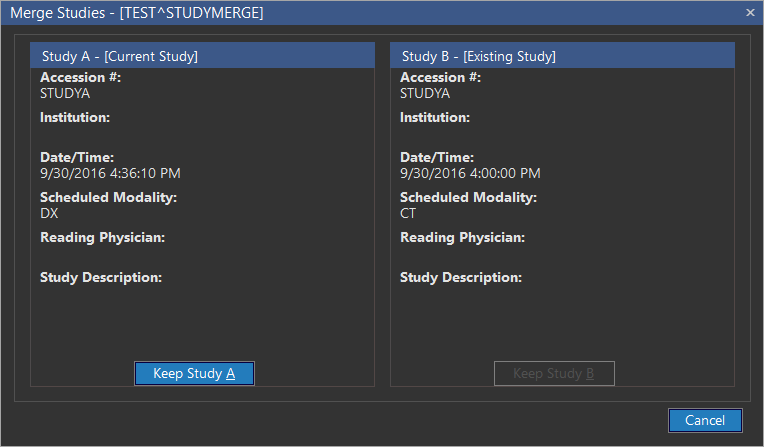
Selecting the Merge Studies option will display the Merge Studies dialog. This dialog gives the user a choice to keep one of the two studies.

The selected study will be kept by the system while the contents of the other study will be merged into the selected study.
It is possible that one of the studies being merged has more reliable information than the other. In such a situation, the system will allow the user to select only that study in the Merge Studies dialog.
In such a situation, the user can either choose Study A which has been selected by the system or cancel the merging.
If the user goes ahead with the merging, the series from the former Study B will be displayed inside Study A.
Changing the accession number will merge the study if a study already exists for the same patient with that accession number. In this case, the system would provide you with an option merge the existing study to the current study.
With no "Merge Studies" Privilege
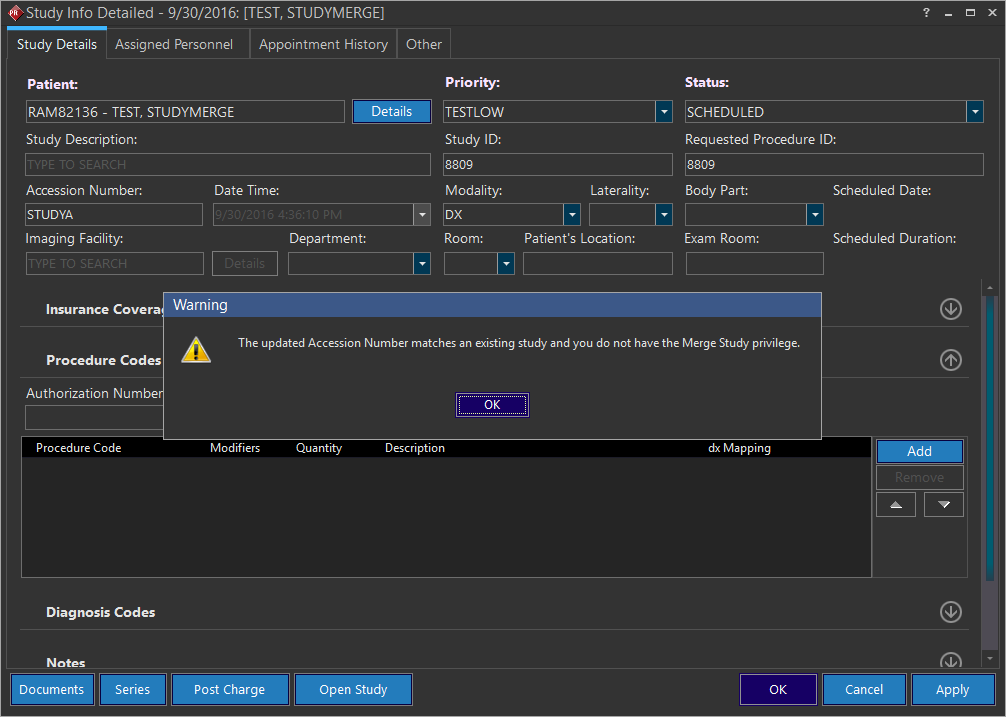
When you try to update a accession number for a study with the one that matches the accession number of an existing study and try saving the changes, the message "The updated Accession Number matches an existing study and you do not have the Merge Study privilege" is displayed.