Measure Cardiac Thoracic Ratio
The Measure Cardiac Thoracic Ratio (CTR) tool is used to estimate heart size. The measurement is only valid for a PA view. The Cardiac Thoracic Ratio is measured as: distance(Right of heart - Left of heart)/distance(Right of diaphragm - Left of Diaphragm). To take a measurement, do the following:
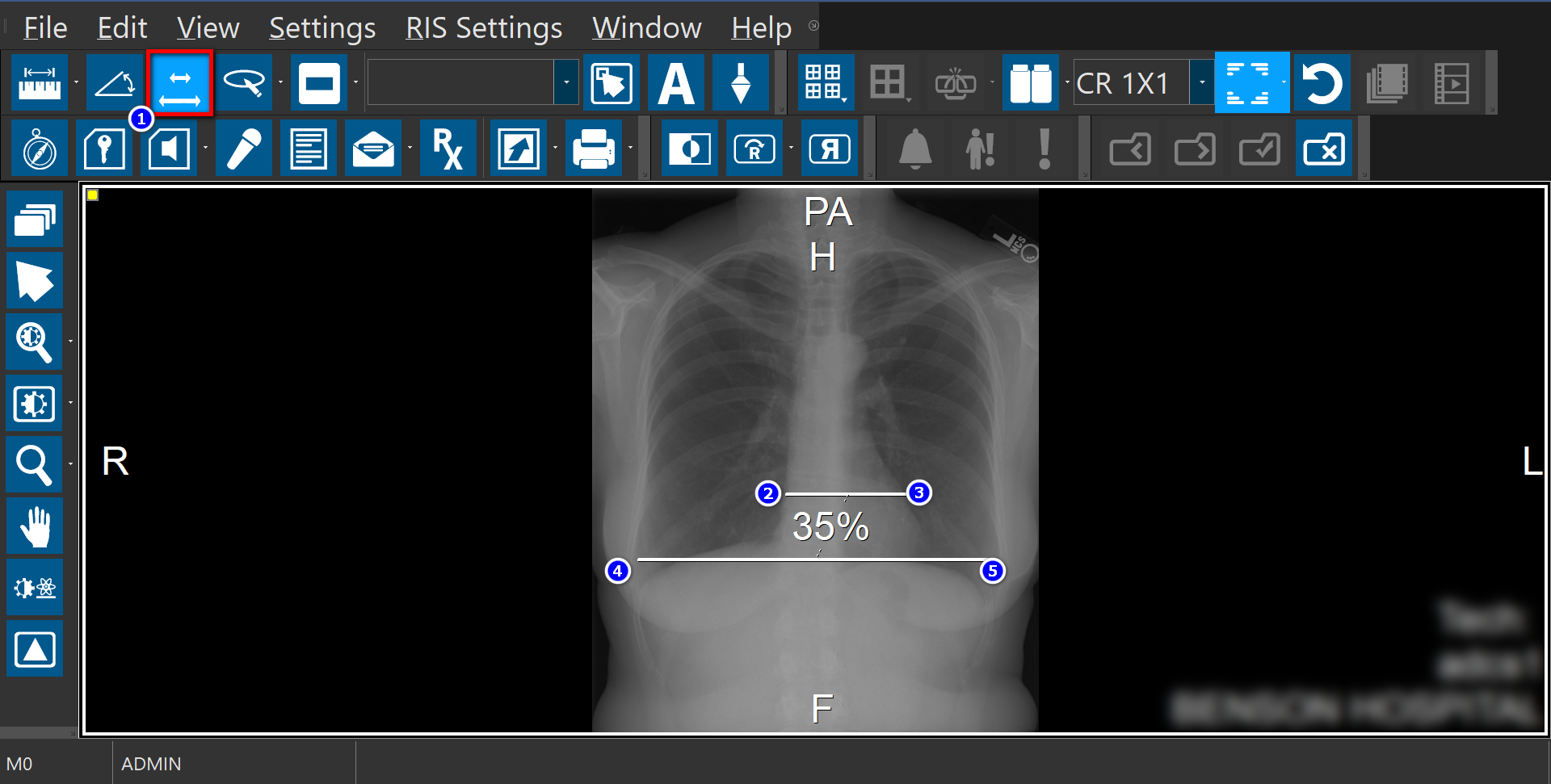
- Activate the CTR tool by clicking on the CTR button in the Annotation Tools toolbar
- On the image, click to mark the left of the heart
- Drag and release to mark the right of the heart
- Click to mark the left of the diaphragm
- Drag and release to mark the right of the diaphragm
note
The CTR tool is not supported on RapidResults; thus, measurements made for CTR on PowerReader will not be displayed on RapidResults.