How Do I Change the Positioning of Images?
Sometimes when images are transferred from a modality to the PowerServer, they might not be positioned properly. The RamSoft software provides two types of tools that can be used for the purpose of quality control of such images. The first set is composed of the Mirror Tools. There are two tools in this group and they are accessible through the mirror button found in the toolbar.

The two tools are Rotate 90 Degrees Clockwise and Rotate Image.

The Rotate Image 90 Degrees Clockwise tool will rotate an image 90 degrees to the right. The following example illustrates an image before and after the Rotate Image 90 Degrees Clockwise tool is applied.
| Before | After |
|---|---|
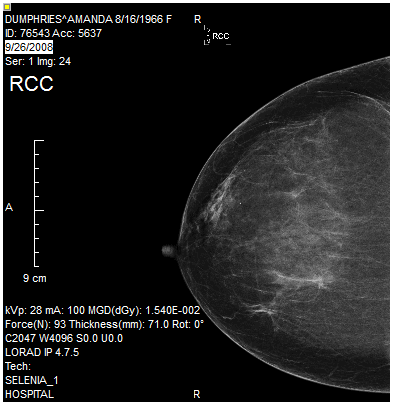 | 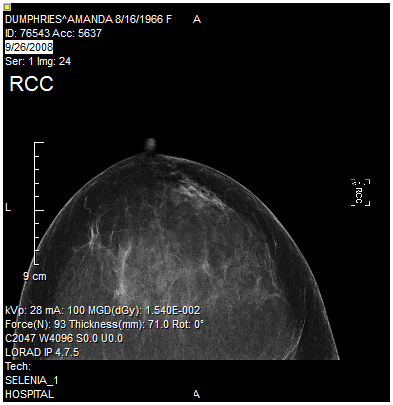 |
The Rotate Image tool will rotate an image by a user defined number of degrees. Clicking the Rotate Image icon opens the Rotate screen as shown below.

The Angle field denotes the angle of rotation to be applied to the desired image. The Direction of the rotation can be chosen by choosing the desired option. Once the desired values have been entered, clicking OK will apply the rotation to the selected image.
| Before | After |
|---|---|
| 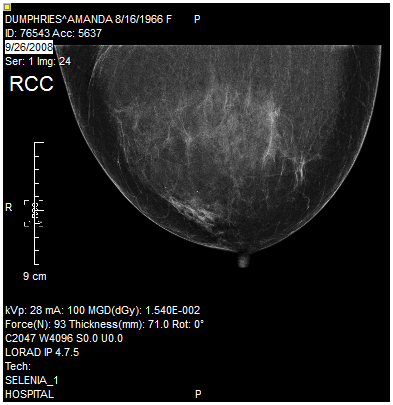 |