How Do I Delete a Study?
In order to view information about a study you will need to locate the study in your Worklist. Once you have found it, highlight the study and right click on it and scroll down.
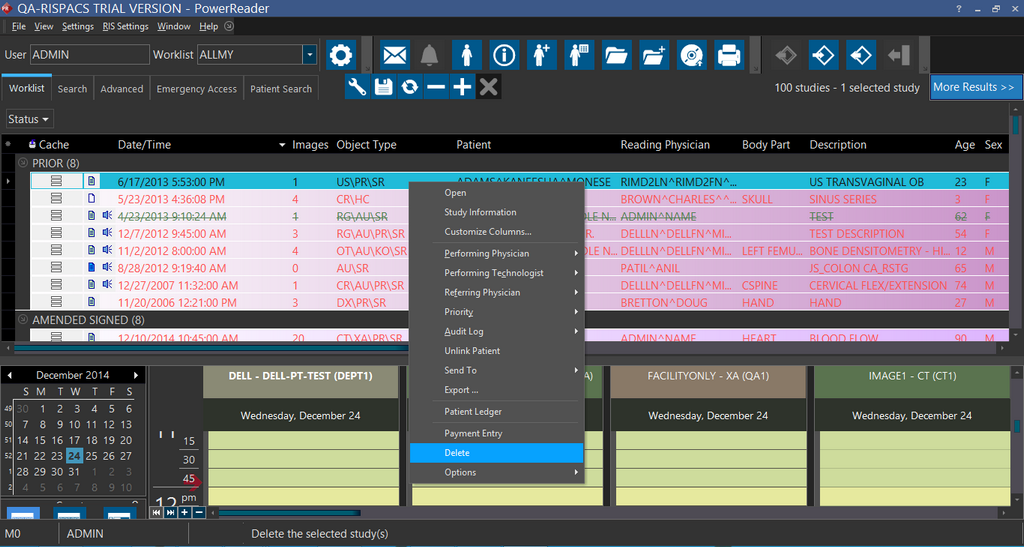
This will completely remove the study and all of the images associated with it from the system. If the study being removed is the only study associated with the patient, the patient will still remain in the system. However, no record of any of the patient's examinations will be stored.