How Do I Copy Text to EHR?
In PowerReader Document Viewer, you can copy text from diagnostic reports to your Electronic Health Record (EHR).
You can copy the text from a report (if the report is stored as Word or Text SR report) by clicking the Copy text to EHR  icon on the report viewer toolbar. This content is then copied to the clipboard and is ready to be pasted into your EHR. Documents that are stored as PDF will not have this option.
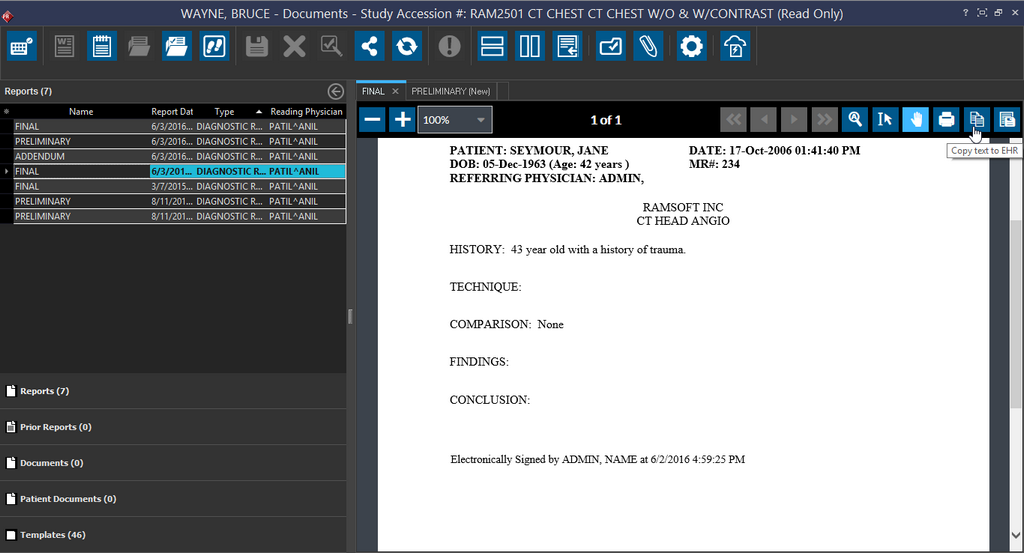
You can use the shortcut Ctrl + V or right-click and select Paste from the right-click menu to paste the copied text.