Appropriate Use Criteria (AUC) Program
In the United States, the Protecting Access to Medicare Act (PAMA) introduced the Appropriate Use Criteria (AUC) program, which requires furnishing practitioners and providers to submit AUC-related information along with medicare claims. This requirement is in the educational & testing period for 2020, but from 2021 it will be mandatory to provide AUC information for processing claims. Here, we are going to discuss the manual entry of AUC-related information in PowerReader:
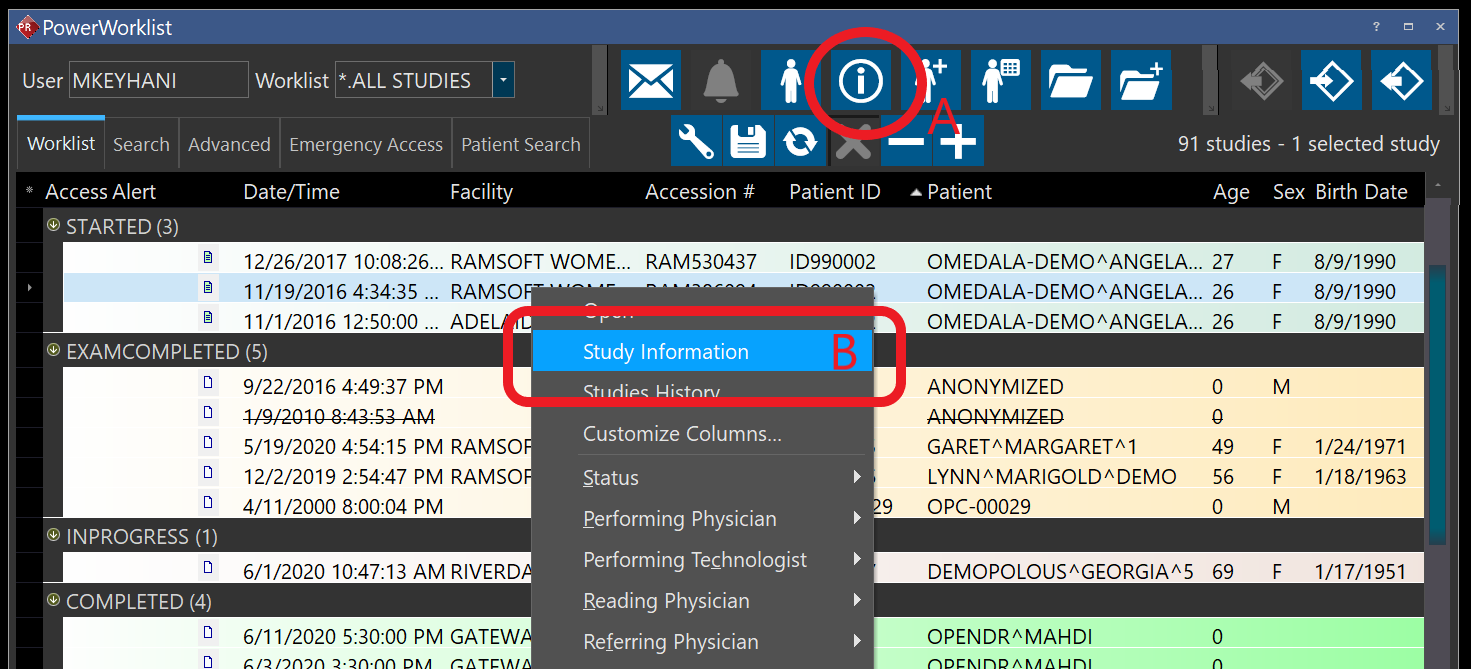
- Select the order from your worklist and click on study information (A) or right-click on the study and select study information (B):
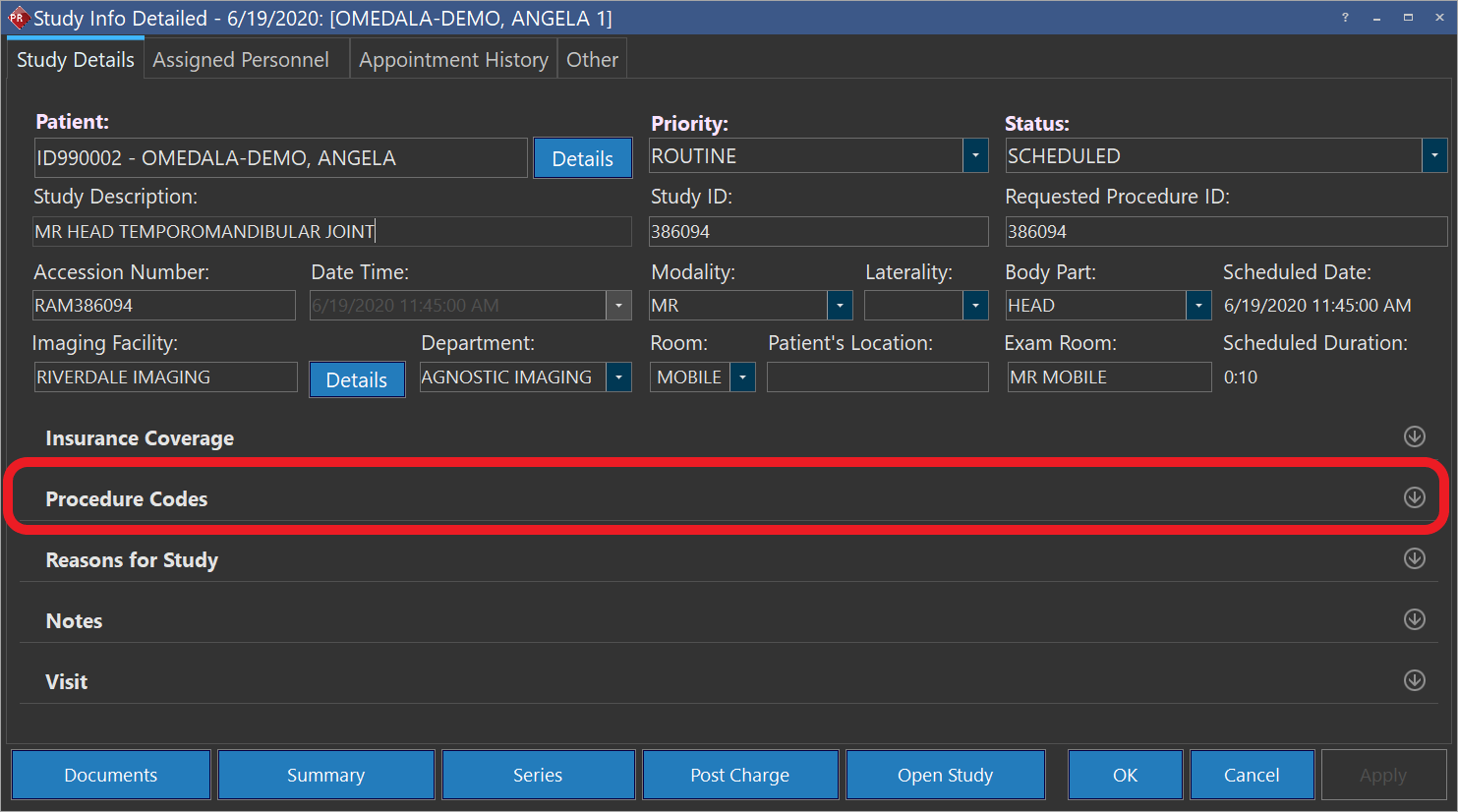
- Click on "Procedure code" section to expand it:
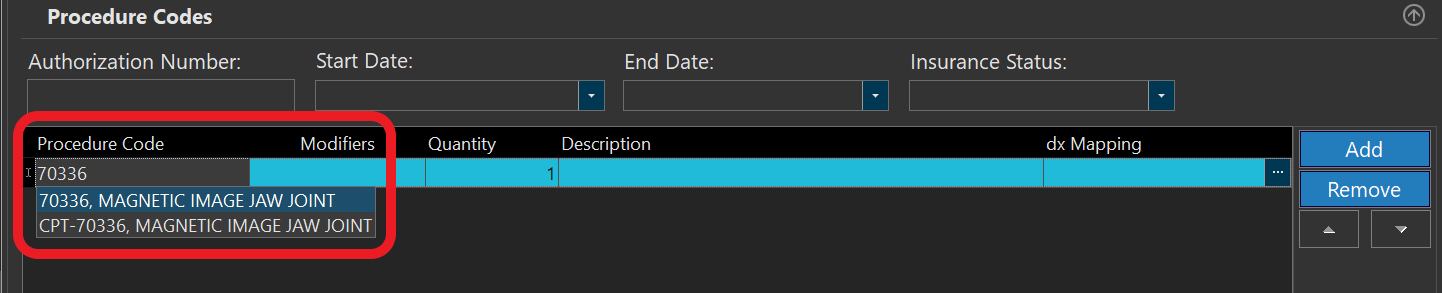
- To enter the Current Procedural Terminology (CPT) or HCPCS C code, click on add button to add a new line & enter the code (the system will search and give you a list of available options that you can choose from):
- You also need to include an HCPCS modifier in the same line:

In case you didn't receive any AUC-related information from the ordering professional enter MH as the modifier
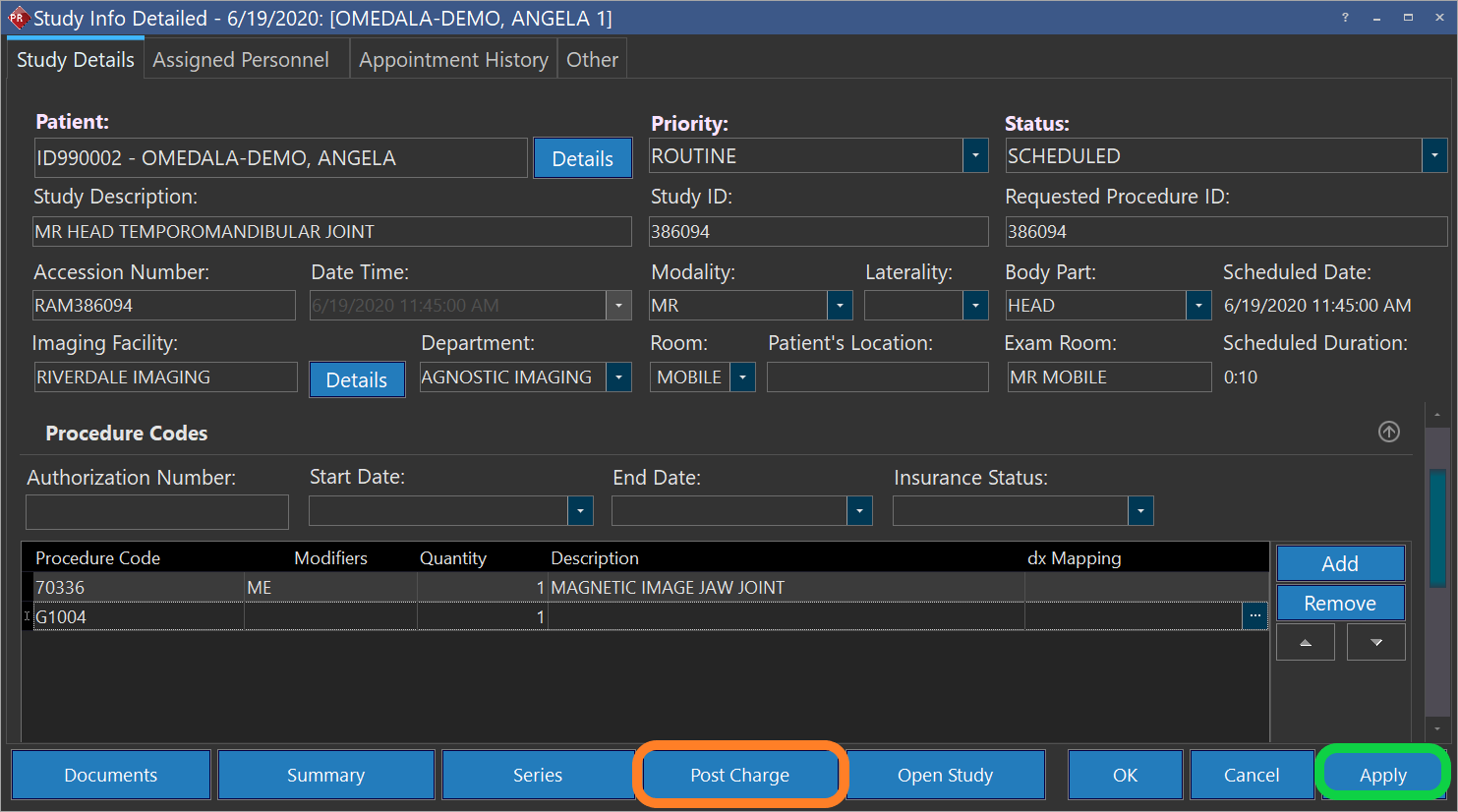
- If the Modifier is ME, MF, or MG you need to also include a G Code, which indicates the qualified clinical decision support mechanism (qCDSM) that was consulted. Click "Add" to add a new line and enter the relevant G-code. Note that if more than one qCDSM was consulted you can add more lines for G-codes.

- Apply the changes (marked by green on the following screenshot) to save the information. At this point if you are ready you can click on post charges (marked by orange on the following screenshot) to submit the entered information to you billing software:
Updated CPT codes & G codes are preloaded in PRU10 and above. For the management of procedure codes, take a look at this page: Procedure Codes
To facilitate the process, especially for commonly used studies, you can group procedure codes (CPT & G-Code) in your study types. To learn more about study types take a look at this page: Study Types (RIS)