Copying Text to EHR
In RapidResults, you can copy text from diagnostic reports to your Electronic Health Record (EHR).
You can copy the text from a report by clicking the Copy text to EHR  icon on the report viewer toolbar. This content is then copied to the clipboard and is ready to be pasted into your EHR.
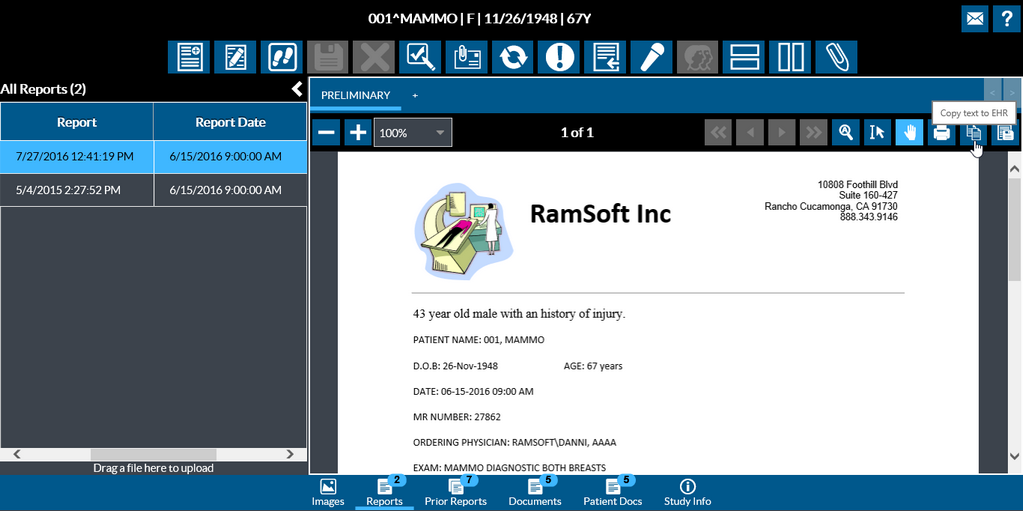
You can use the shortcut Ctrl + V or right-click and select Paste from the right-click menu to paste the copied text.
Note that you cannot copy the text from a PDF document.
Limitation: This feature is only available in Android devices and currently not supported in an Apple mobile device.
Stylus/Touch screen Users
Tap on the Copy text to EHR icon to copy the selected text from the report and then tap and hold the place where you want to paste. Release your finger and tap Paste.
