Distributing Reports
RapidResults enables you to send reports through fax or email to any recipient. Users can also send a report to a particular Referring Physician or Imaging Facility.
Users can email reports that are in either text, Microsoft Word or PDF formats and only fax reports in Microsoft Word or PDF formats.
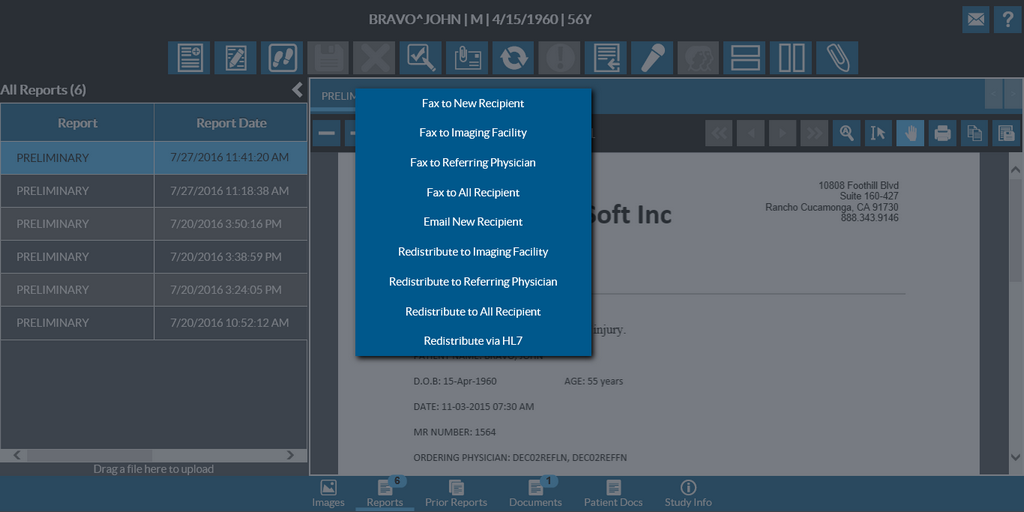
You can click the Send To tool  and select the relevant option from the menu. You can choose from the following options:
To send the reports, you must have Send Fax and Send Email action privileges. Users without the Send Fax privilege will not have the Fax New Recipient option; similarly, users without the Send Email privilege will not have the Email New Recipient option. Additionally, only users with Send via HL7 privilege are able to see the Redistribute via HL7 option.
For diagnostic reports, the Send To option has the following distribution options to:
- Fax to New Recipient, Imaging Facility, Referring Physician or all existing Recipients.
- Email New Recipient
- Redistribute to an Imaging Facility, All Recipients and via HL7.
Prior reports, Documents and Patient Documents can be distributed by Fax (to New Recipients, Imaging Facility, Referring Physician and existing Recipients) and via HL7 only.