How To Create Report Templates
Templates with MS-Word 2010 and newer fields:
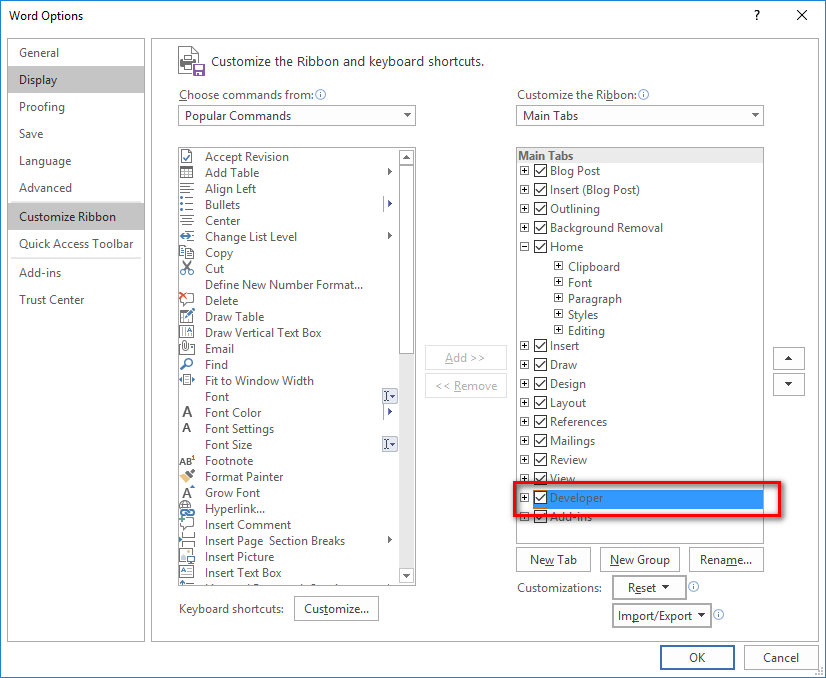
Step 1: Show the Developer tab on Microsoft Word if it is not yet enabled
- Click the File tab.
- Click Options.
- Click the Customize Ribbon.
- Under Customize the Ribbon, click Main Tabs.
- In the list, select the Developer check box, and click OK.
Step 2: Create a blank document and save it under the DOCM format
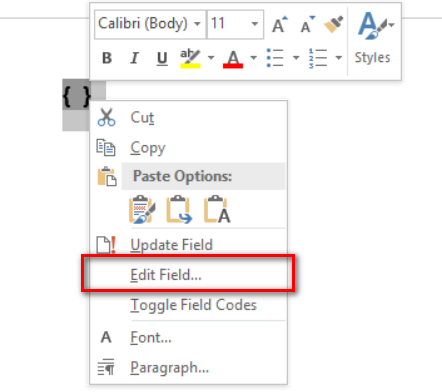
Step 3: Press the CTRL+F9 shortcut to create a field. The "" symbol for the empty field is displayed.
Step 4: Select the field and choose "Edit Field" to specify the field properties
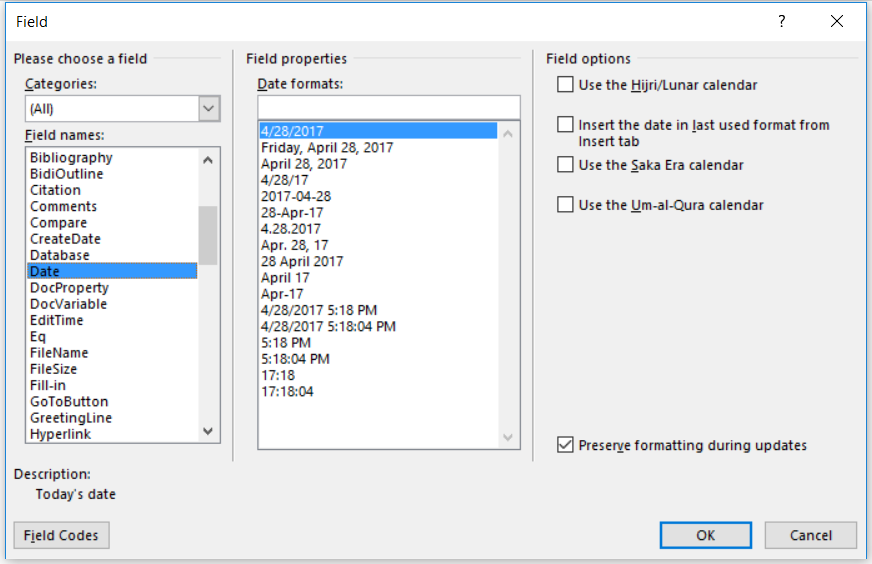
Step 5: Repeat Step 3 to create more fields as necessary
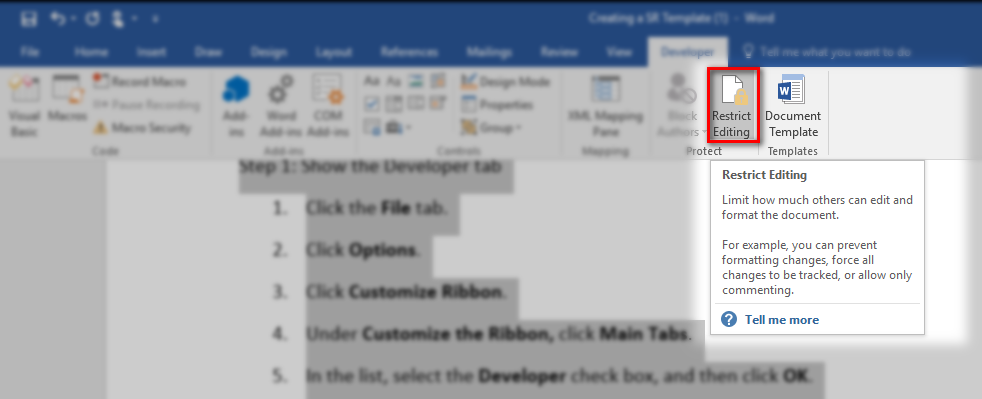
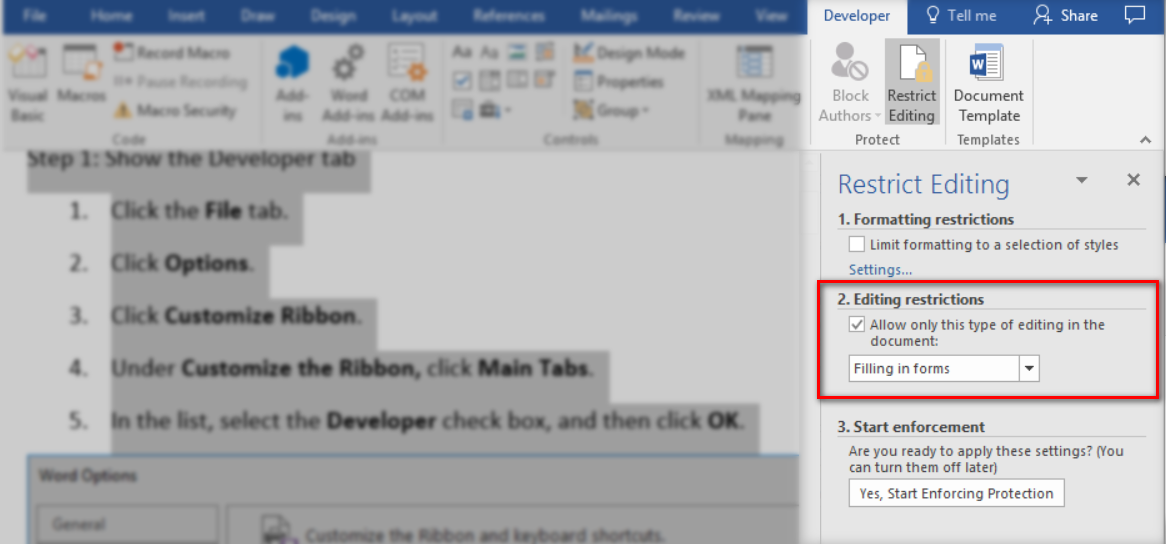
Step 6: Protect the document with the "Filling in forms" option in Restrict Editing if desired
Templates using MS-Word 2003 compatible legacy controls:
Step 1: Show the Developer tab if it is not yet enabled
Step 2: Open a new document and save it under the DOCM format
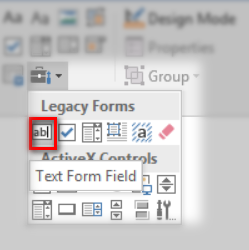
Step 3: Navigate to the DEVELOPER tab and click "Legacy Tools" on the Controls group

Step 4: Click the "Text Form Field" to add a field
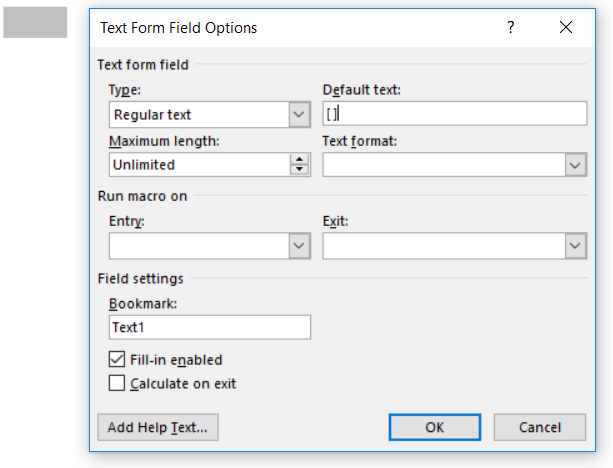
Step 5: Double-click the new field to change "Default text" to "[ ]"
Step 6: Create as many multiple editable fields as required
Step 7: Protect the document with the "Filling in forms" option in Restrict Editing if desired