Customizing the Document Ribbon
The tools ribbon can be customized by right-clicking on the ribbon area and clicking "Customize".

To add an item to the ribbon:
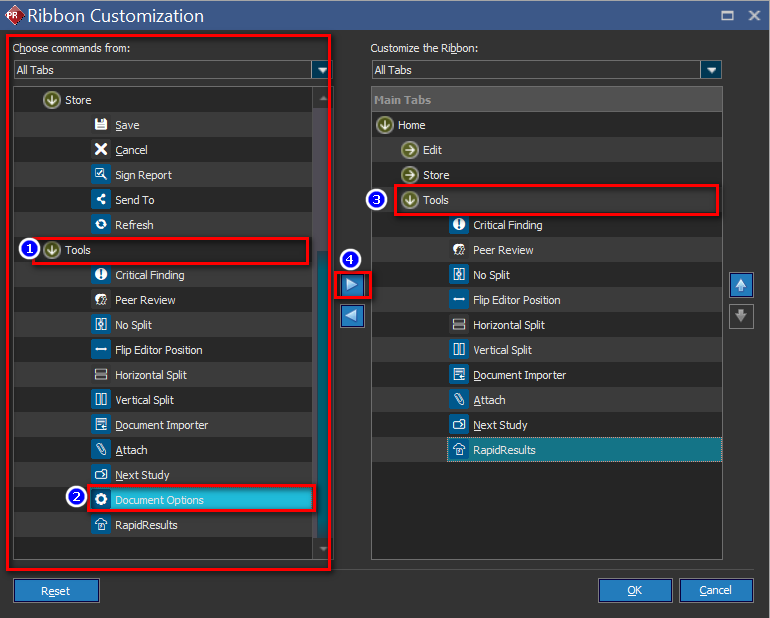
- From the left panel, expand the desired section (Edit, Store or Tools) to view the list of available commands
- Click on a command to be added, e.g. Document Options
- Click the section to be added on the right panel (Edit, Store or Tools)
- Click the ">" button to add the command to the ribbon
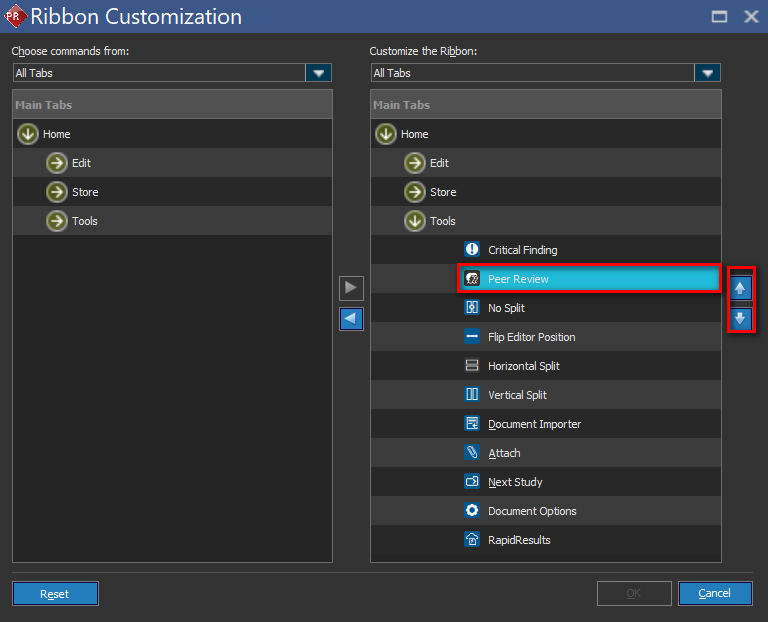
The order of commands can be shifted by using the up/down arrow buttons to the right.
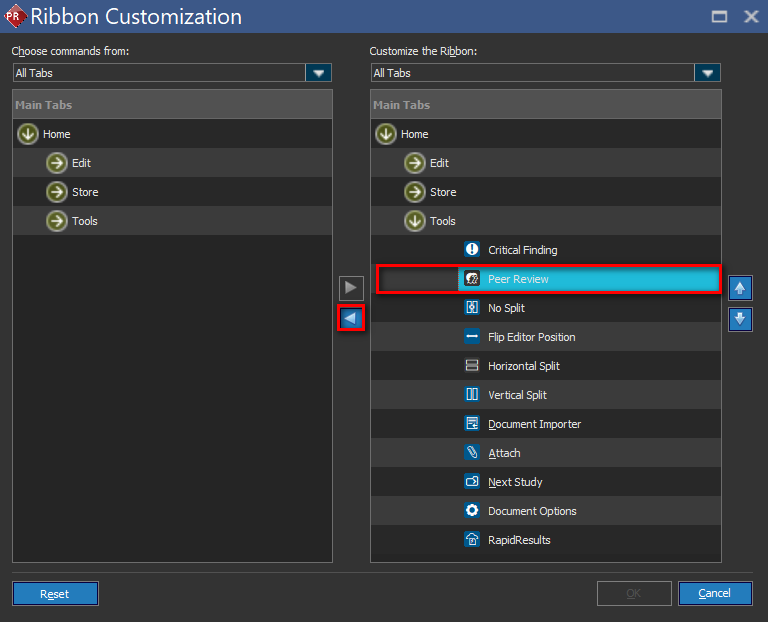
To remove a function from the ribbon, select the function from the "Customize the Ribbon" section and click "<" to remove it.