How Do I Change the Priority of a Study?
The priority of a study can be changed via the Worklist or via Study Information.
Right-click on the study in the Worklist, and select Priority from the drop-down menu. Choose the Priority you'd like the study to be changed to.

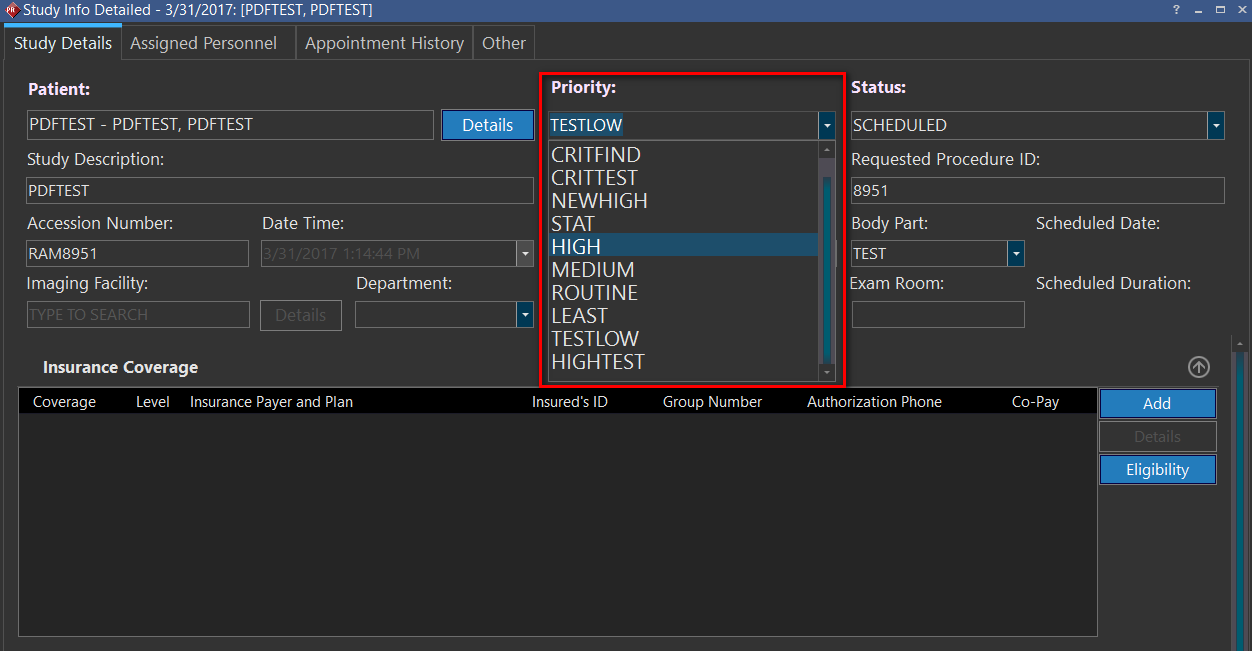
The priority can also be changed in Study Information: Study Details. Click on the Priority drop-down menu to choose the desired Priority.
Add or modify custom priorities
Priority Settings in Maintenance
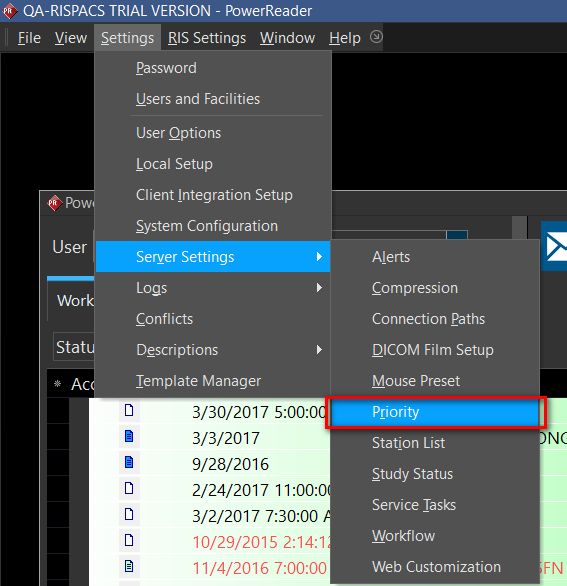
The following are default priorities that pre-exist in the system: CRITFIND, CRITTEST, STAT, HIGH, MEDIUM and ROUTINE. Alternatively, custom statuses can be added by the user. To view the list of priorities, add or modify custom priorities, click Server Settings: Priority.
Click 'New", enter a new Priority Name and Priority Value, and choose a Font Color. Click Save when complete.

Higher priorities are denoted by lower values.
Note that statuses cannot be deleted once added. The Priority Name and Font Color can be modified, but the Priority Value is not a modifiable field.