Peer Review
Note: this feature is not available in Gateway.
Peer Review is essential for assessment of radiologist performance and diagnostic accuracy in clinical practice and thereby help improve patient care.
You can perform Peer Review in PowerReader using the Peer Review  tool on the Document Viewer toolbar.
To submit your Peer review score to ACR RADPEER, you need to have PowerReader integration with RADPEER enabled. For more information on enabling integration with RADPEER, please refer ACR RADPEER Integration.
The Peer Review tool is enabled when the user has the Peer Review privilege and:
- The user is viewing a Study Document report, AND the user is not an assigned person for the study, AND the study has not been Peer Reviewed, AND the study does not contain any addendum when the Allow Addendum Peer Review configuration is disabled OR
- The study may contain one or more addendum reports when the Allow Addendum Peer Review configuration is enabled OR
- The user is viewing a Prior Final Report AND the user is not the assigned person for the Prior Study, AND the Prior Study has not been Peer Reviewed.
To perform a peer review, perform the following steps:
-
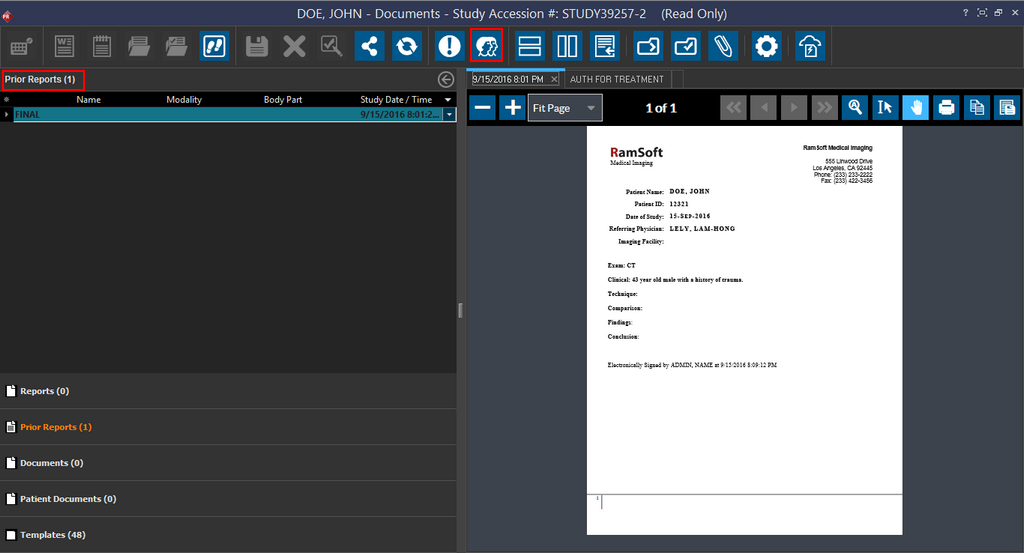
Select the eligible report from the list of Prior reports. Ensure that the Peer Review tool is enabled.
-
Once you have finished reviewing the report, click on the Peer Review
tool on the document viewer toolbar. The RapidResults Peer Review score form is launched in a new window.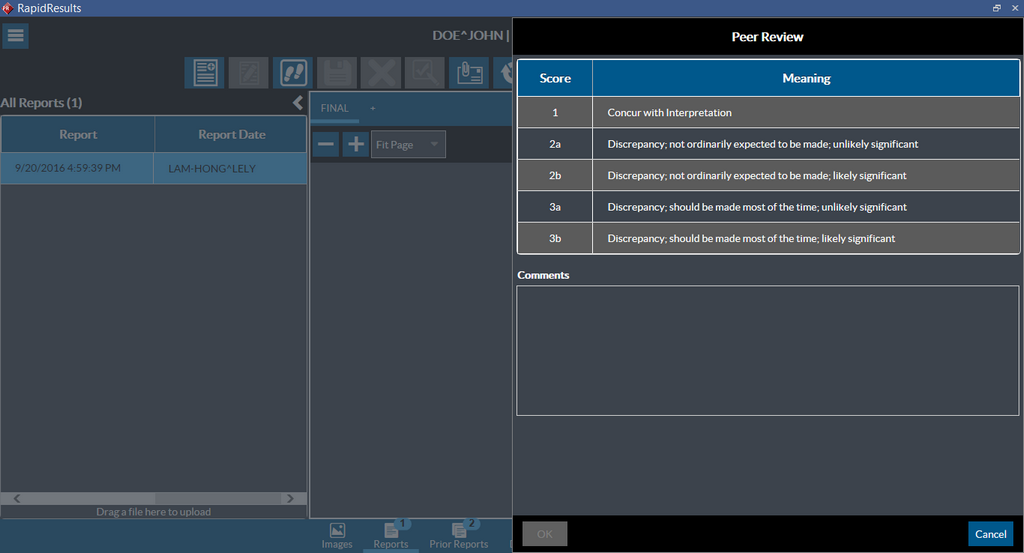
-
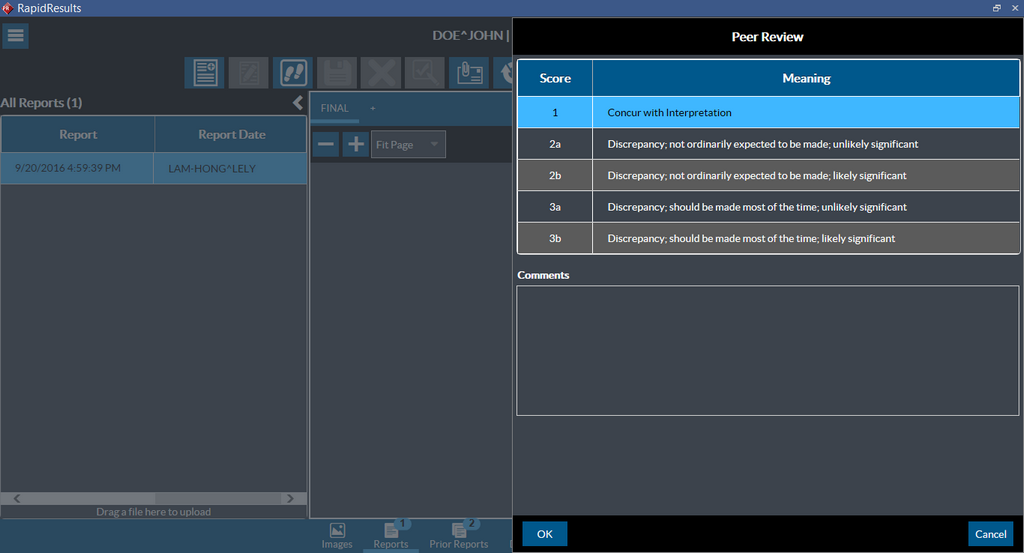
Select the appropriate score and enter the comments in the Comments section and click OK to submit the score.
-
The Peer Review form closes. Once the Peer review is complete, the Peer review tool is disabled for the study.

Note: A peer review can only be performed once for a study.