Configure Prior Selection Settings
Often times, the radiologists and technicians need to view prior studies of a patient along with a current study. The method applied to compare prior studies while inside a viewing protocol is determined by choosing the Compare with Prior Studies option in the Viewing Protocol Layout and then choosing a query model in the Prior Selection Model drop-down menu.
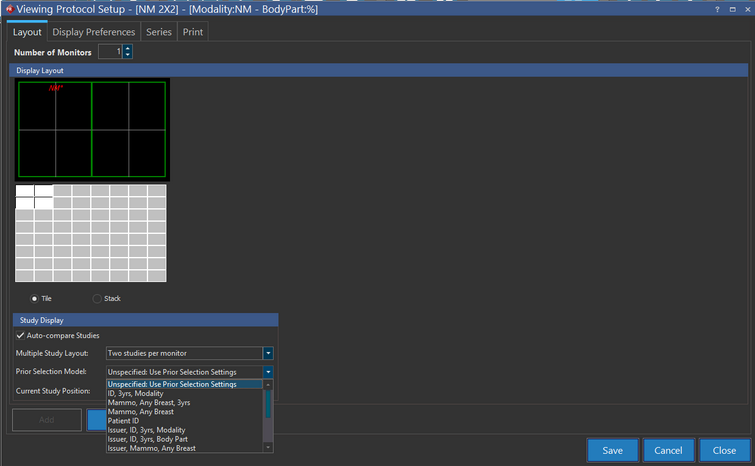
However, having a Prior Selection model applied to each protocol can have its own potential disadvantages. If there are no prior studies present, the protocol can potentially break. Furthermore, when the user selects the Compare with prior studies option, they have to select a prior selection model for that viewing protocol. It means one Prior selection model per viewing protocol. To counter this restriction, the option to configure priors has been decoupled from viewing protocols. The Unspecified: Use Prior Selection Settings option has been provided in the Prior Selection Model drop-down menu. The user can now set the preferences for relevant priors at the Modality/ Body Part level. Choosing the "Unspecified : Use Prior Selection Settings" option will select a setting form the Prior Selection Settings form.
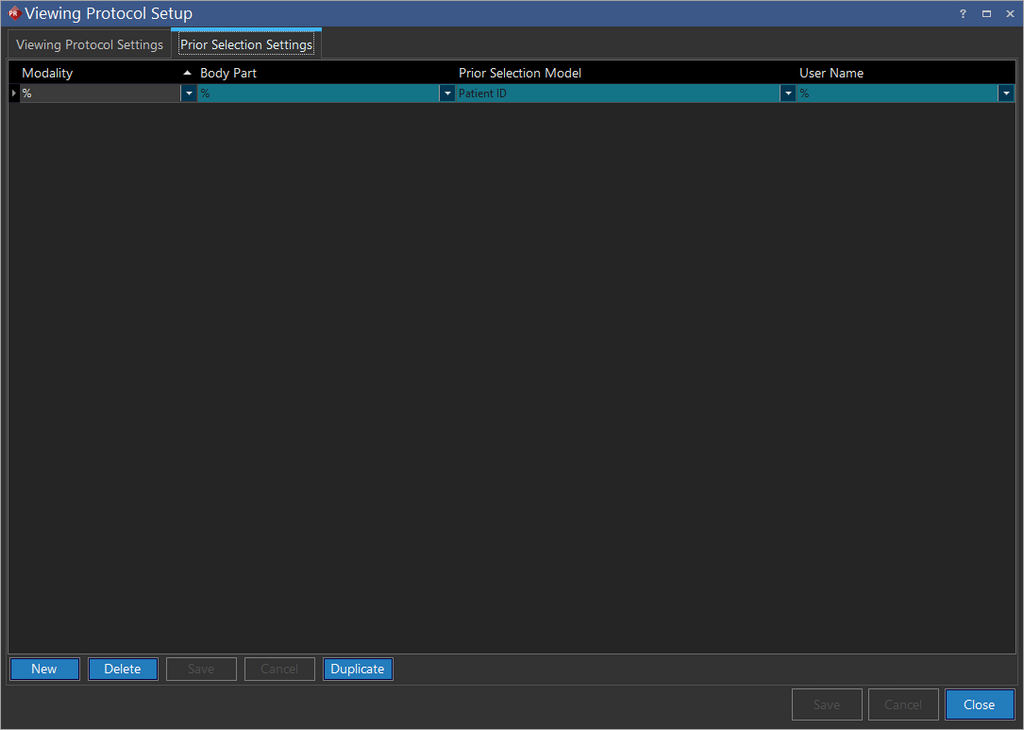
To define a Prior Selection Setting, click on the New button. Select a Modality, Body Part and a Prior Selection Model from the drop-down menus and choose the username. The user will only be able to see their own username for that Prior Selection Setting. This restricts a Prior Selection setting to a particular user for that Modality/ Body Part/ Prior Selection in that Viewing Protocol. After clicking Save, the user can define more Prior Selection Settings for that Viewing Protocol. An Admin user can define and restrict the Prior Selection Settings for a particular user by defining these settings and selecting the username for them.
In case of Prior Studies selection, the studies are selected in the following order:
-
The user selects his own Prior Selection Model from the Viewing Protocol Settings.
-
The user defines individual Prior Selection Model from the Prior Selection Settings or they are defined for her by the Admin in the Prior Selection Settings form.
-
None of the Prior Selection Models are defined and the Default Hanging Protocol Relevant Prior Query Model from the System Configuration entries is used by the system.