Merging a Breast Imaging Study
There are instances two identical studies need to be merged. More information on merging studies can be found in the section Merging Two Studies
In case of Mammo studies, there are two scenarios while merging studies:
Merging a Breast Imaging study with a Non Breast Imaging study
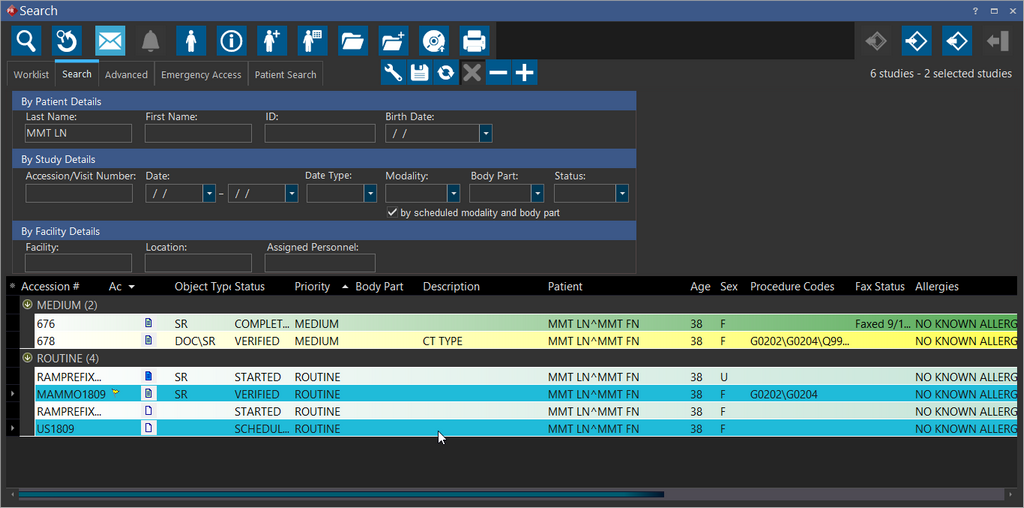
Consider two studies, Study A (a Breast Imaging Study) and Study B (a Non Breast Imaging Study) for a patient.
-
Select both the studies from the Worklist.
-
Right-click on any one of the selected studies and select the Merge Studies option from the right-click menu.
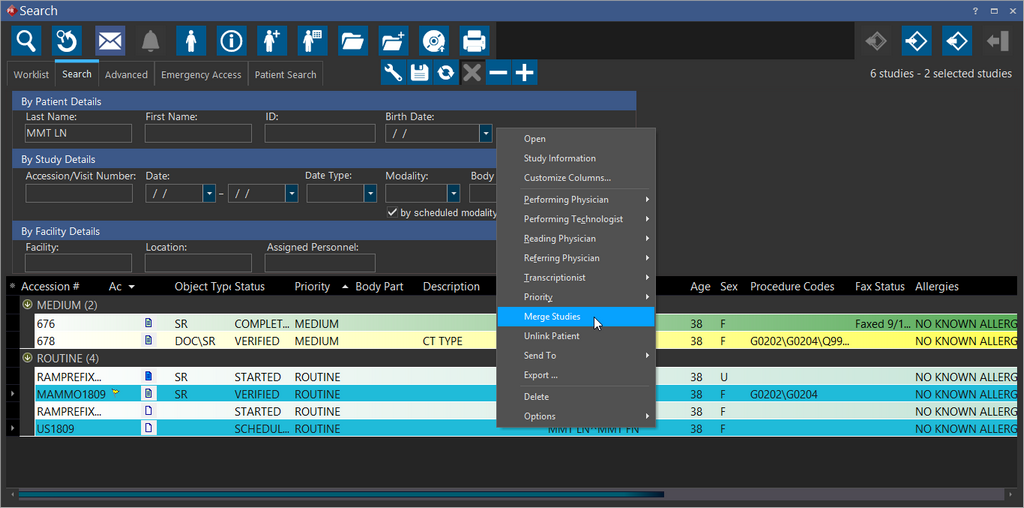
The Merge Studies window appears.
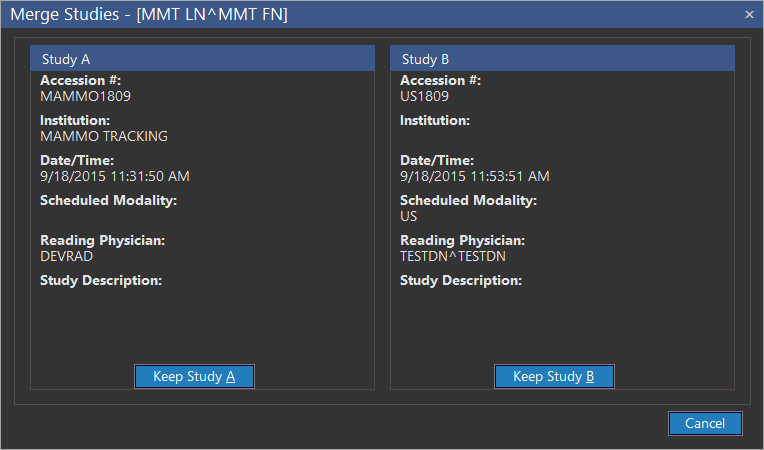
- There is the option to either keep Study A (Breast Imaging Study) or Study B (Non Breast Imaging Study).
If choosing to keep either Study B or A, the merged study would be a Breast Imaging study if it satisfies the conditions for a study to be a Breast Imaging Study or else it would be non Breast Imaging Study. For more information on what is a Breast Imaging study, please refer to the topic Enabling Stana For a Study.
There are instances when the system identifies the study with more reliable information and directs the user to keep that specific study. In this case, if the merged study satisfies the conditions for a study to be a Breast Imaging study it would be kept as a Breast Imaging or it would be kept as non Breast Imaging study. In such a situation, you can either choose the selected study which has been selected by the system or cancel the merge.
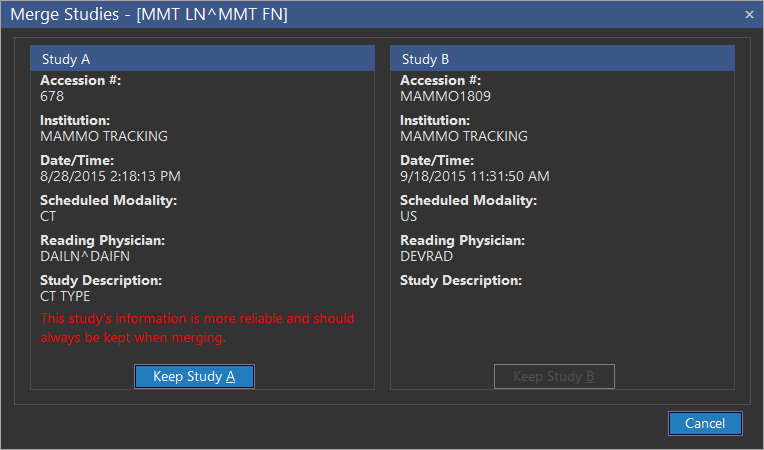
- Once merged, the selected study will be kept in the system while the contents of the other study will be merged into the selected study.
Merging two Breast Imaging studies
Merging two Breast Imaging studies always results in the merged study being a Breast Imaging study.
Once you merge two Breast Imaging studies, you can choose to keep the Breast Imaging study that has more reliable information and the contents of the other study will be merged into the selected study.
There are instances when the system identifies the study with more reliable information and directs the user to keep that specific study. In such a situation, you can either choose the selected study which has been selected by the system or cancel the merge.