Radiology Data Sheet
Radiologists or Transcriptionists usually perform reporting using the Radiology Data Sheet. This Data Sheet can be completed by the Radiologist at the time of interpretation or by the Transcriptionist once the interpretation is available.
Note: Radiology Data Sheet can be activated or de-activated by the Admin Stana user. If this data sheet has been answered for a study, then the data is displayed when the study is opened, even when the data sheet is de-activated. Data sheets which have never been answered and are de-activated will not be displayed under the Radiology Data Sheet even when the studies are opened.
Each facility can define its own template for a Category. A facility can use a custom template based on its business needs.
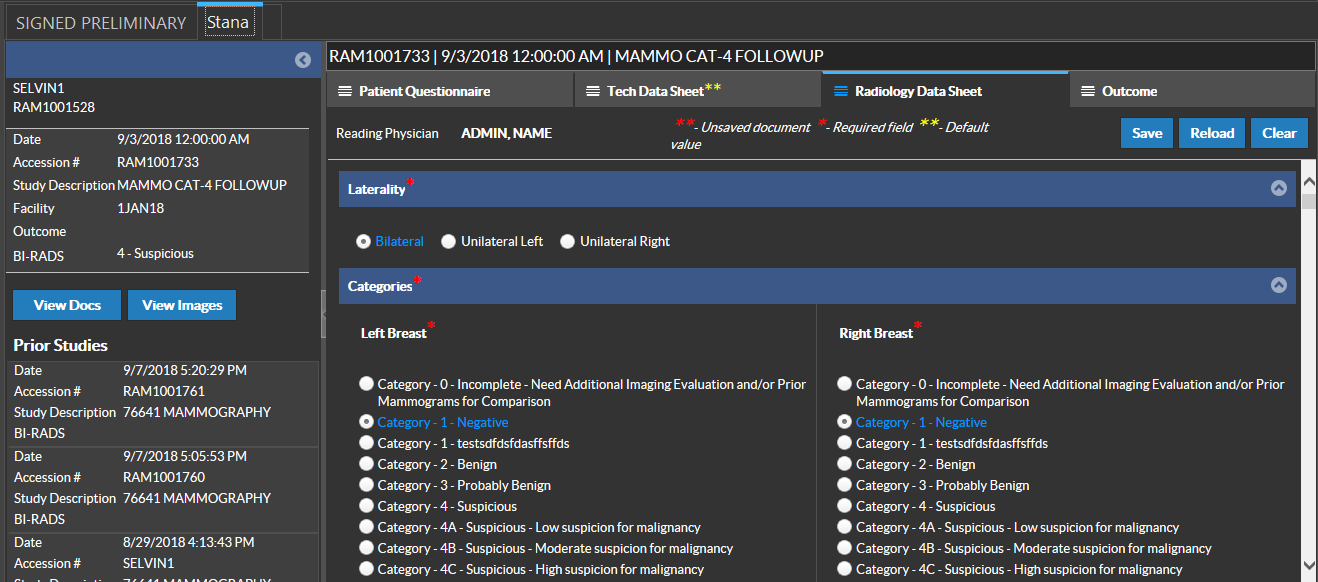
In the Categories section, select the relevant BiRad Category.
Note that once a BiRad Category is selected, the associated Radiology Data Sheet will be loaded. This section usually contain optional data elements.
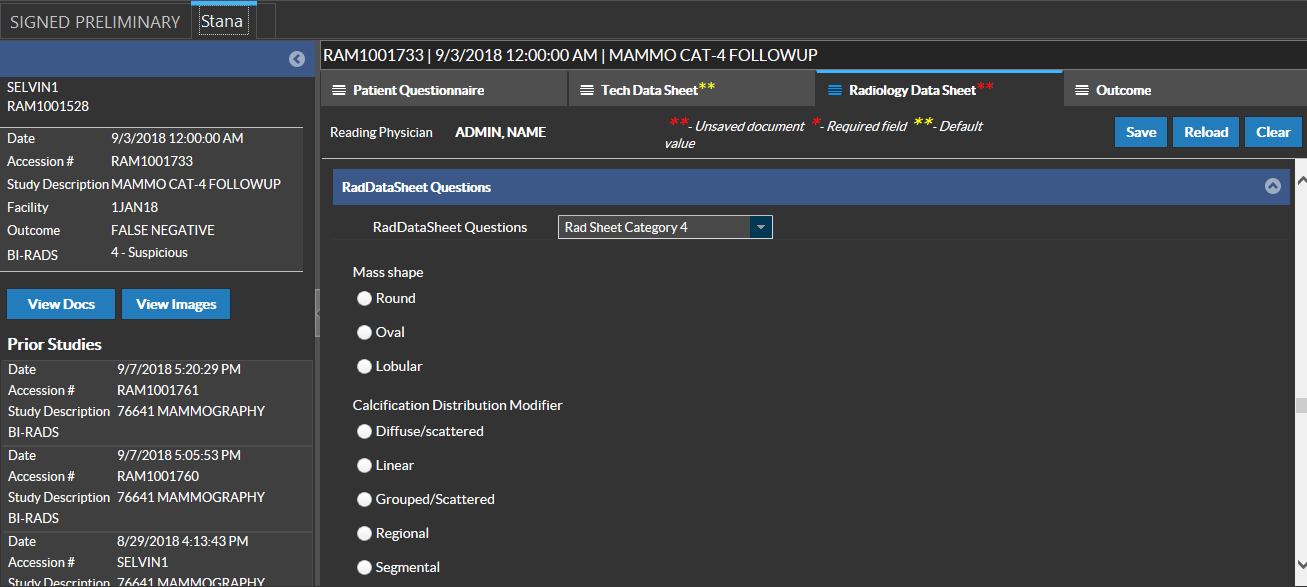
Based on the system configuration, each category may have a unique Radiology Data Sheet or may use the same. This configuration is controlled by the Configuration settings in Mammo Tracking Web.
Select the relevant Recommendation. Note that the available recommendations are dynamic and can be customized based on requirements.
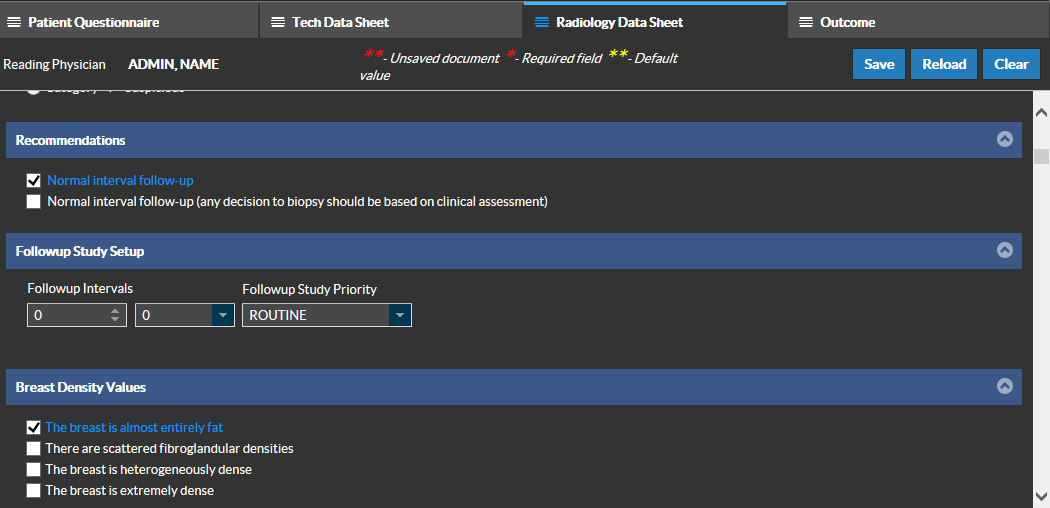
Followup Study Setup
Typically when you report a result, you may want to schedule a followup exam. Based on the Followup interval duration, the system will create another Followup exam with the selected priority once the Radiology Data Sheet is saved for the first time. Followup reminders for these exams can be sent. If this option is used, it will override the default Followup date and the reminder dates. If the option is not changed, the system will use the default followup interval for the associated Category.
Disabling a Followup Exam
Followup studies are case specific and there can be Breast Imaging Studies that would not need a followup exam. In these cases, the followup exam scheduling can be disabled by not entering any values in the Followup Study Setup field text box or by entering "0" in the text box.
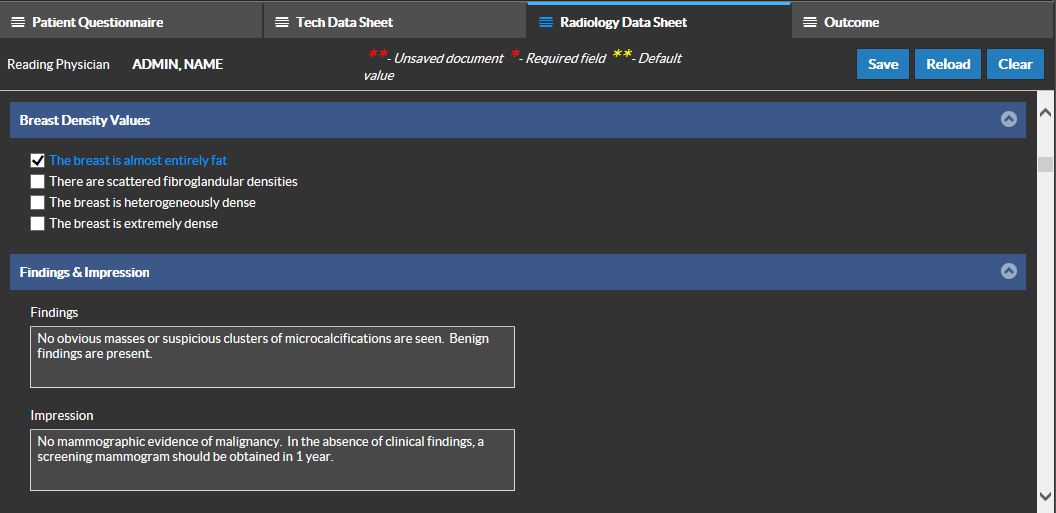
Breast Density Values
Select the Breast Density Value to grade the breast tissue based on the proportion of dense to nondense tissue. If none of these options are relevant, this field can be left blank.
RadDataSheet Questions
Based on the configuration settings, it is possible that to use additional RadDataSheets. The one displayed automatically is based on the the default DataSheet for the category selected.
Click the Save button on the toolbar to save the information. Diagnostic reports for the study can be created based on the information obtained from the Data Sheets.
The Stana diagnostic report for a Mammo Study is like any diagnostic report that gets generated in the Document Viewer. Update, sign and amend the report like any other document in the Document Viewer. For more information on Document Viewer, please refer to the topics Creating and Viewing Reports and Signing Preliminary Reports.
BiRad Category 5 or Higher
Once a BiRad Category code 5 or higher is used for a Study, the Study priority is elevated to CRITFIND if its current priority is lower than CRITFIND.
Category 4 or 5 changes the exam status to "Biopsy Pending" and would need action from the patient. Typically this would mean that the patient might definitely need a Biopsy and has to arrange for getting a Biopsy performed. A followup action is triggered when a BiRad Category 4 or 5 is used for a Study, prompting the Imaging facility to contact the patient.
RELATED TOPICS: