Tech Data Sheet
The Tech Data Sheet is a customizable and configurable template that is used typically by the Technologists to provide information on the Mammogram Screening and Diagnostic procedures.
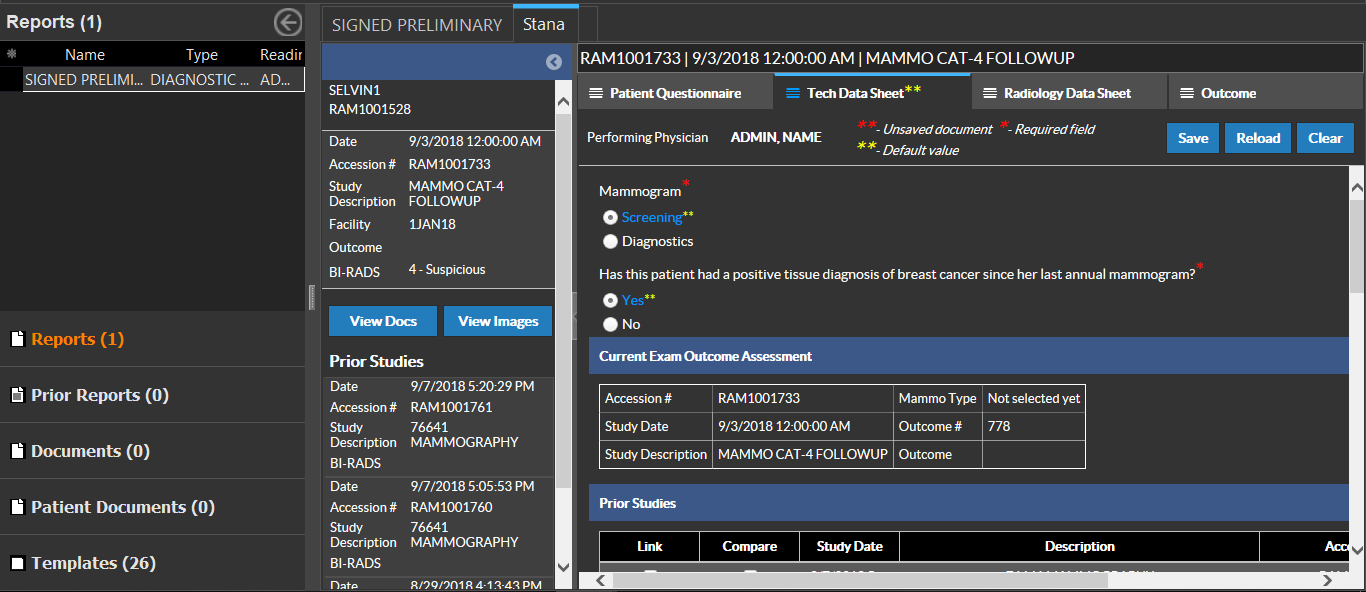
The Tech Data Sheet allows the Performing Technologist to:
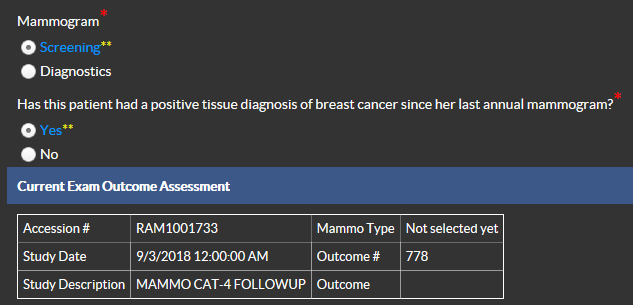
- Provide information on the Procedure being performed. This is based on the procedure that was ordered by the Referring Physician for the patient. These are Screening and Diagnostics.
- Provide the Current Outcome Assessment details for the procedure performed.
- Link and Compare Prior Studies with the current Study. This grid will list all the prior Breast Imaging studies. Select the Link button if the prior exam is part of the current assessment. Select Compare if the exam is from a previous assessment and is useful for comparing with the current assessment.

- Report volumetric information and place markers onto the localization map in the Depth section. These markers may be useful to mark the biopsy sites.
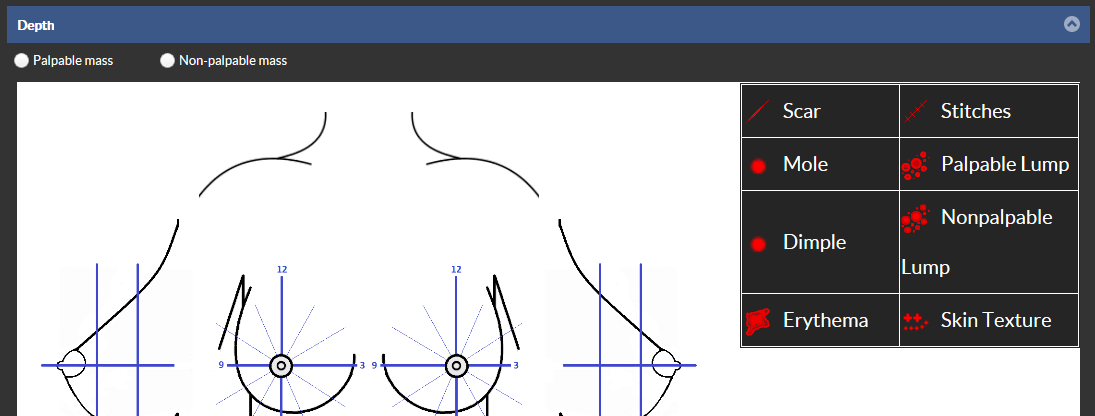
Technologists can confirm and indicate the presence of PalpableMass and Non-palpableMass during a diagnosis by selecting the appropriate indicator and placing any markers on to the localization map.
IMPORTANT:
The following questions must be answered:

The answer to this question provides the Outcome Value (True Positive, True Negative, False Negative and False Positive) based on the last category value for that assessment.
For example, a patient's last assessment result (Outcome #39) performed on 10/20/2014 was a BiRad Category 1: Normal, and the patient has returned on 10/25/2015 for an annual mammogram exam and the current exam has an Outcome #152. The answer to the above question will complete the last assessment for Outcome #39 as TN if answered as "NO" or complete it as FN if answered as "YES".
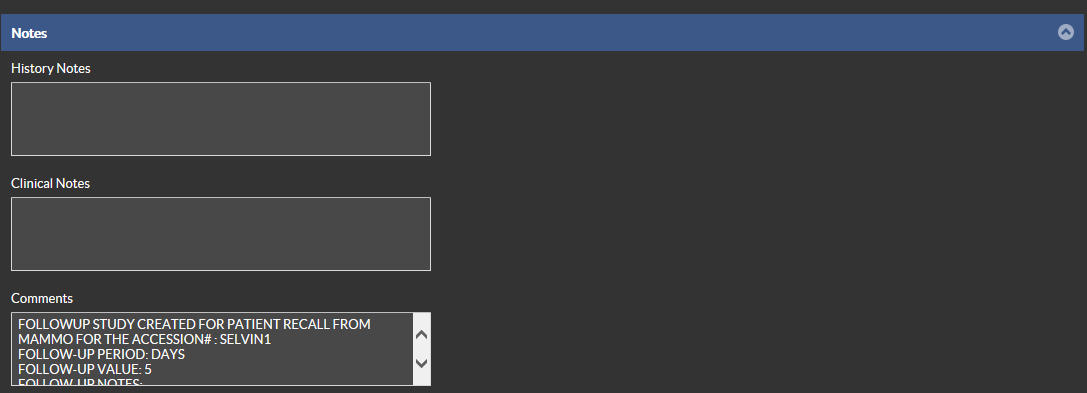
- Provide notes and comments pertaining to the Study using the History, Clinical and Comments text fields.
Once all the information is entered, click Save. You can see the confirmation message "Saved Successfully".
Note: The information you update in the Study Notes section in Tech Data Sheet gets copied to the Study Notes in the Study Info in PowerReader.
RELATED TOPICS: