How Do I Flag Critical Findings?
The Critical Findings feature deals with adding or modifying the priority of studies. CRITFIND and CRITTEST are two priorities which can be used to flag a study. Once a study has been Flagged, it creates a separate entity for Critical Findings. Its priority will be either CRITFIND or CRITTEST, depending on whichever priority is chosen.
There are several ways to change the Priority of a study to either CRITFIND or CRITTEST. It can be changed either from the Worklist, from the Report Module or through the Dictation Module.
If the user desires to change the study priority through the Worklist, the user must be awarded privileges to Update Study Info though the Users & Facilities > Roles > QC tab. For the study status to be changed through the Report Module or through the Dictation Module, the Critical Finding of the study needs to be configured in Maintenance. Please refer to the Maintenance Manual for information on how to configure this setting.
After configuring, log into PowerReader login portal. The Worklist will be displayed. Choose a study to Flag as a Critical Finding. Take notice of the Priority of the Study.
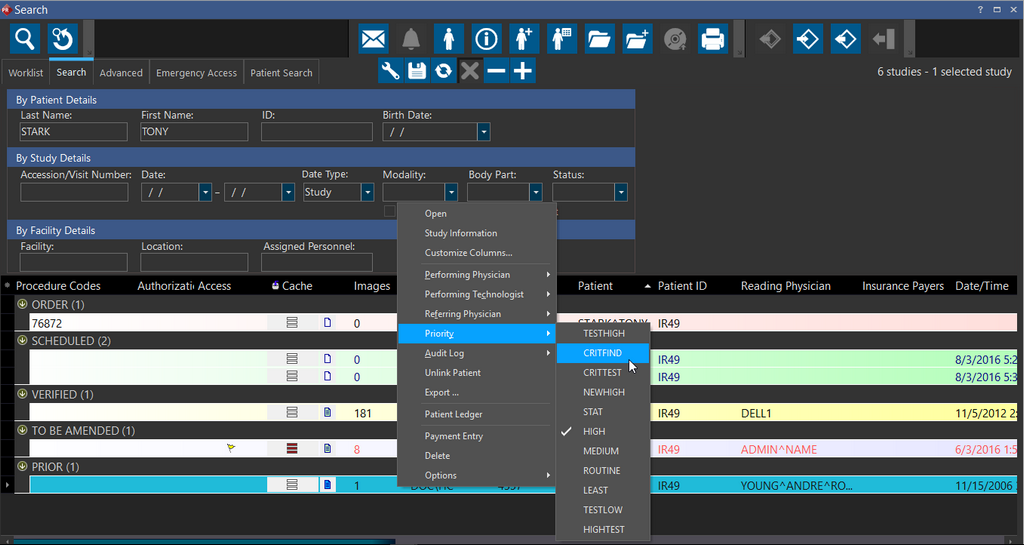
In the example above, the study STARK^TONY is currently of priority HIGH. The user can right-click the study and change the priority of the study to CRITFIND. Once the priority has been changed, it will have a check mark next to it.
To change the priority of the study through the Report Module, click on the document icon for that study. This can be opened from the Worklist itself, or from the study.

Create a report. After the report has been created, you will notice a Exclamation Mark in the toolbar.
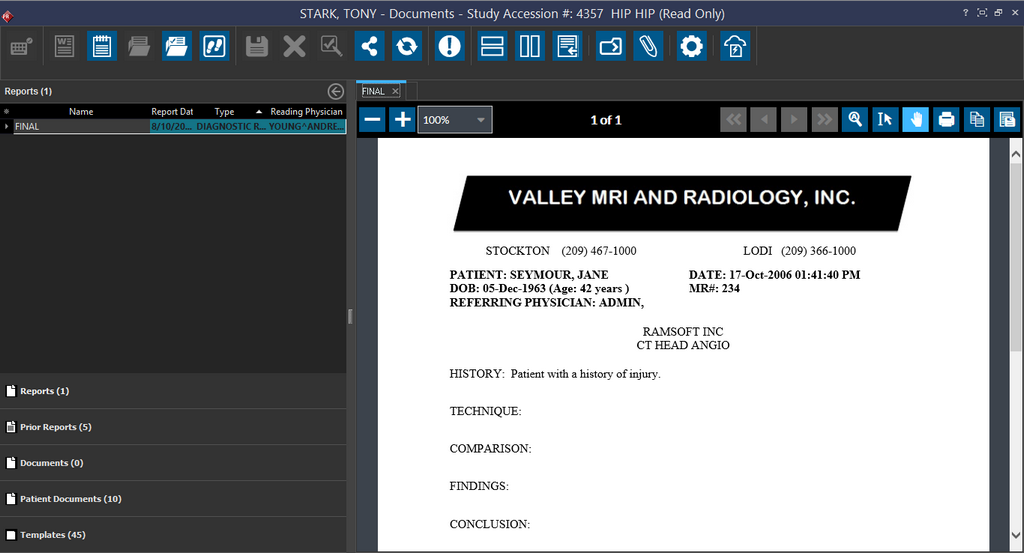
Clicking this Exclamation Mark will change the Priority of the study to whatever priority has been set up in Maintenance; in this case, it is CRITFIND.

The same method is used to change the priority of the study through the Dictation Module. Clicking the Exclamation button will change the Study's Priority to CRITFIND. Please note that it can be changed to any Priority depending on the selection in Maintenance.
