Studies Waiting for Biopsy
Waiting For Biopsy
Selecting the Waiting for Biopsy gadget opens the Pending Stana Studies Worklist and filter it to all studies that are a BiRad Category 4 or 5. Category 4 or 5 implies that an exam is awaiting pathology results.
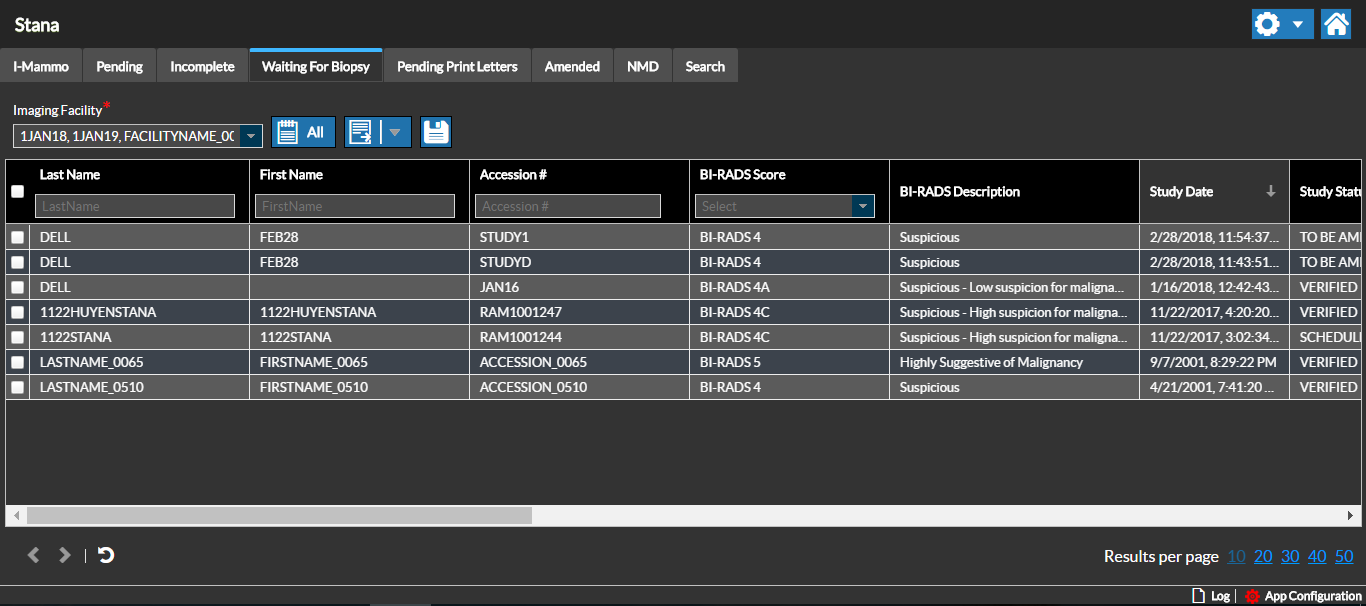
Select the Study and double-click to open the Study in Edit mode.
The Edit Study screen displays the datasheet based on the role of the user accessing the study. In this example, the Radiology Data Sheet is displayed since a radiologist is viewing the study.
Note the Category identified for the Study as Category 4 - Suspicious
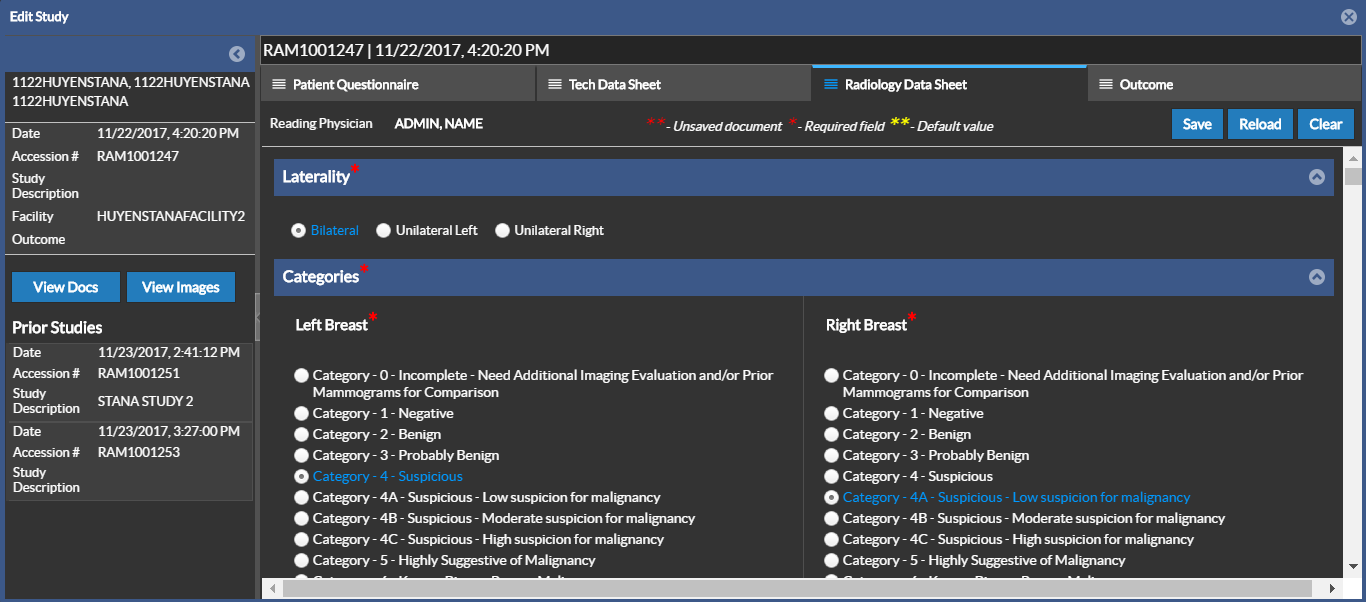
Typically Category 4 and above would need an action from the patient. A followup study is generally recommended.
After a Diagnostic report is created for a Stana study with BiRad Category 5 or higher, the study priority will be increased if the current value is lower than CRITFIND when the report is saved. You can see this change in the study Worklist in PowerReader.
If a Category 4 or 5 is used to generate a report, the associated study moves to the Waiting for Biopsy list.