Adjusting Window Settings using Clamp Mode
The Clamp Mode tool  is used to change the mode of windowing behavior for the selected viewport(s) between changing the window center and width, or adjustment of the upper value of the window with the lower limit clamped to a rescaled pixel value of 0. Clamped mode is selected by default for NM and PET images. The following image shows an image on which the Clamp mode has been applied:
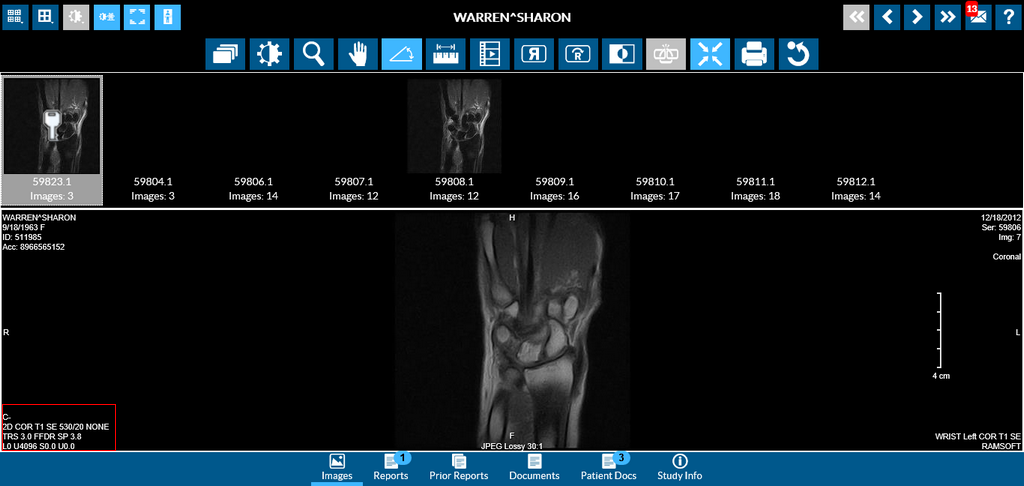
Notice that the lower limit (L) is set to 0.
Related Topics:
- Scrolling Through The Images
- Adjusting Window Level
- Using the Zoom Tool
- Moving an Image in a Frame
- Using Measuring Tools
- Flip and Rotate Images
- Inverting Grayscale Values of an Image
- Linking Images in Different Series
- Toggling the Annotations on/off
- Viewing Localizer Lines Over Images
- Resetting Manipulated Images
- Working with Images and Series