Displaying Mammography Images
MG images are displayed in RapidResults from Left to Right. By default, when you open a MG image, you can notice that the R (Right View) images are right justified to be displayed chest wall to chest wall with the L (Left View) images.
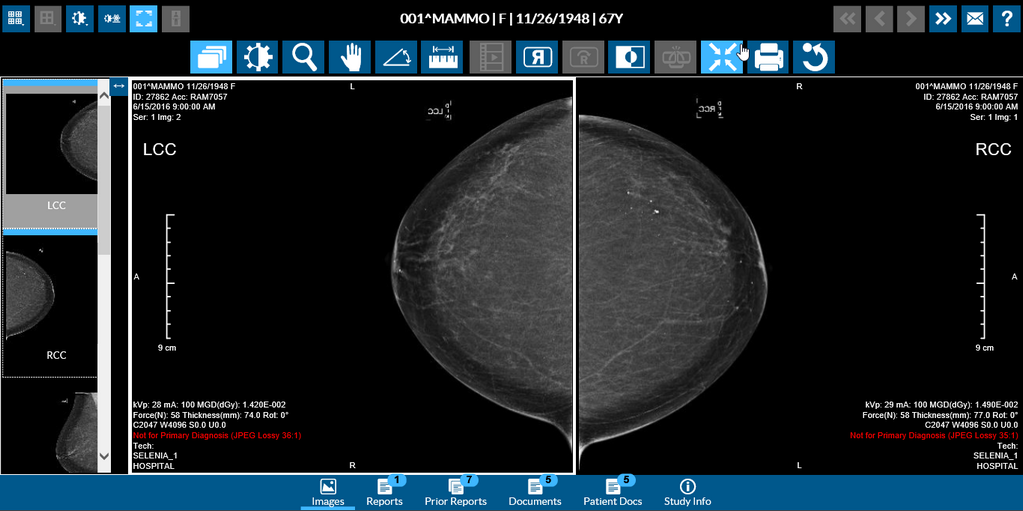
When you open MG images in RapidResults, by default the layout selected is a 1x2 display.
If you flip the image in a viewport by clicking the Flip  tool, you can see that images in viewports are flipped between the viewports and are still displayed chest wall to chest wall.
For example, the previous image when flipped would be displayed as follows:
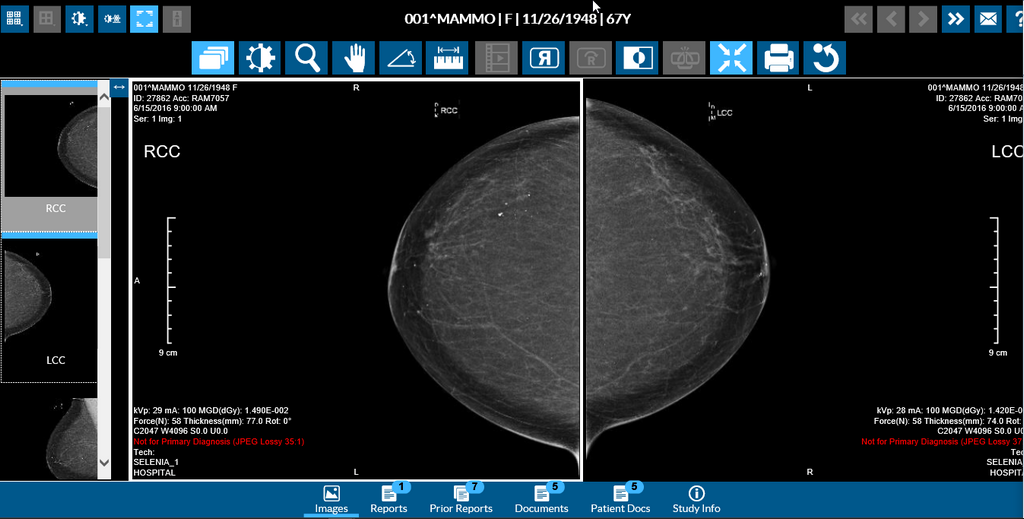
RapidResults remembers the last position of an image. When you open RapidResults again after performing a flip, RapidResults shows the images in a flipped view.
RapidResults always displays an image with the latest Presentation State if it exists.
Note: The Rotate tool is not available for MG images.