Moving an Image in a Frame
Pan 
The tool is used to move the image in the frame. A sample of normal view and panned view are displayed below for your reference.
| Normal View | Panned View |
|---|---|
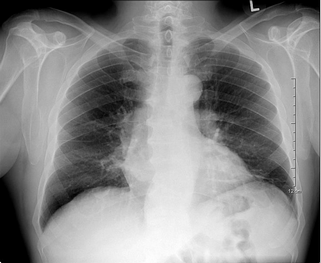 | 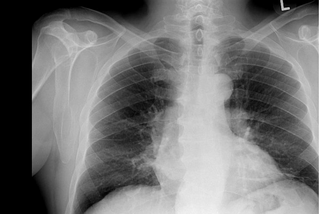 |
Panning could be done with mouse held devices and Stylus/Touch screen devices (tablet).
Mouse and Touchpad Users
- Click the Pan tool and move the mouse over the image.
- Click and hold the left button of the mouse and move the image as desired.
Stylus/Touch screen Users
Touch the Pan tool and place your finger over the image and move in any one of the direction.

Related Topics:
- Scrolling Through The Images
- Adjusting Window Level
- Using the Zoom Tool
- Using Measuring Tools
- Flip and Rotate Images
- Inverting Grayscale Values of an Image
- Linking Images in Different Series
- Toggling the Annotations on/off
- Viewing Localizer Lines Over Images
- Adjusting Window Settings using Clamp Mode
- Resetting Manipulated Images
- Working with Images and Series