How Do I Create a Key Object Document?
In order to create a Key Object Document, the Key Object Repository must be opened.
-
On the Study Desktop, click the Create Key Object Document
 button to open the Key Object Repository.
 -
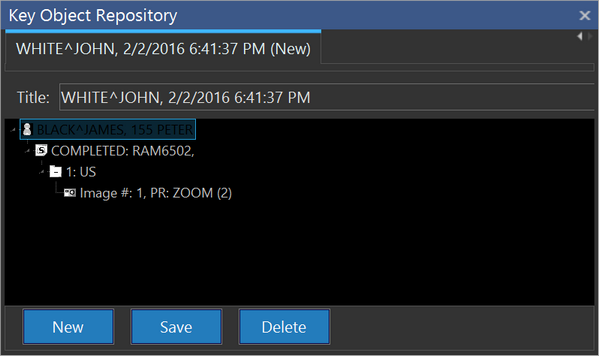
Double-click the image and the active frame will be added to the Key Object Repository.
-
Give the Key Object Document a different title name if desired.
-
To make the Key Object Document a part of the study, click on the Save button.
-
To create a new Key Object Document, click on the New button.
note
You can only create a Key Object series for a currently opened study. You cannot create a Key Object for Prior studies.