Printing Key Object Series
To print a Key Object series, first select the Key Object series.

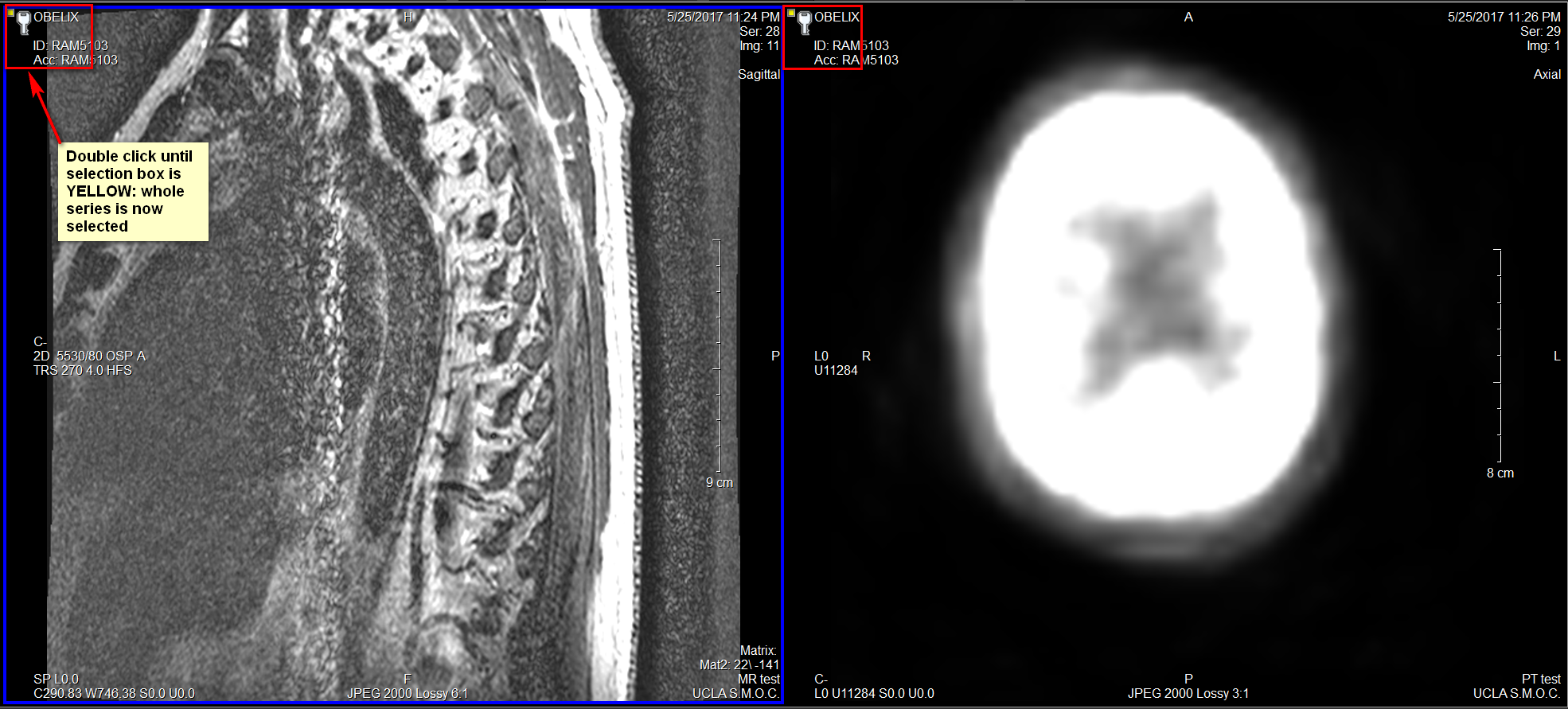
Select the whole series to be displayed in the Viewport.

To select all images in the Series for print, double click on the selection box until it is yellow.
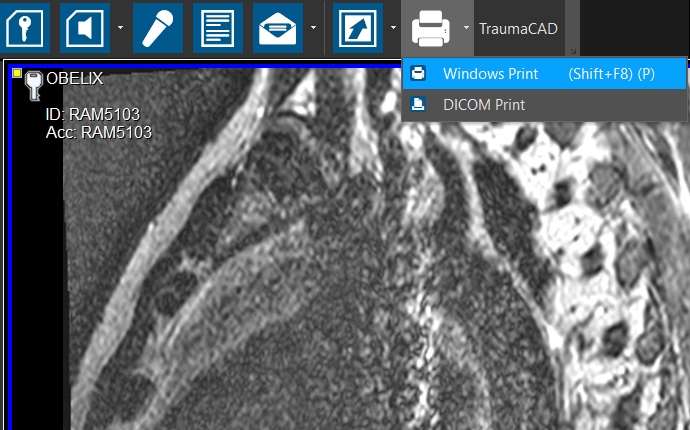
Select Windows Print or DICOM Print from the Print menu.
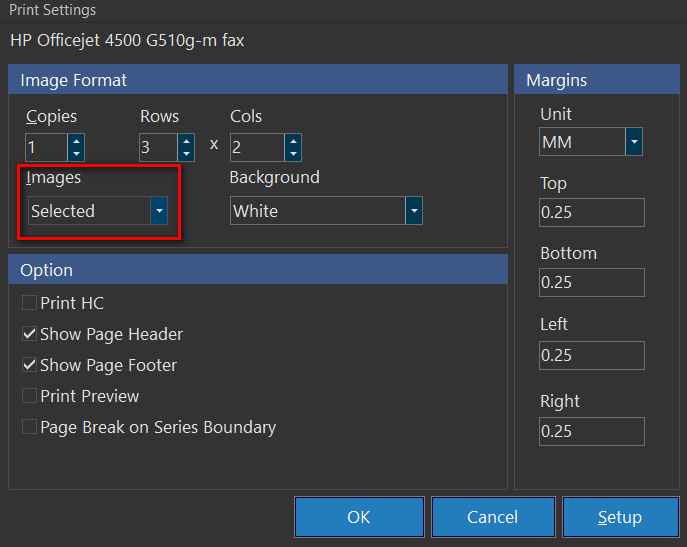
Under the Images dropdown, click "Selected", and click OK to print the selected Key Object series.