How Do I Delete a Key Object Document?
Deleting a Key Object Document
-
Open the Key Object Repository.
-
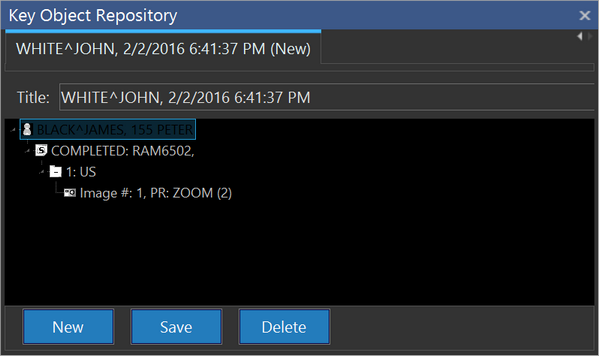
Click on the tab of the Key Object Document to be deleted.
-
Click the Delete button. This will open a confirmation dialog box.

-
Click Yes. The Key Object Document is deleted.
Deleting a Key Object
-
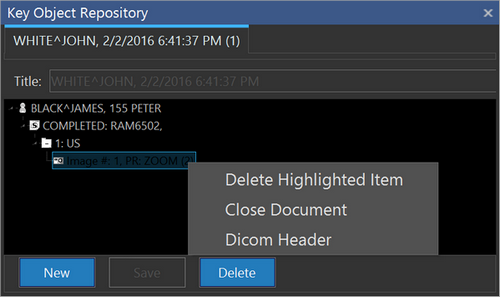
Right-click on the object to be deleted in the Key Object Repository.
-
Select the Delete Highlighted Item option. The Key Object is deleted.
note
The object is not deleted from the study, only from the Key Object Document.