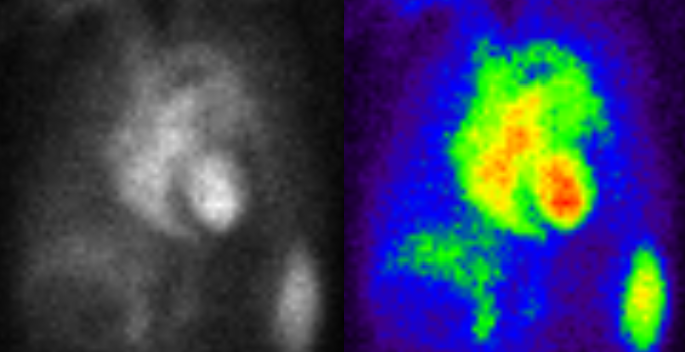
Applying Color to Nuclear Images
When viewing nuclear and PET images it is often helpful to apply a mapping of the grayscale values to a predefined color gradient. This can help in the diagnosis of certain metabolic hot spots that might not be very clear when viewed in grayscale mode.
The list of predefined color mapping schemes is available from the Image Right Click Menu.
For the Color Mapping option to be available, the Image Modality should be either NM or PT and the image must be a Grayscale image (Samples per Pixel = 1) and at least 8 Bits. Color Mapping is always applied to the entire frameset.
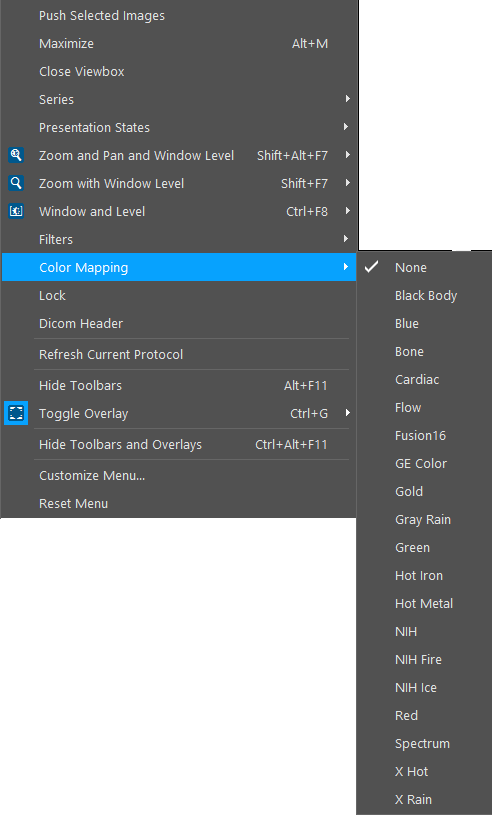
Once you right-click on an image and click on Color Mapping, this will open a list of all the mapping schemes that have been defined. The software comes with twenty predefined mappings. More mappings can be created by the System Administrator. As soon as a Color Mapping scheme is selected from the list, it is applied to the image. Color Mapping can be turned off by choosing the None option from the list.
In the above example, the X Rain color mapping scheme has been chosen for the Image. The difference is visible in the images below.