Probe (Density)
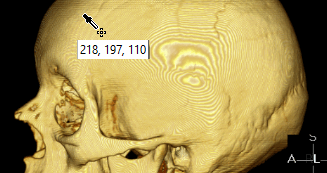
The Probe tool is used to measure the pixel intensity or density. The density is measured in Hounsfield units. The intensity is measured on images where Hounsfield values are inapplicable. It is simply the grayscale value of the current pixel. The tool is activated from the toolbar.

The Probe is used by clicking and holding down the mouse button. The value is displayed beside the cursor.
Aside from the capability of measuring individual pixels, the software can draw distribution graphs for entire regions of interest. To do so, first draw a region of interest. Next right click the region and this will open up the following sub menu.

Choosing the ROI Histogram option will open a new window with a histogram of Hounsfield or intensity distribution.

Standardized Uptake Value (SUV) is defined as the ratio of activity in tissue per milliliter to the activity in the injected dose per patient body weight. The unit appears for NM/PET studies. This can be done by selecting the Probe image tool. The opening up of an NM/PET series image will create a sub menu for the probe tool.
The sub menu contains a default option for SUV value and options to derive values in SUV Body Weight (SUVbw), SUV Lean Body Mass (SUVlbm) and SUV Body Surface Area (SUVbsa). The default option displays the SUVbw value.
The SUV probe tool can be used in Fusion view (studies which allow a fused view of CT and PET studies) where it is very useful in identifying the level of activity in a tissue. For further information, please refer to the How Do I Fuse Two Series into One View? section of the manual.