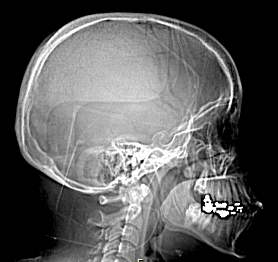
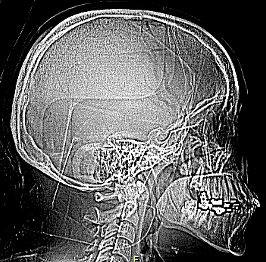
Image Filters
When images are not quite diagnostic quality, sometimes an image filter can enhance them enough to be useful. The RamSoft software comes with nine predefined filters. These filters are accessible from the Image Right Click Menu.
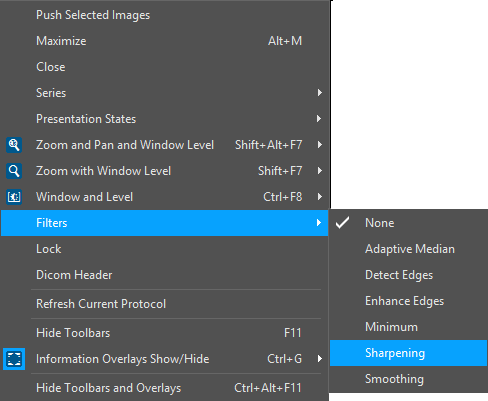
Selecting a filter from the list will automatically apply it to the current image. To turn off filters, the None option needs to be selected.
On top of the predefined filters, new filters can be created by the system administrator.
In the above example, the user has chosen the Sharpening Filter. Once a filter has been applied, its name is displayed on the top of the image. The image before and after the application of the filter is displayed below.