Creating Reports for Clinical Quality Measures
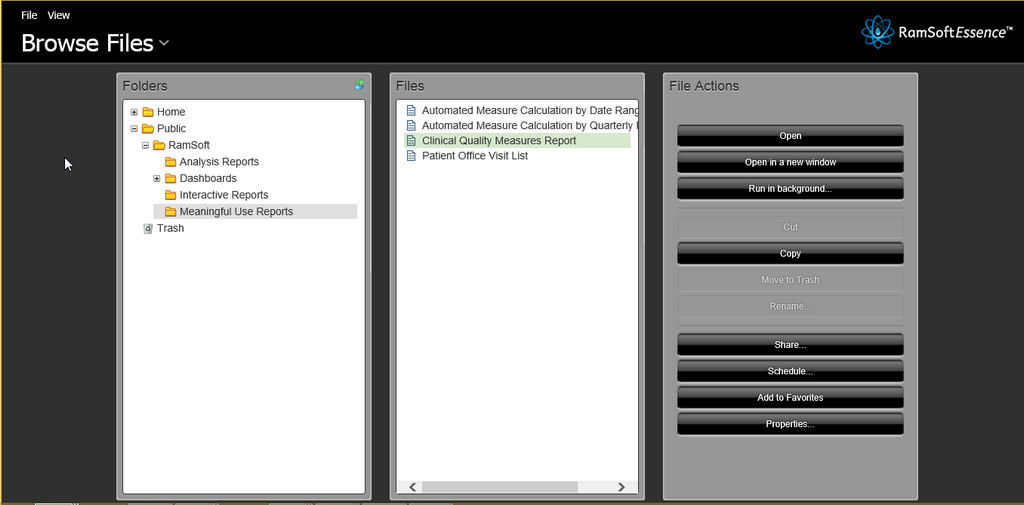
Reports for Clinical Quality measures is a part of the Meaningful Use Criteria and must be reported by the user to the CMS. The measures are explained in detail in the Center for Medicare and Medicaid Services website https://www.cms.gov/.The report can be generated by clicking Browse Files > RamSoft > Meaningful Use Reports and selecting Clinical Quality Measures Report file in the RamSoft Essence page.
Select a Provider (Reading or Performing Physician), From Date, To Date, Facility and Issuer of Patient ID. Users can choose the facility they belong to. However, system wide administrators can choose any facility.
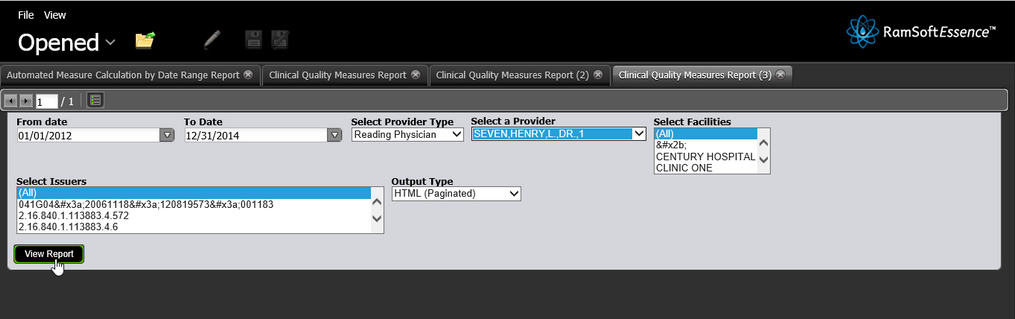
Click the View Report button to generate the Clinical Quality Measures report.
The current measures are listed as follows:
| Title | Measures | |
|---|---|---|
| 1 | Closing the referral loop: receipt of specialist report (CMS50) | Total Patients (Initial Population) Applicable Patients (Denominator) Excluded Patients Exception Patients Performance Percentage (%) |
| 2 | Documentation of Current Medications in the Medical Record (CMS68) | |
| 3 | Preventive Care and Screening: Body Mass Index (BMI) Screening and Follow-Up - Population Criteria 1, Numerator 1 (CMS69) | |
| 4 | Preventive Care and Screening: Body Mass Index (BMI) Screening and Follow-Up - Population Criteria 2, Numerator 2 (CMS69) | |
| 5 | Childhood Immunization Status (CMS117) | |
| 6 | Breast Cancer Screening (CMS125) | |
| 7 | Pneumonia Vaccination Status for Older Adults (CMS127) | |
| 8 | Preventive Care and Screening: Tobacco Use: Screening and Cessation Intervention (CMS138) | |
| 9 | Preventive Care and Screening: Influenza Immunization (CMS147) | |
| 10 | Controlling High Blood Pressure (CMS165) | |
| 11 | Use of Imaging Studies for Low Back Pain (CMS166) |
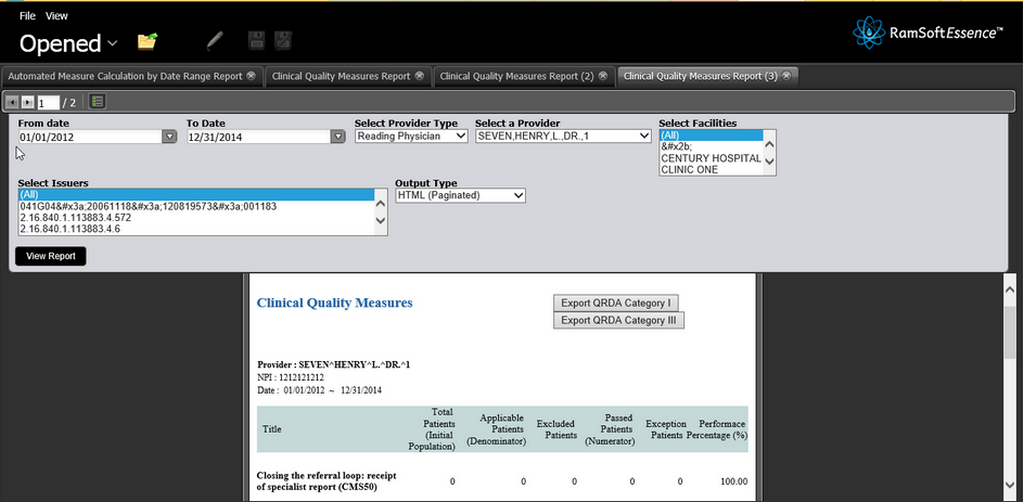
If the report displays all the measures as 0 while the performance percentage of every measure is 100%, it means that there were no instances where the patient records in the system met the criteria for the CQM. The RamSoft PowerServer runs algorithms to calculate the measures and determine the instances where the criteria are met.
The above measure in the RamSoft report has displayed no instances where the criteria was met for any patients in the system. As a result, the Performance Percentage is 100%.
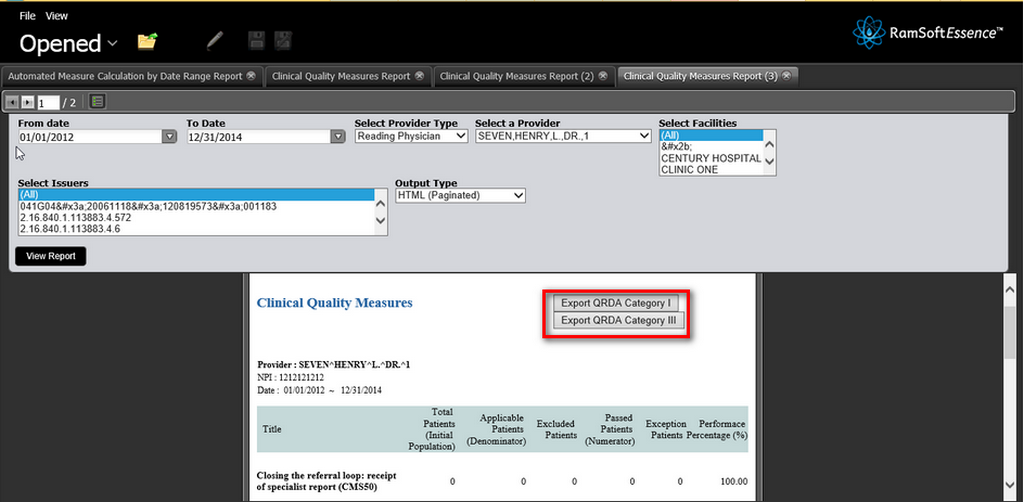
The report can be exported in the QRDA Category I OR III formats. To export the required format, click the Export QRDA Category I or Export QRDA Category III button.
This report include empty studies (studies that do not contain any objects) in the body of the report but does not include cancelled and deleted studies in the body of the report. The total number of these cancelled and deleted studies is displayed at the bottom of this report in two rows named 'cancelled Studies' and 'Deleted Studies'.
Exporting to Quality Reporting Document Architecture (QRDA) Category I and III formats will save the report in XML data format.
This Meaningful Use feature is only available for RamSoft PowerServer with Meaningful Use license.